
Overview
Grid Templates can be assigned to specific teams within VisionPLM. To perform this task, you must have Administrator permissions.
Steps
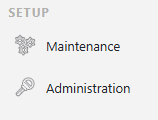
- Navigate to Administration > Teams. This option is only available to users with Administrator rights.
- In the Name column, select the team you want to allocate the Grid Template to.

- The selected team's settings and permissions will load. Select the Grid Templates tab.

- A grid will be displayed containing the following columns:

- Locate the required Grid Template by filtering the Layout Name column.
- Once you have found the required Grid Template, select the checkbox in the Allocated column.
- Click Save Team Grid Templates to save the changes.
Result
The selected Grid Template is now allocated to the team and will be available to all users assigned to that team.