Article Public Number: KA-01555
Coats Digital Knowledge Article
This Article will help you to mark an order as Estimation Order.
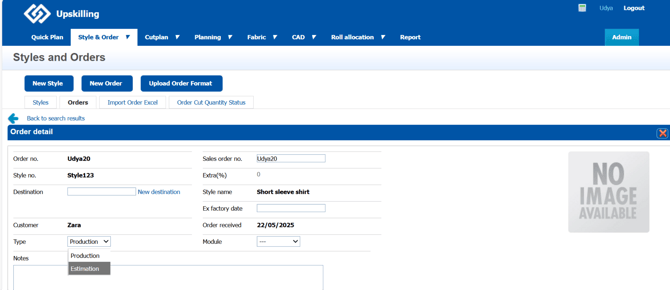
To convert an order into an Estimation Order, follow these steps:
- Navigate to Style & Order.
- From the dropdown, select Orders.
- Enter the Order Number you wish to update.
- Click Search.
- Open the order from the search results.
- Click Edit.
- In the Type field, select Estimation (see screenshot for reference).
- Click Save.
- The order will now be marked as an Estimation Order.