
Article Public Number: KA-01527
Coats Digital Knowledge Article
Product: FastReactPlan
Purpose & Scope:
如何实现产前事件标记完成
Solution:
可以通过系统手动更新订单产前事件Update -----Events by Item
Instructions:
Step 1: 打开FRP系统,选择更新à按事件更新à输入订单号或者按下拉箭头选择需要更的订单。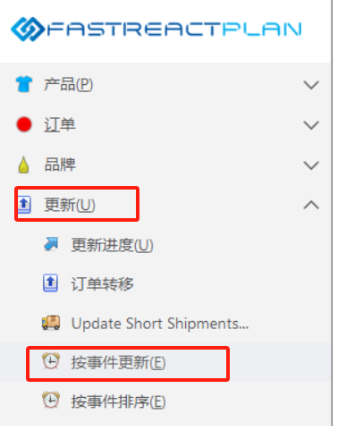
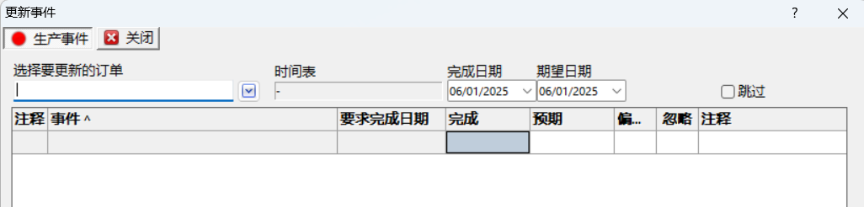
Step 2: 选择事件“完成日期”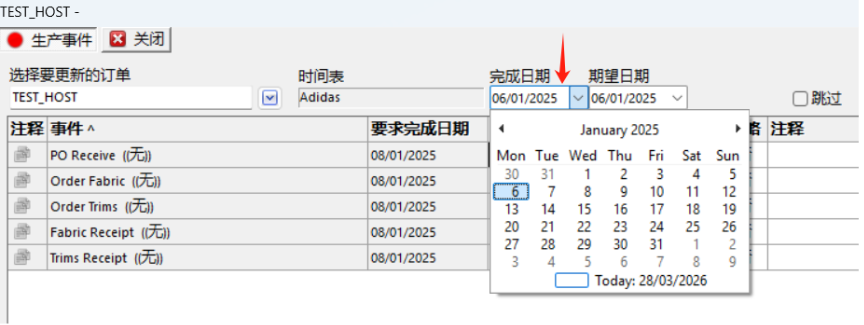
Step 3: 点击相对应事件“完成”栏位后选择右下角“更新订单”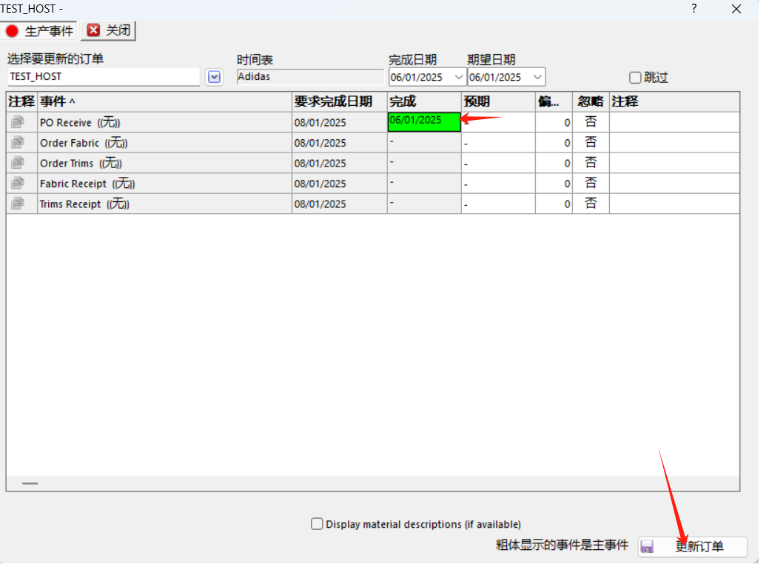
Steps 4: 如发现错选完成日期,可以单击一下框内日期进行取消,再重新回到“完成日期”选择正确日期。随后选择右下角“更新订单”。
Outcome:
事件标记完成如上。
Further reading:
Links to related articles