
Article Public Number: KA-01208
Coats Digital Knowledge Article
Product: FastReactPlan
Purpose & Scope:
A brief explanation of how to set up Change Allowances
Solution:
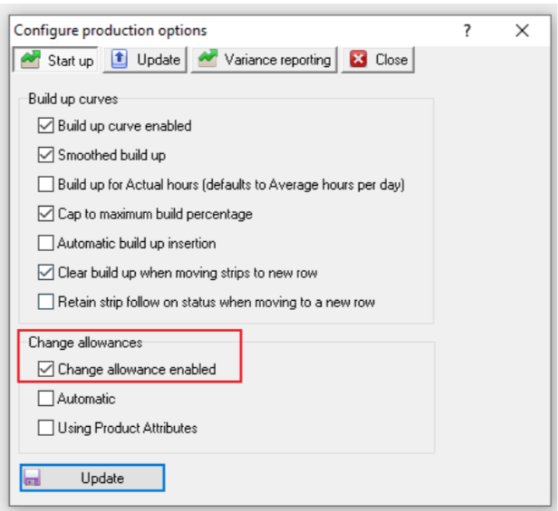
Go to Set Up > Configure > Production and ensure that there is a tick under “Configure Production Options” of “Change allowances Enabled”. And then Change Allowances could be changed in Products interface.
Instructions:
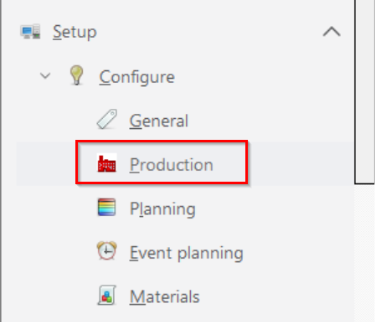
Step 1: Go to Set Up > Configure > Production
Step 2: Tick [Change allowances Enabled] under [Configure Production Options]
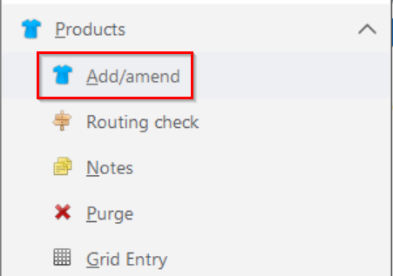
Step 3: Click Products => Add / Amend => Changes
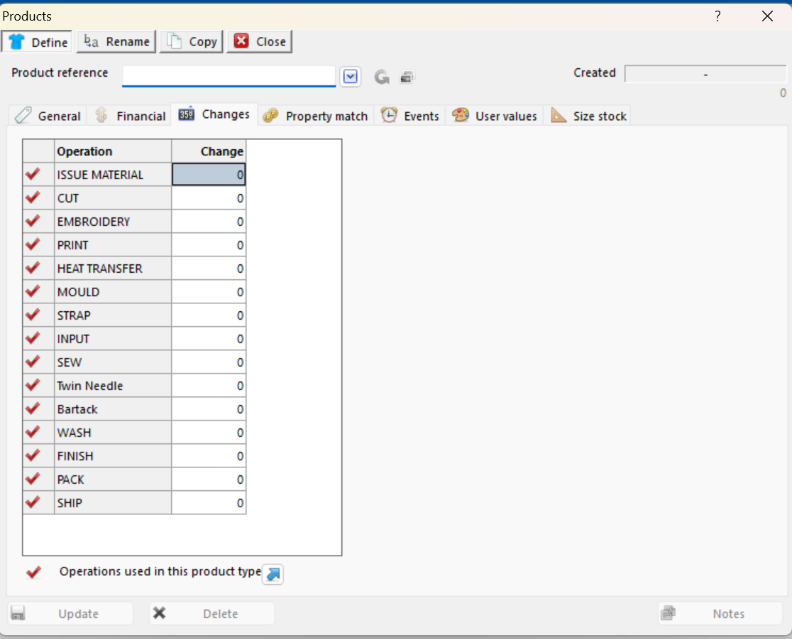
Step 4: Once the correct product has been selected, in the [Changes] column enter the value as required for any changes that are take place at a product level. Once the correct value have been entered click on [Update].
Outcome:
Change Allowances could be changed via Tab [Changes] in Products interface.
Further reading:
Links to related articles