
Article Public Number: KA-01156
Coats Digital Knowledge Article
Product: FastReactPlan
Purpose & Scope:
A brief guide explaining about Materials Groups within FastReact
Solution:
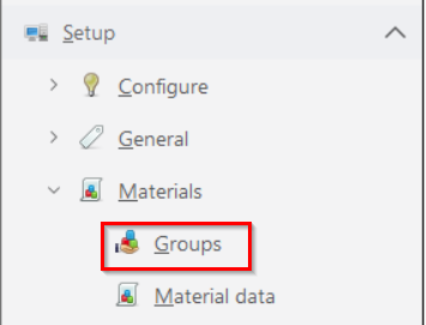
Go into FastReact and go to Setup > Materials > Groups, the Material Group window appears. Under this menu option the user can create and maintain a number of material groups.
Instructions:
Step 1: Go to Setup > Materials > Groups, the following window appears
Step 2:
Here you define specific material group names and when created, can select different options in accordance to the Material Group requirements:
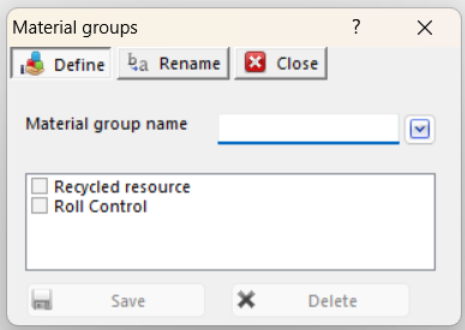
Recycled resource
This option can be used to designate a particular material group as a recycling resource group.
Roll Control
Delegate control to collaborative partner
When Collaboration is enabled, and the material group will be one of the collaborative material group, the user can assign responsibility for that group to the collaborative partner.
Note: Renaming of a Material Group Name can take place at any time and FastReact will prevent duplicate groups.
Outcome:
The user can use this material group function to create and maintain a number of material groups.
Further reading:
Links to related articles