
Article Public Number: KA-01519
Coats Digital Knowledge Article
Product: FastReactPlan
Purpose & Scope:
This article is going to take you through for how to create an operation in collaborative FRP system.
Solution:
For a collaborative FRP, the most important thing is to ensure there is collaborative ID setting for the things that need to collaborated.
If not, host and remote FRP systems cannot talk with each other. Therefore, ensure the collaboration ID for the operation created
should be the same in both host and remote systems.
Instructions:
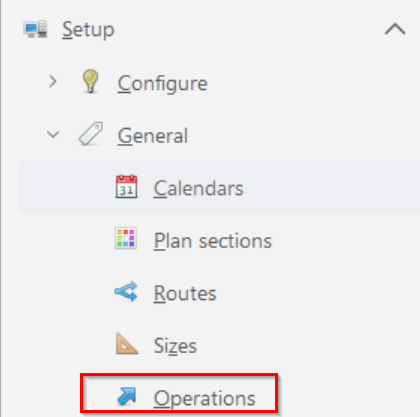
Step 1: Go to Setup - General - Operations as below
Step 2: Insert the operation that you want to add, e.g. Bonding below, and suppose below is the Host system
Giving a sequence number(ensure this sequence number not used in any existed operation) to it,
Update its "work content units", if it measure by SMV, then insert SMV there.
If you want to "monitor the work in progress", then tick that option.
Update the "External Reference", ensure other existed operation not used it.
Update its "Collaborative ID", this is very important, must ensure this ID has not appplied to any existed operation yet, collaborative ID must be unique.
Make it linked to "SEW", then click "Insert"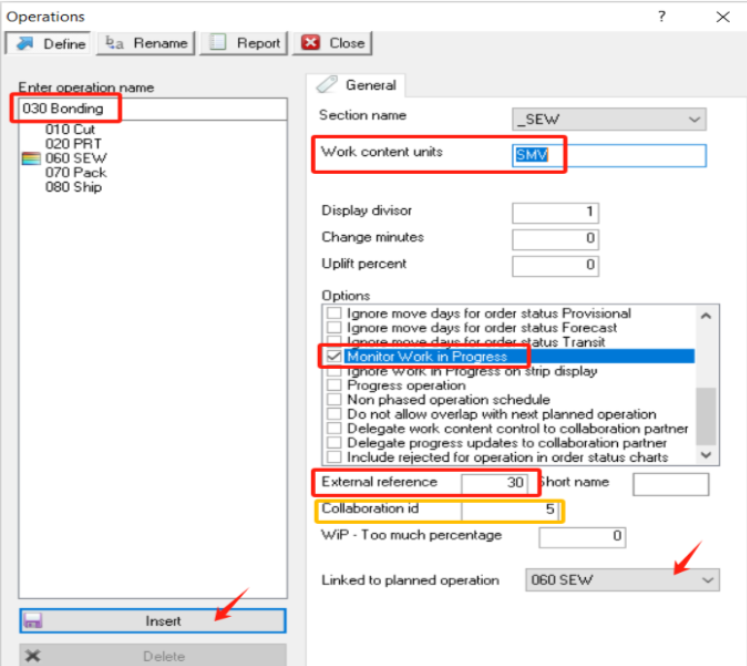
Step 3: Doing same at Remote site. If you want the opertion SMV and output to be maintained in Host site, then ensure below 2 options in RED to be ticked.
Ensure External reference and Collaborative ID to be same as Host site as above.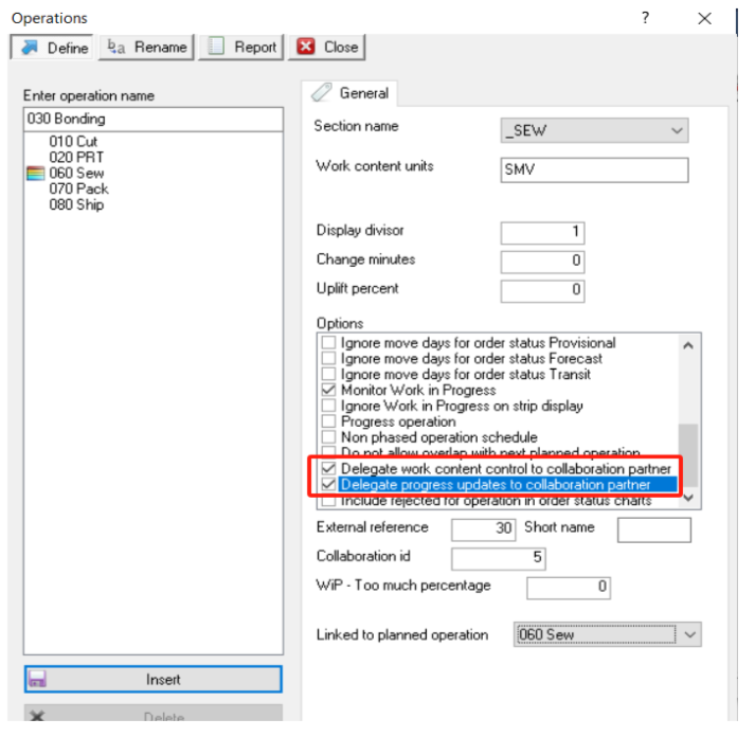
Step 4: Once above setting done, go to Setup - General - Product types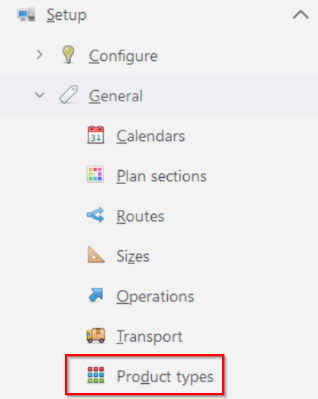
Step 5: Select all product types that should have "Bonding" operation to update it as "Used" and giving it a default SMV, click "Update"
If there are many product types that will have Bonding SMV and need to be updated in one time via interface file. Please contact FRP support for help.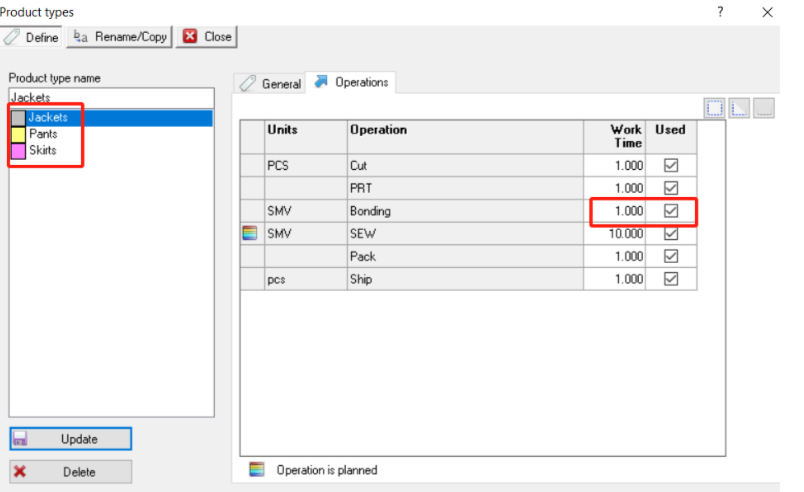
Outcome:
With above setting done, new operation has been added in both Host and Remote site and ready to be used
and the data between hsot and remote will keep same with the same collaborative ID setting.
Further reading:
Links to related articles