
Article Public Number: KA-01381
Coats Digital Knowledge Article
Product: FastReactPlan
Purpose & Scope:
There are Notes against order/product that allow users to check who, when and what have been done, however, if they want to know when one planning board is open by whom or when and who has run a specified report. There is no such record within the notes in FRP UI. Only they can do is to enable the option "Log to text file", which can log those actions have happened and drop a TXT file on user local machine.
Solution:
Go to Setup - Configure - General - Defaults, enable the option "Log to text file" .
Instructions:
Step 1: Enable the option "Log to text file", click "Update" to save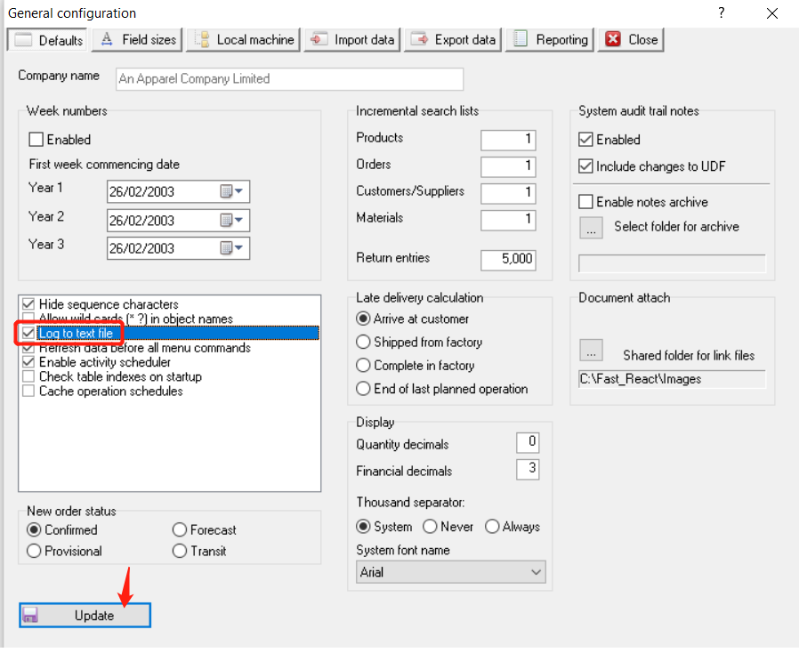
Step 2: Go to Setup - Configure - General - Local machine, check below in RED to see where the TEXT file is saving to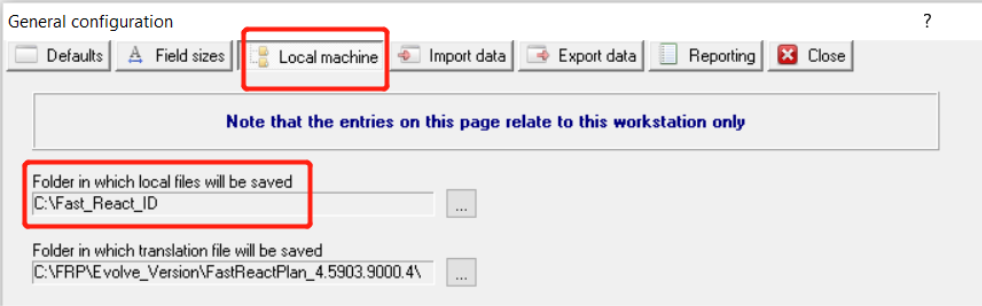
Step 3: Go to the path setting above on local mahine, and you will see there is a TXT file dropping there with the user name by date.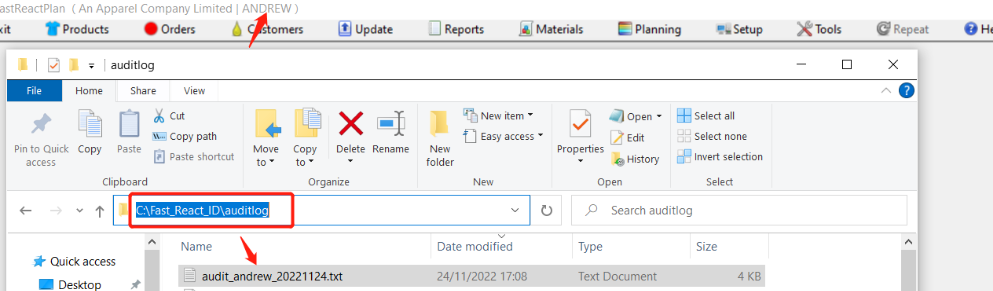
Step4: In the TXT file, it will start to record most of detail that you have done since you log in FRP till you log off
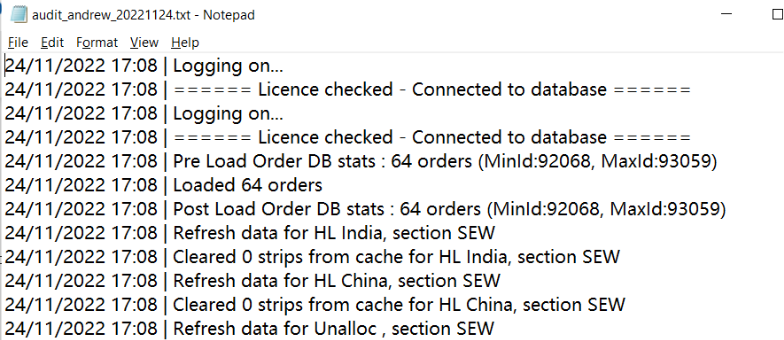
Outcome:
With this enabled, system will record the operations that user have made in FRP, which can help provide evidence if they want something to be proved.
Further reading:
Links to related articles