
Article Public Number: KA-01382
Coats Digital Knowledge Article
Product: FastReactPlan
Purpose & Scope:
Users normally would expect that somewhere they can check when and what have been done to the orders/product & by whom in FRP.
Solution:
There is "Notes" screen to show who, when and what have been done if the option "System audit trail notes" is enabled in FRP.
Instructions:
Step 1: Go to Setup - Configure - General, navigate to tab "Deafaults", with below option "Enabled"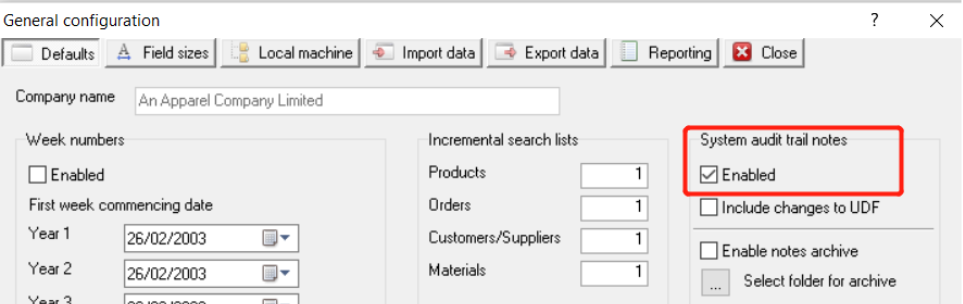
Step 2: When you go to Orders tab, and check the notes of any order, you will then see there are records in detail to tell you who, when and what have been done to this order.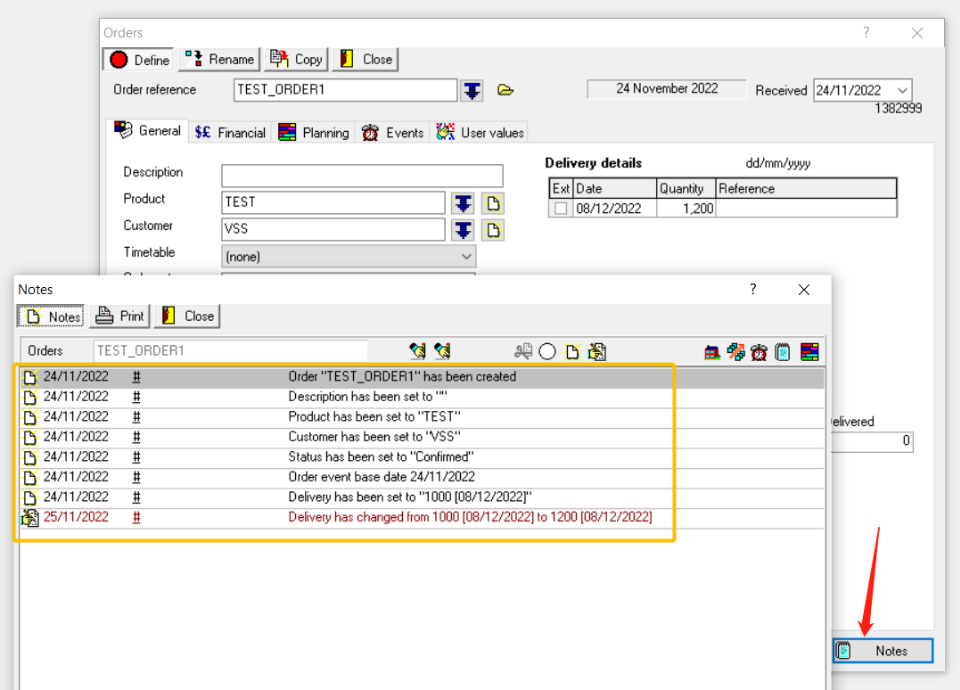
Step 3: Same to Products as well as below.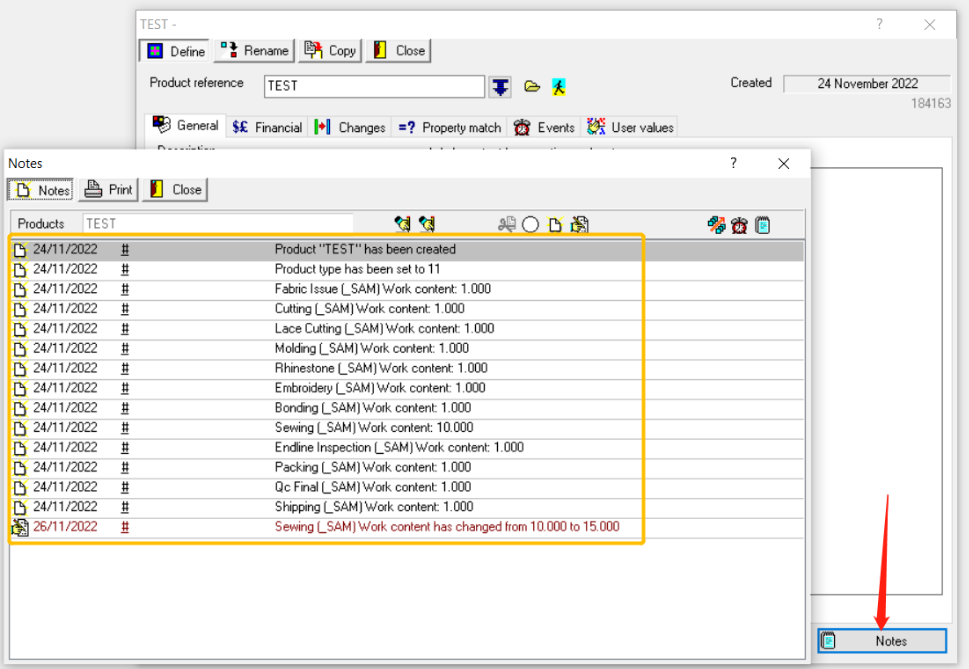
Outcome:
If the option mentioned above is not enabled, there will be blank in the order/product Notes dialog. If with that enabled, all the information update against the order/product will be recorded in detail
Further reading:
Links to related articles