
Article Public Number: KA-01276
Coats Digital Knowledge Article
Product: FastReactPlan
Purpose & Scope:
Auto clear the users who have the planning boards opened when FRP is running an auto import task.
Solution:
Go to Setup-- Activity scheduler, selecting the "Report" tab and right click on the "Import" task to enable the "Log off plan users and clear plan lock" option
Instructions:
Step 1 : Go to Setup-- Activity scheduler, select the "Report" tab, you will then see below auto tasks displaying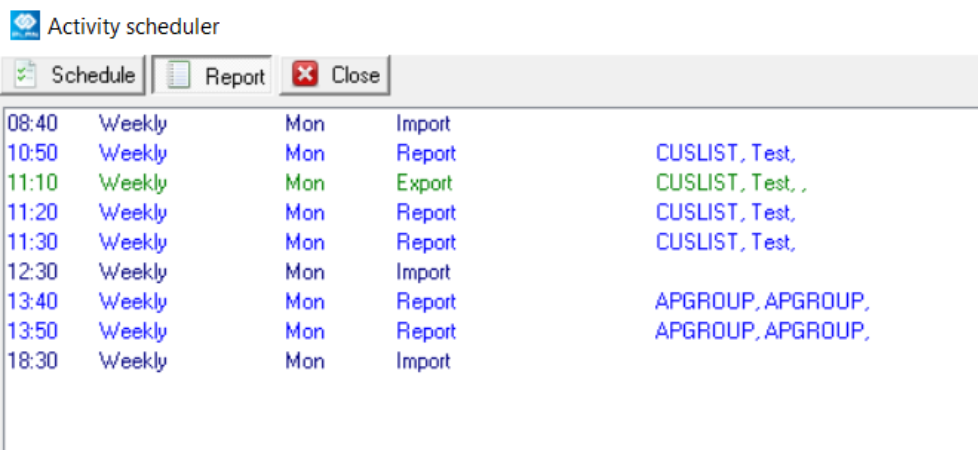
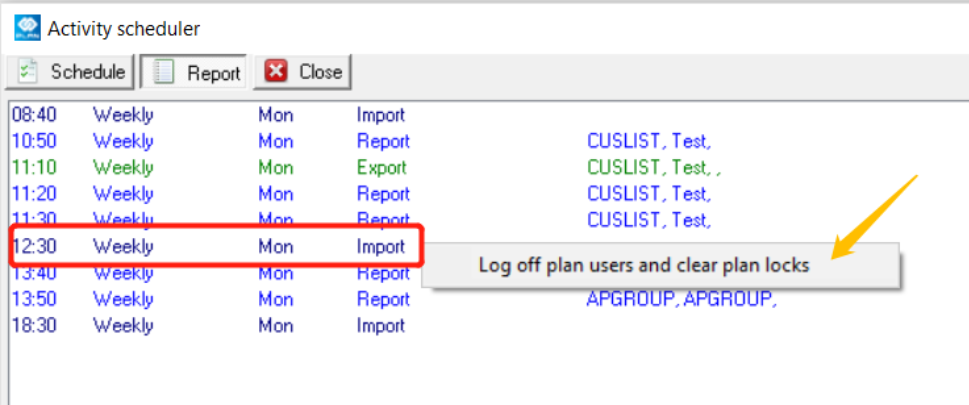
Step 2 : Right click on the import task that you want to enable the "Log off plan users and clear plan lock" option for
Step 3 : Once above enable, you will then see it display below and telling you that when the auto import that happen at 12:30 will clear the planner and the lock if any planning board is opened/locked around that time.
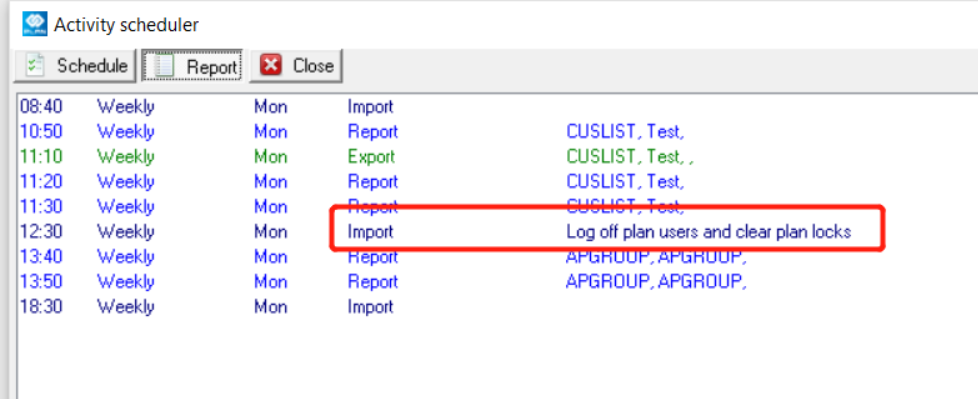
Outcome:
As we all know that the output for the planned operation cannot be refresh with planning board opened, therefore, we normally will enable this option for the import task that created for the planned operation output file importing