
Article Public Number: KA-01516
Coats Digital Knowledge Article
Product: FastReactPlan
Purpose & Scope:
There are some chances that users have been locked in system due to power off suddenly or error that force to log out system abnormally.
Here the article will show you how to login with ## to clear yourself or other account out from Fastreact system.
Solution:
Login with an user name that applied in FRP for users clearing.
User name: ##
Password: password
Instructions:
Step 1: Login FRP with user name as ##, and password is password, click "Sign in"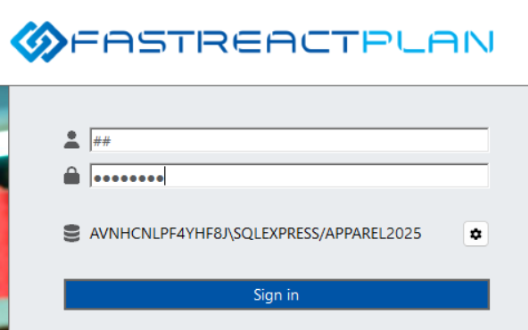
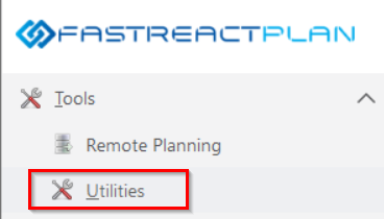
Step 2: Go to Tools - Utilities as below
Step 3: Select from the dropdown list or Type the user name that you want to clear from FRP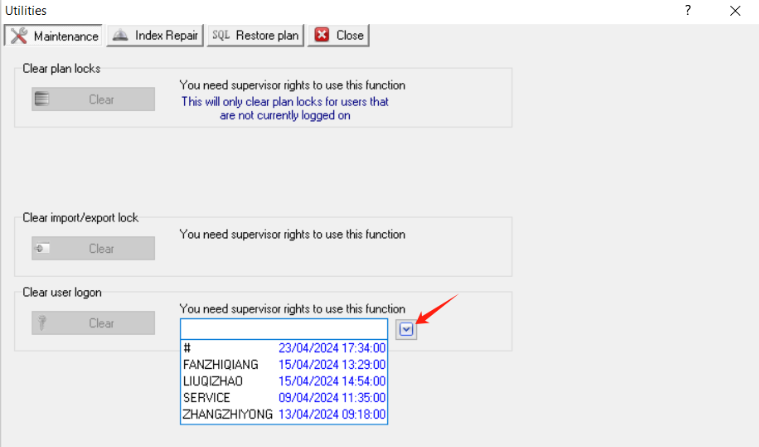
Step 4: Take below for example, pick Service acocunt below, and click "Clear"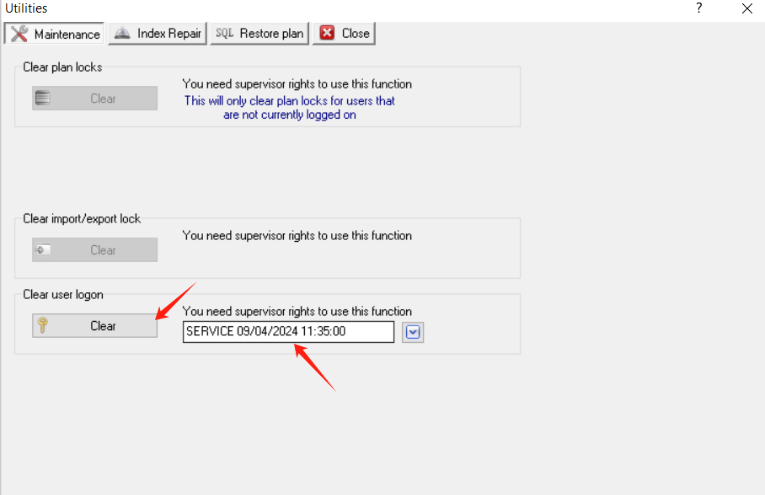
Step 5: System will then pop up below, select "OK". The user will be cleared out from FRP as expected
Outcome:
After the user has been cleared, then it can be logged in again as normal.
Further reading:
Links to related articles