
Article Public Number: KA-01379
Coats Digital Knowledge Article
Product: FastReactPlan
Purpose & Scope:
There are different rotations in FRP HL and LL planning board, and we can have drop down for plan row on LL board which allows users to identify the strip status by different colours. Among them, we found there is a fifth block, and what it represent is the colour of extended order status.
Solution:
With the extended order status enabled via frs account, if there is no extended order status assigned to the order, it will display in black. If there is any extended order status been created and attached to orders, this 5th block will display the colour that has been defined in the dialog of Extended order status.
Instructions:
Step 1 : Pre-define the User defined order status as below for example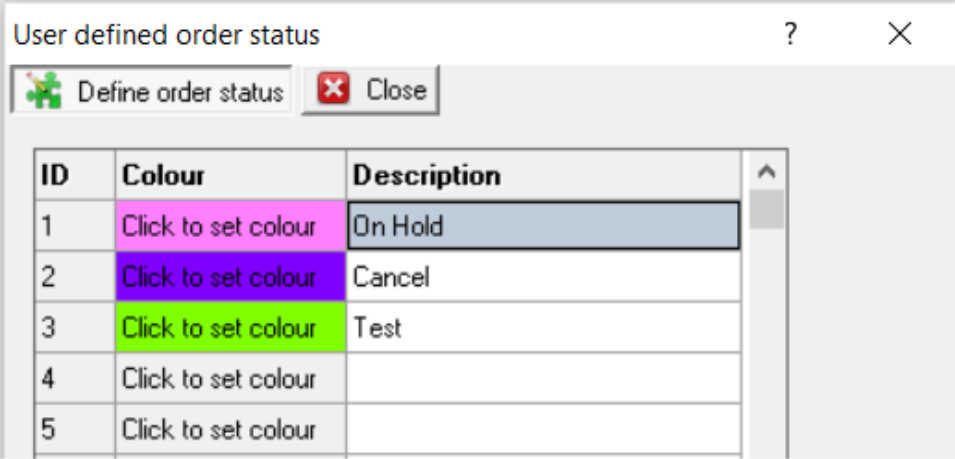
Step 2: Assign the extended status to the orders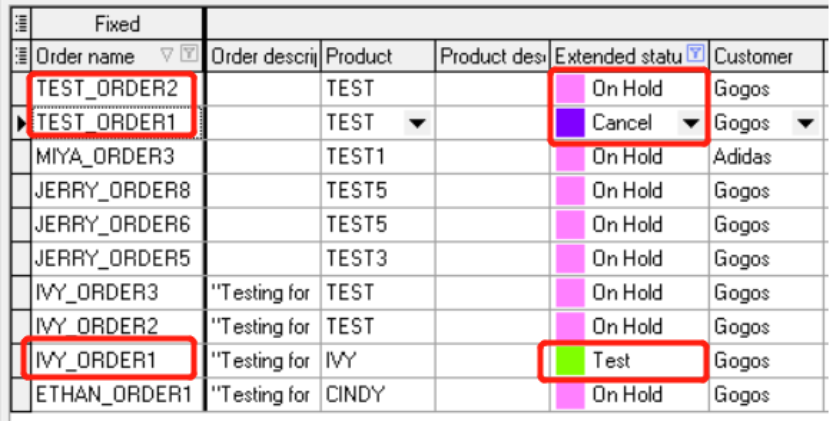
Step 3: When we log into LL board and check from the drop down of any rotation view, we can see the 5th block is displaying the colour of the extended order status.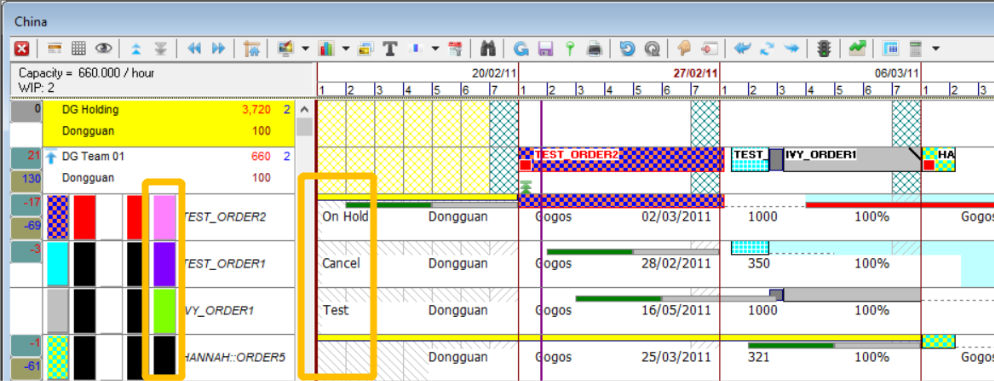
Outcome:
It becomes much more visible to view the extended status of all the strips that plan on the production line from the drop down blocks.
Further reading:
Links to related articles