
Article Public Number: KA-01243
Coats Digital Knowledge Article
Product: FastReactPlan
Purpose & Scope:
This document lists the command line parameters and short-cuts that can be used with FastReactPlan along with screenshot examples of their usage. The command parameters are entered into the Target line of the program short-cut properties after the program path:
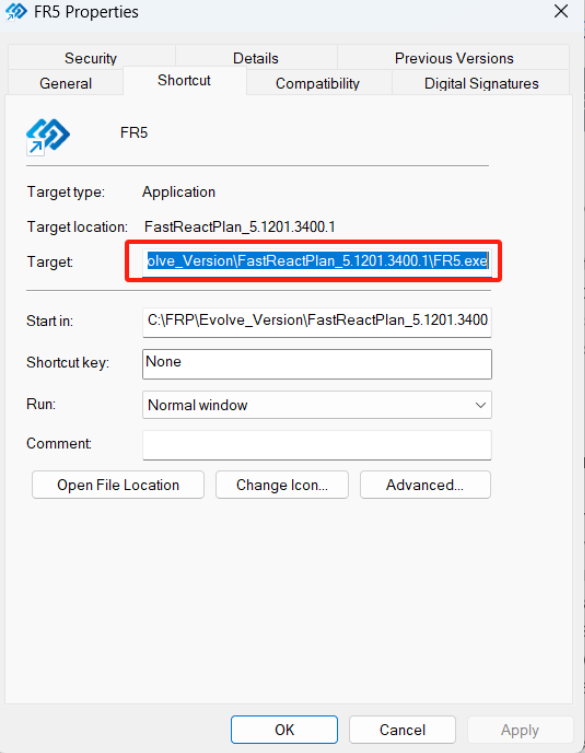
The parameters can be used individually or collectively in the same Program Shortcut with a space separating each command in the Target Line.
Solution:
Pre-loading the Database Connection into FastReactPlan
- Command: DB:xxxx (where xxxx = db path & name (Access) or db name (SQL)
- Function: This command will launch the program with the preferred database connection already loaded.
- Example: Target: "......\FR4.exe" DB:FR_APPAREL
- Command: SV:xxxx (where xxxx = name of the Server)
- Function: This command will connect FRP to the referenced Server and used in conjunction with DB:xxxx can define the connection path. This is particularly useful if the SQL database is on a different server to the FRP application files, or if you have multiple servers running FRP databases, (e.g. Live and Test).
- Example: Target: "......\FR5.exe" SV:EUGBDELC40JBK3 DB:FR_APPAREL
- Command: PR:xxxx (where xxxx = name of the Server Provider)
- Function: This command will connect FRP to the referenced Server and used in conjunction with DB:xxxx and SV:xxxx can define the connection path and type. This is particularly useful if the SQL database is on a different server or provider type to the FRP application files, or if you have multiple servers running FRP databases, (e.g. Live and Test).
- Example: Target: "......\FR5.exe" SV: LAPTOP-I25VF09S PR:SQL Server Native Client 11.0 DB:FR_APPAREL
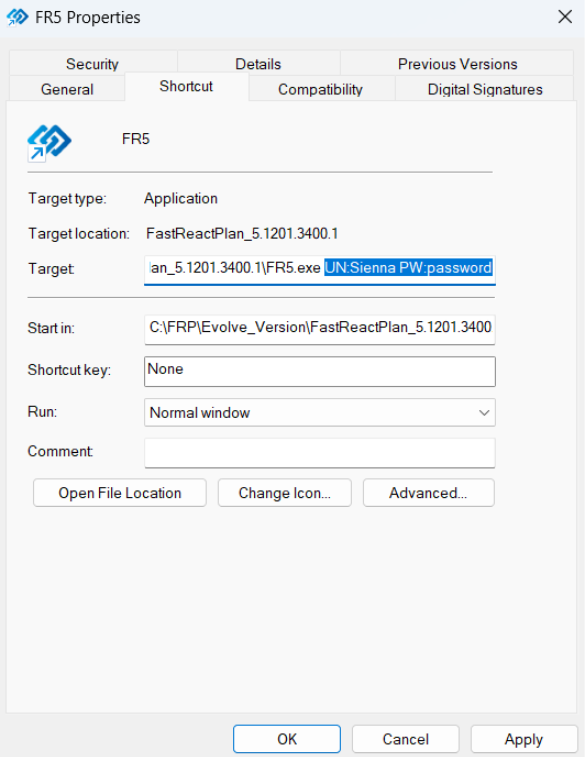
- Command: UN:abcd PW:1234 (where abcd = log-on username and 1234 = log-on password)
- Function: This command loads the username and password from the Target Line, bypassing the Log-on Screen to launch FastReactPlan. The software will connect to the last database that was accessed using the FastReactPlan short-cut.
- Example: Target: "......\FR5.exe" UN:Sienna PW:password
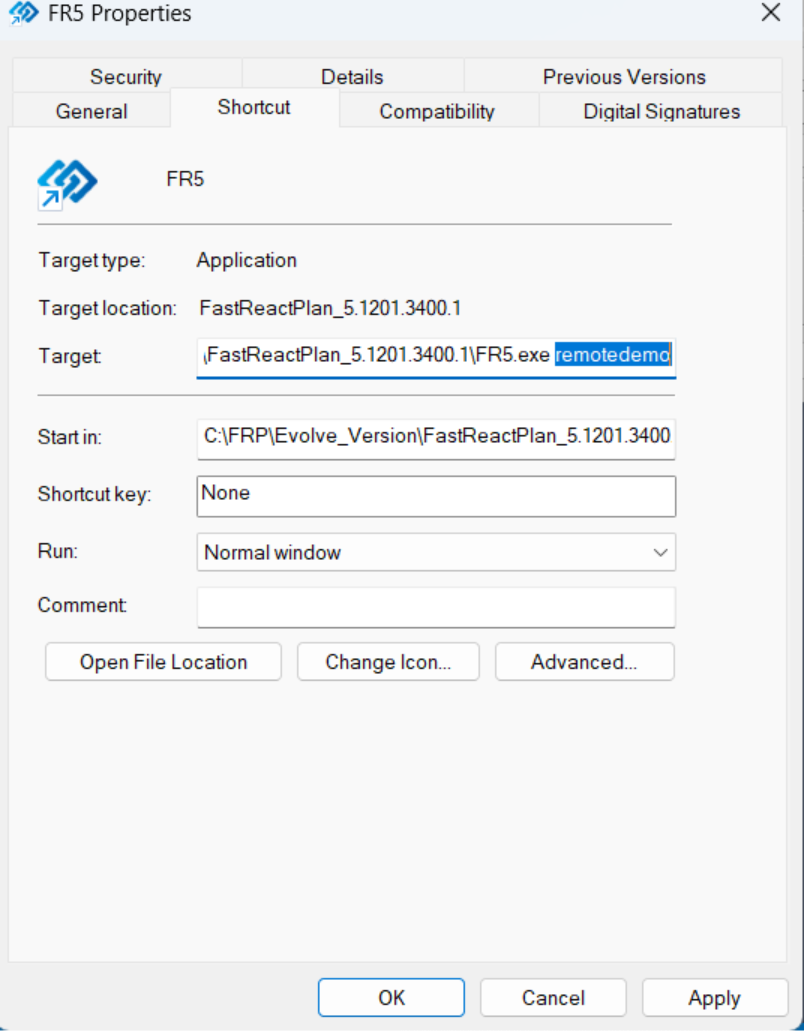
- Command: remotedemo
- Function: This command configures the RAS setup of a model to use a local directory rather than an external e-mail so that the sending/receiving of RAS packages can be demonstrated.
- Example: Target: "...\FR5.exe" remotedemo
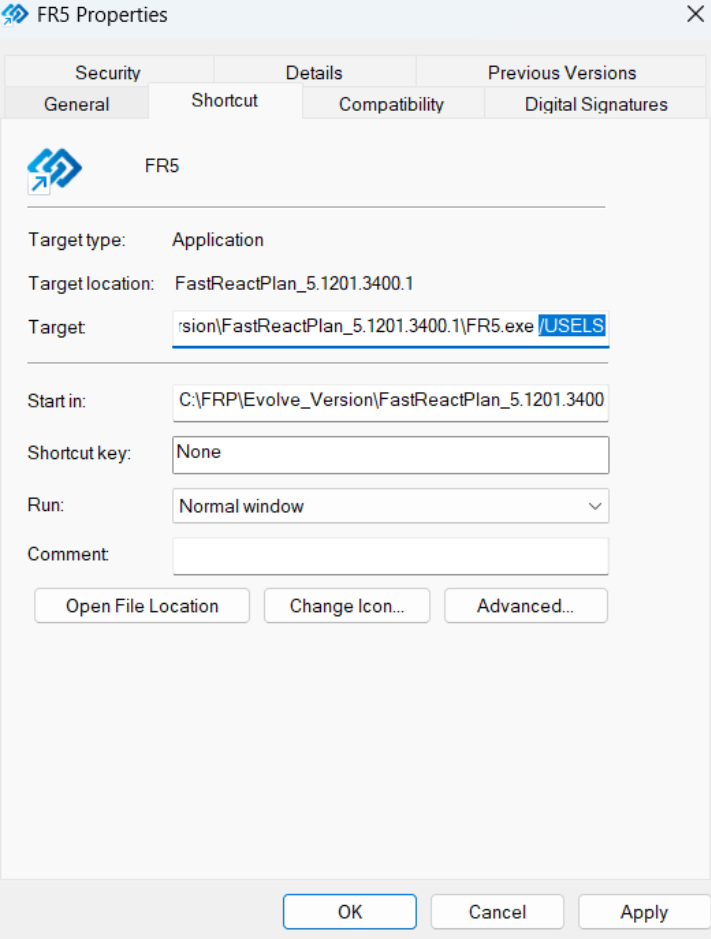
- Command: /UseLS or -UseLS
- Function: Both of these commands perform the same action and are used for Licence testing.
- The command forces the software to read from the FastReactplan FR_Lic.dat file rather than from the local FRP dongle.
- Example: Target: "...\FR5.exe" –UseLS Or Target: "...\FR5.exe" /UseLS
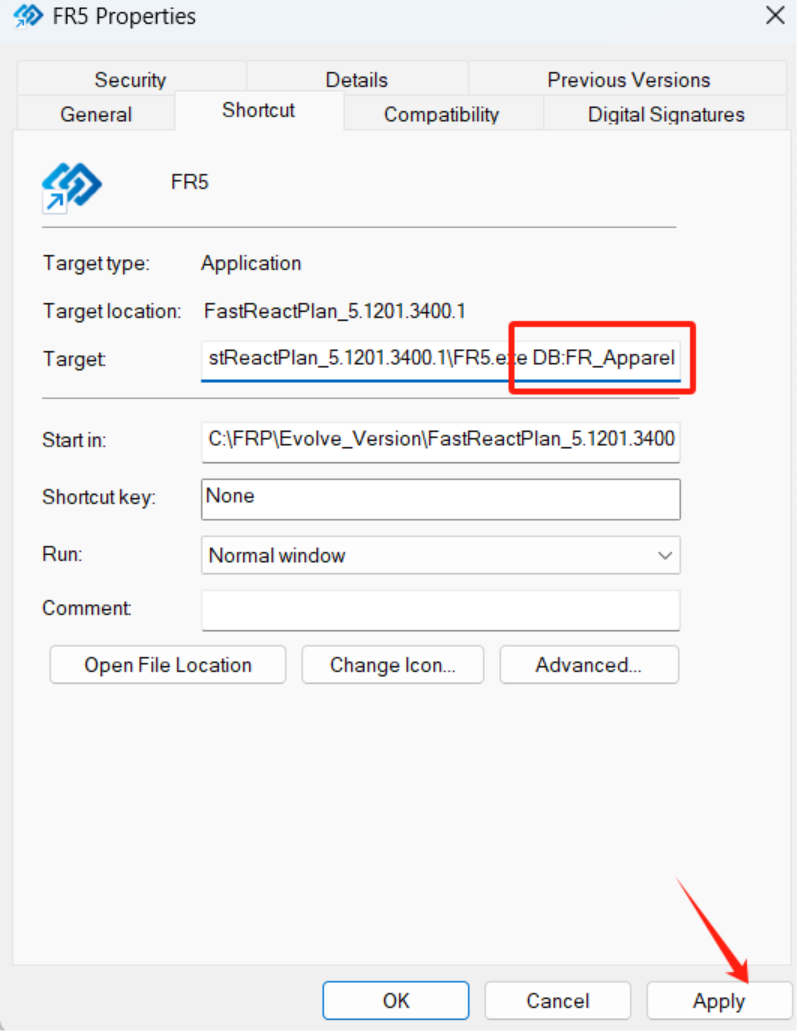
This Command Parameter must be applied to shortcuts where there may be multiple databases. For example, a LIVE database and a TEST database.
Pre-loading the Server Connection into FastReactPlan
Pre-loading the Server Provider into FastReactPlan
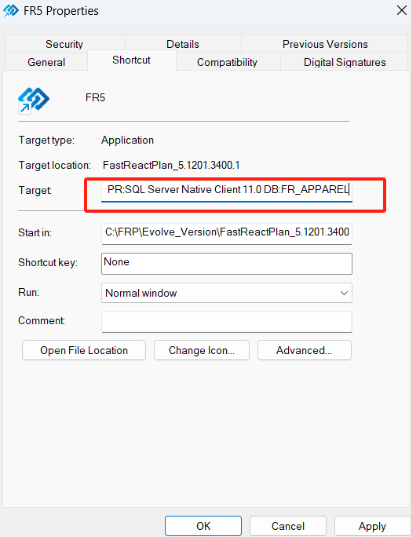
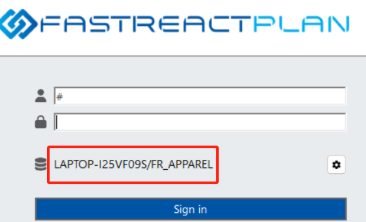
This Command Parameter must be applied to shortcuts where there may be multiple databases. For example, a LIVE database and a TEST database.
Launching FastReact with a Fixed Log-on Username and Password
Fixing RAS Settings for Demonstration Models - (Coats Digital Internal use ONLY)
Licence Testing
It is recommended that this Command Parameter is always applied to shortcuts running on a server.