
Article Public Number: KA-01488
Coats Digital Knowledge Article
Product: FastReactPlan
Purpose & Scope:
Sometimes if client not with a stable and good network environment, some users will experience the "Connection failure" when running the FastReact system.
Here the article is going to show you how to handle this via updating the Regedit.
Solution:
To add a DWORD in Regedit within path Computer\HKEY_CURRENT_USER\SOFTWARE\Fast React\Database
Instructions:
Step 1:If the network enviroment is not good and stable enough, user will see the "Connection failure" warning when running the system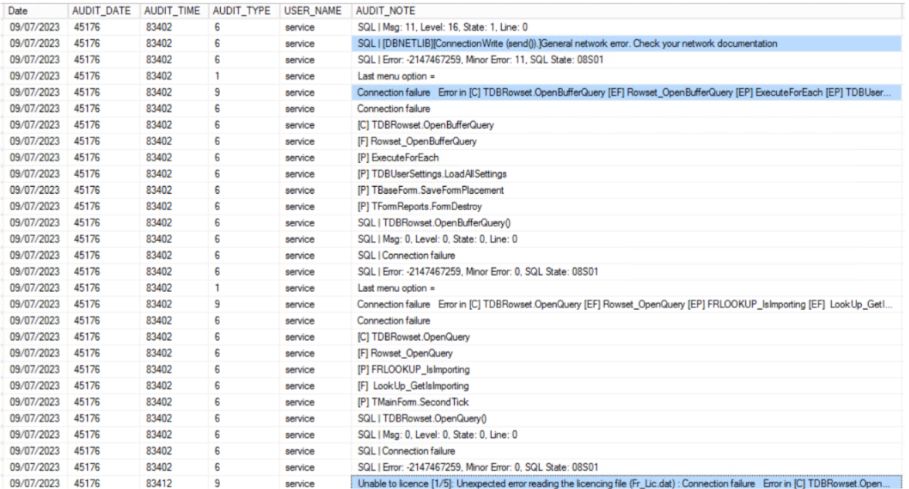
Step 2: Normally the warning/error above was saying that sometimes the network is not good enough to support.
And what you will need to do is go to the "Regedit" of the server, find out the path below, against the Database to create a DWORD value
Computer\HKEY_CURRENT_USER\SOFTWARE\Fast React\Database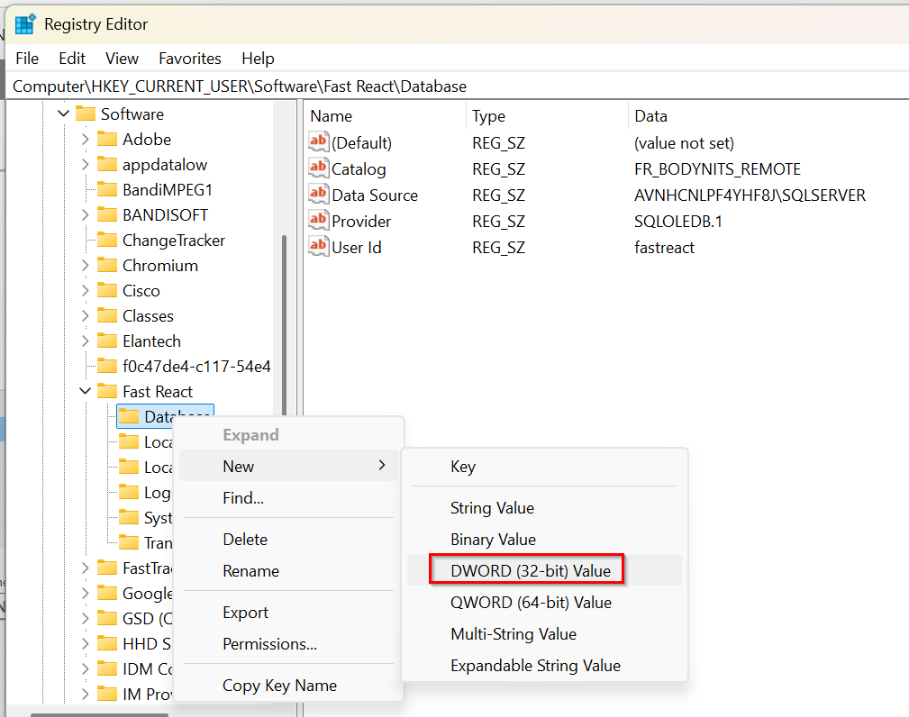
Step 3: Named it "Connect Timeout", and value it as 60 and click OK.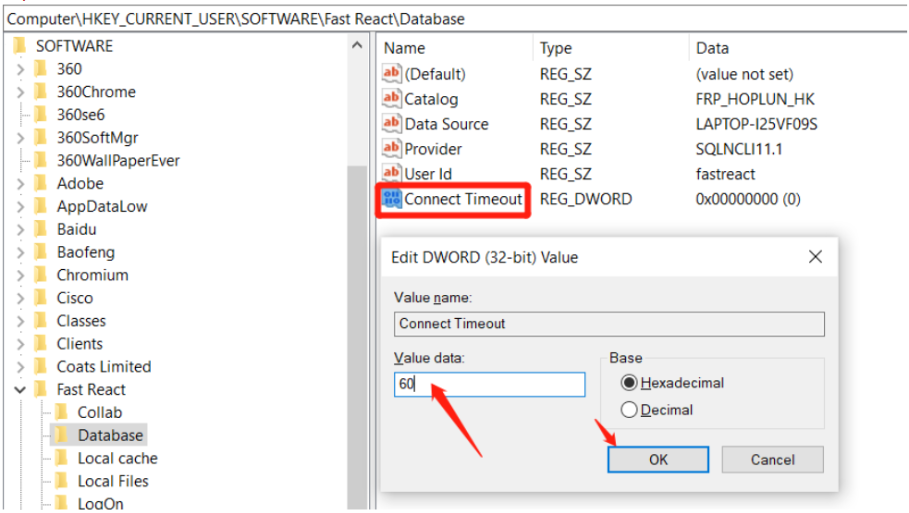
Outcome:
With the connect timeout that has been set above in Regedit, which might help on the "Connect Failure".
Further reading:
Links to related articles