
Article Public Number: KA-01296
Coats Digital Knowledge Article
Product: FastReactPlan
Purpose & Scope:
With customer accreditation more strictly being followed, manufacturers need to control allocation of orders to factories better. Therefore a customer level order to be planned is born at the right moment.
Solution:
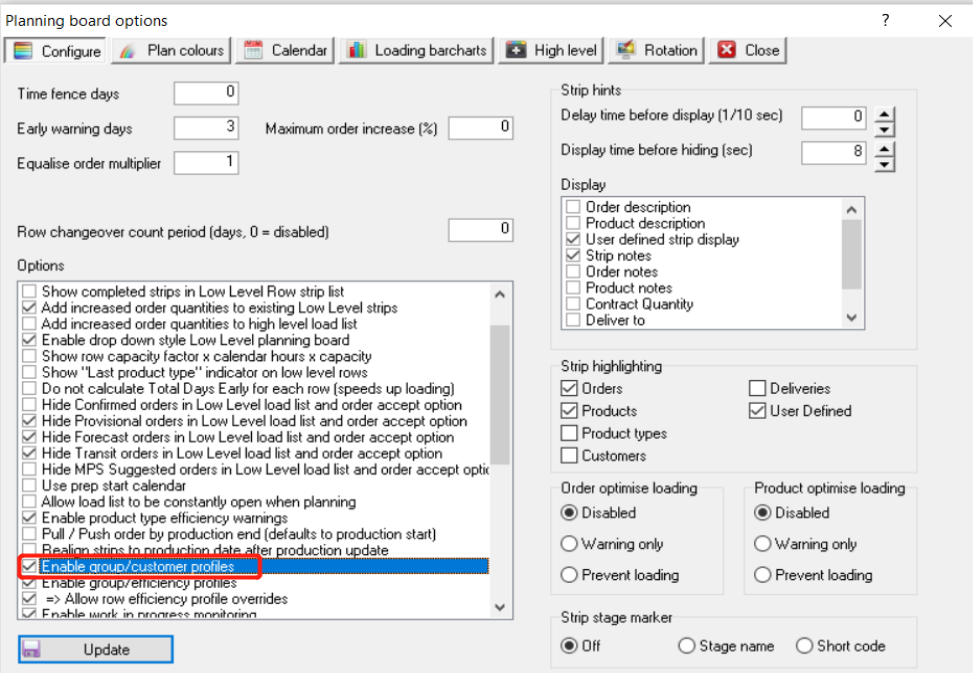
This requires the option, "Enable group/customer profiles", under Setup - Configure - Planning - Configure to be enabled.
Instructions:
Step 1 : Go to Setup - Configure--Planning, navigate to "Configure" tab, have the option "Enable group/customer profiles" enable as below
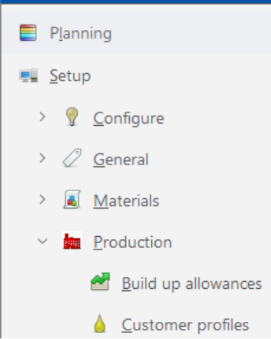
Step 2 : Go to Setup--Production, You will then find the "Customer profiles" display as below
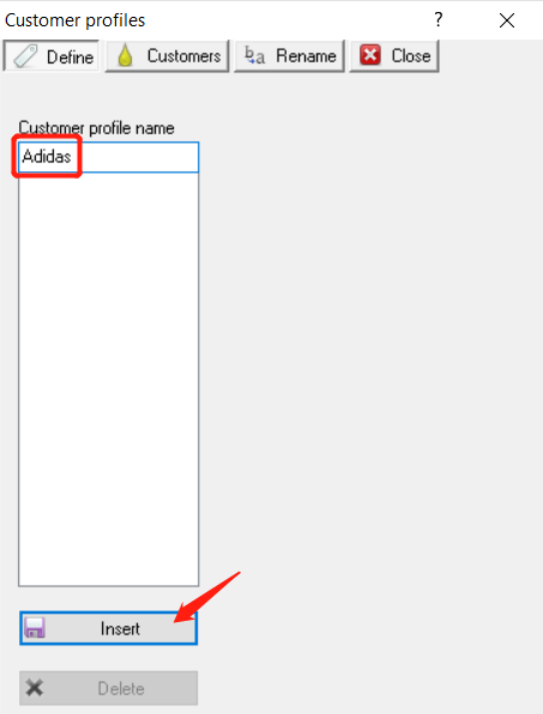
Step 3 : Type the name(Adidas) of the customer profile, click "Insert"
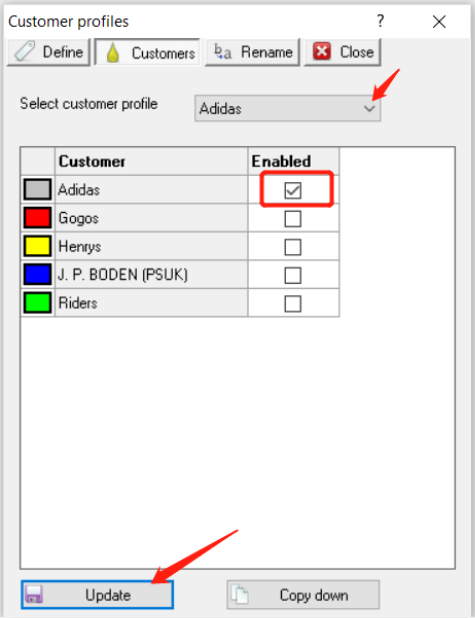
Step 4 : After insert above, navigate to tab "Customers" as below, tick the customer that you want to set for the profile, click "Update"
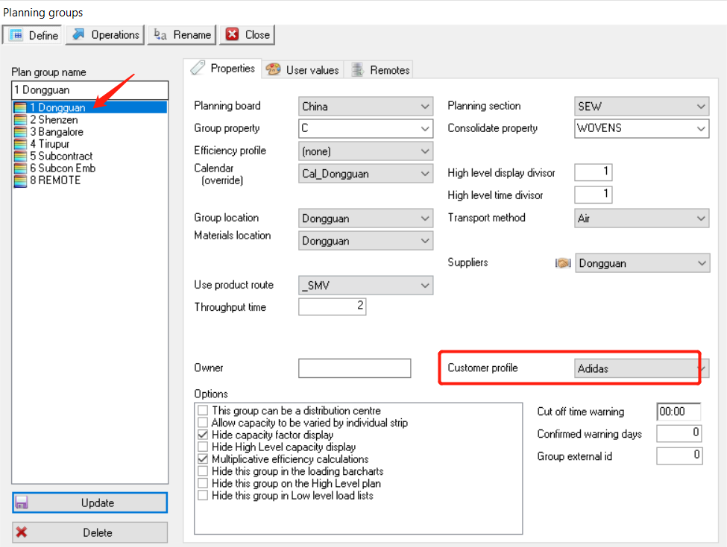
Step 5: If you just want the Dongguan Group below to produce orders from customer Adidas only. Apply the customer profile "Adidas" for it as below
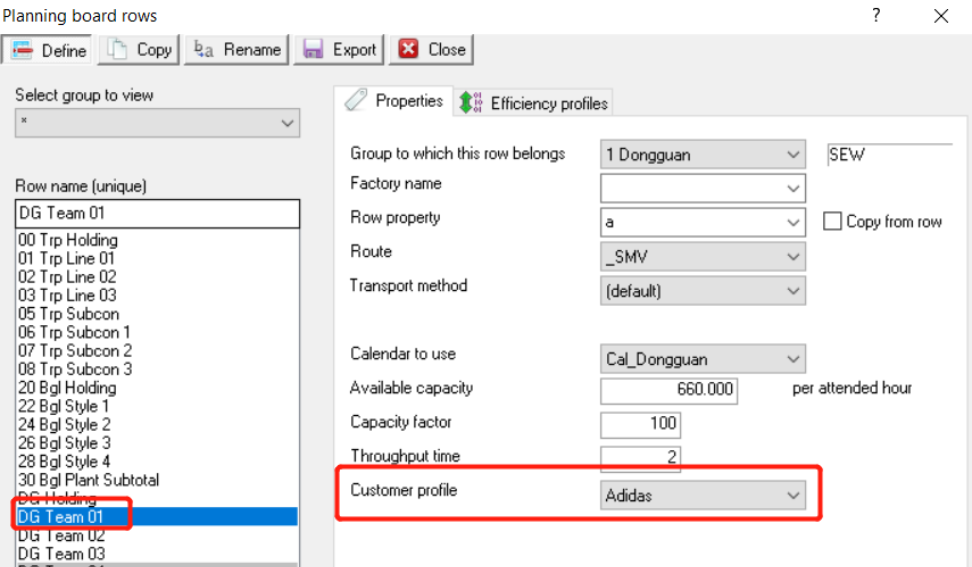
Step 6: Same to the plan row setting as well.
Outcome:
Brief description of what should be possible once the task is completed/issue is addressed.
Further reading:
Links to related articles