
Article Public Number: KA-01152
Coats Digital Knowledge Article
Product: FastReactPlan
Purpose & Scope:
To remove the complete date for events for multiple orders that updated wrongly.
Solution:
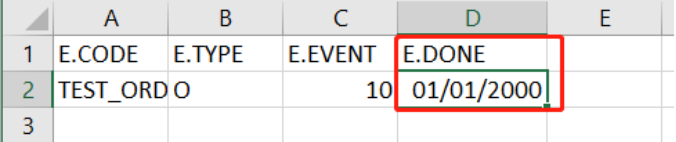
Placing the value as 01/01/2000 for E.DONE column in the Events.TXT/CSV file.
Note: Date format that given in the Event file should follow the date format that setup in client system under the Tab of "Import data"
Instructions:
Step 1: Once there is completed date for events in FRP, it will show the complete date as below.

Step 2: If client want to remove the complete date for them, they just value the E.DONE column in the Events.TXT/CSV file as below, and then import to FRP for clearing.
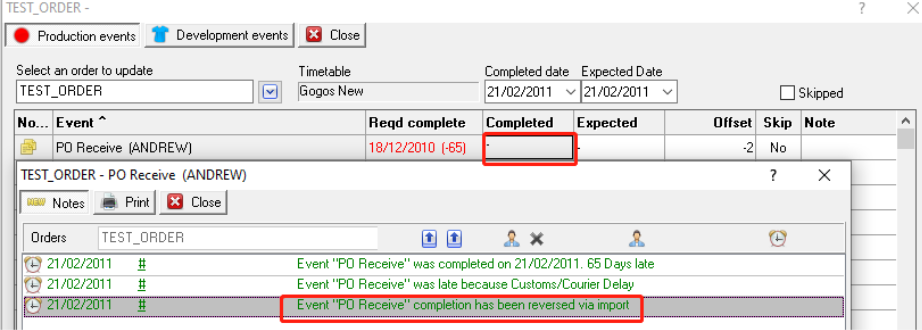
Step 3: Once the Events.TXT/CSV file has been imported to FRP, the completed date gone as below, and an event note will be recorded in the Order Notes as below as well.
Outcome:
All the complete date for the event will be reverted via importing the done date(E.DONE) as 01/01/2000.