
Article Public Number: KA-01244
Coats Digital Knowledge Article
Product: FastReactPlan
Purpose & Scope:
FastReactPlan has the ability to pull centralised FRP program files to a local machine and run the FastReact program locally. This reduces the workload on the Server by not having several people accessing the same program file on the server via a shortcut.
Solution:
FRLaunch is installed on the clients' Server during the installation of the FastReactPlan program files. The client can then configure this FRLaunch program and run it from each client machine. This will, when the FR Launch program is configured, check the Server location for the centralised FRP program and, if newer than the current version running on the clients' machine then pull this across the network and install it on the local machine.
The Benefits
The benefit of running the application this way is that there will be reduced network traffic between the server and the client as the user will be running the FRP program locally and not over a network.
Note:
The data will still be accessed over the Network as the database will still be held on the centralised server. This will still have an effect on network traffic.
Configuration and Setup:
On the server, locate the program FRLaunch.exe:
Copy this program file to the LOCAL machine. This is the PC that the User will be using to access FastReactPlan

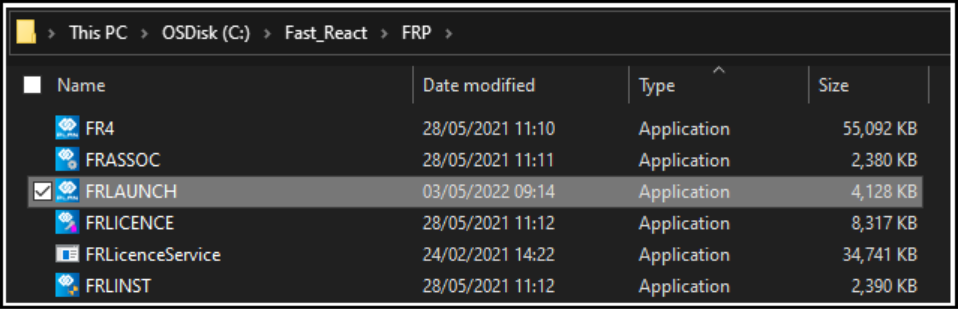
Now paste this program file into the Users FastReact program folder. It is suggested that this be C:\Fast_React\FRP, this ensures that everyone accessing the FRP system has the same folder structure:

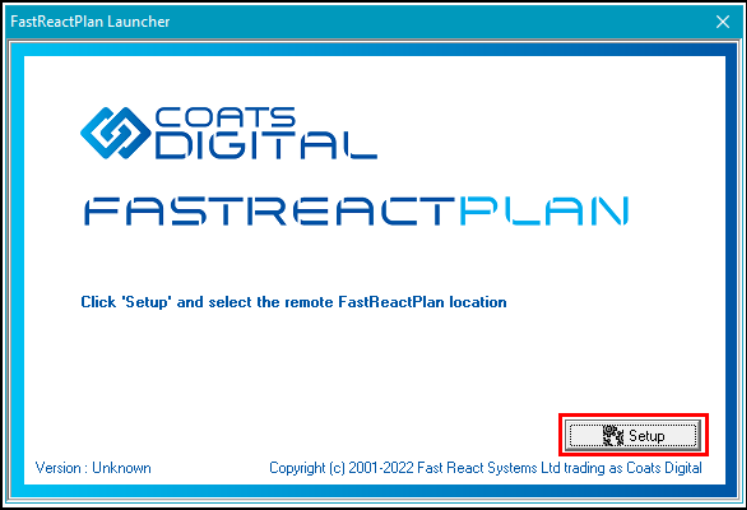
On the Local machine, double click the FRLaunch program and select SETUP:
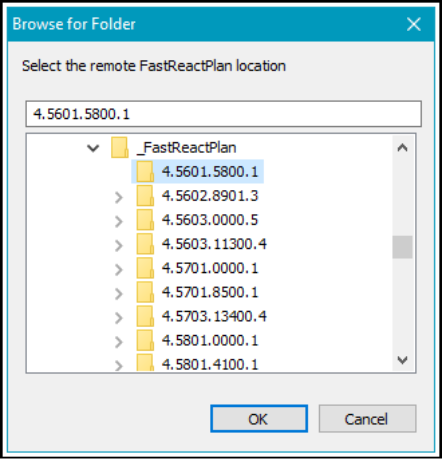
Browse to the Server-side location where the centralised FastReactPlan program files are installed and click OK:
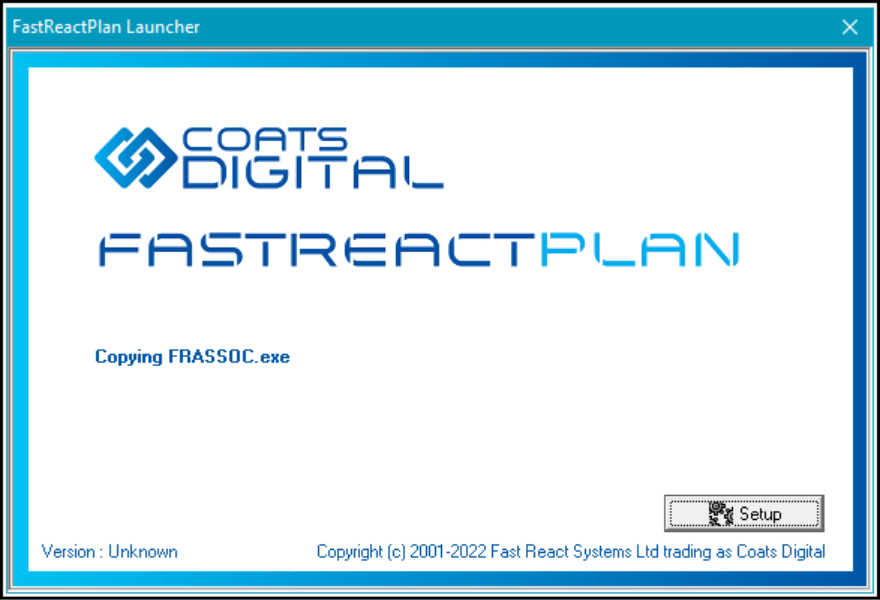
The FRLaunch program will now start copying across the FastReactPlan program files:
Once finished, all the files that exist in the designated centralised FastReact will be copied to the local machine:
Now on the LOCAL machine go back to the FRLaunch program and create a shortcut from this FRLaunch.exe application. Set up the required Command Line Parameters.

Users should now use the FRLaunch shortcut to log in to FastReactPlan, DO NOT use the standard FRP shortcut. Using the FRLaunch shortcut to log in to FastReactPlan will mean that the Locally saved program files will ALWAYS be synchronised with the centralised program files on the Server.
Ensure that all other FRP shortcuts are deleted.
Further reading:
Command Line Parameters.