
Article Public Number: KA-01457
Coats Digital Knowledge Article
Product: FastReactPlan
Purpose & Scope:
Customer level orders access by FRP users.
Solution:
Setup Customer Group and Security for each user account
Instructions:
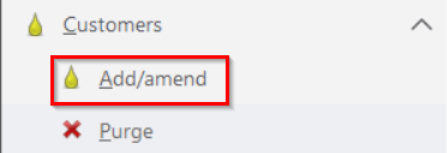
Step 1: Go to Customers -> Add/amend
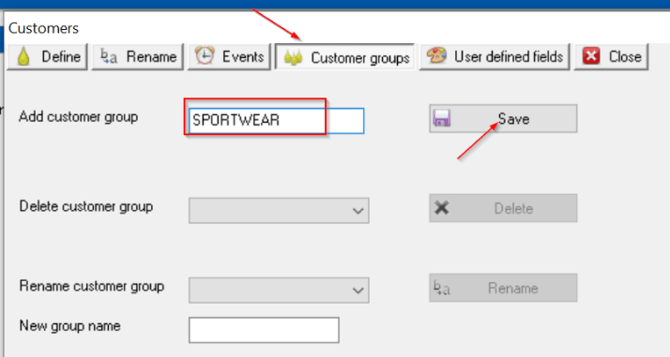
Step 2: Go to tab Customer groups, create customer group name -> click Save
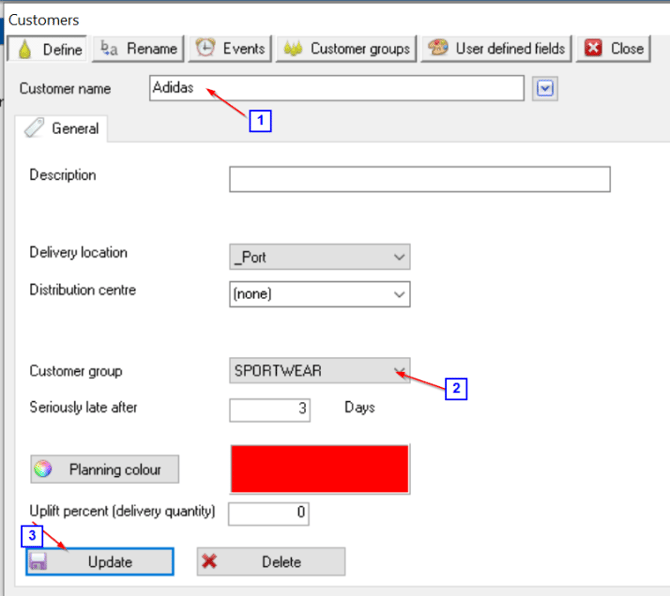
Step 3: Go to tab Define, select Customer name -> select Customer group -> click Update
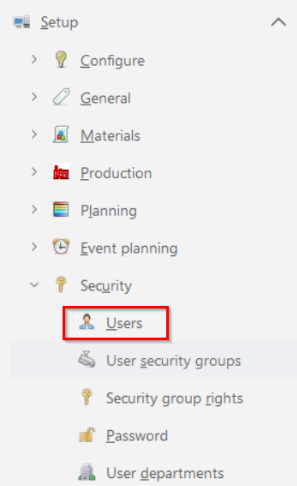
Step 4: Go to Setup -> Security -> Users
Step 5: Go to tab Customer groups, select a user to update
There are three levels of security:
- Full access – this will allow the user to change anything for any Customer that is part of that Customer group.
- View only – this allows the user to view, but not change any Customers that are part of that Customer group.
- Hidden – this will hide all Customers that are part of that Customer group.
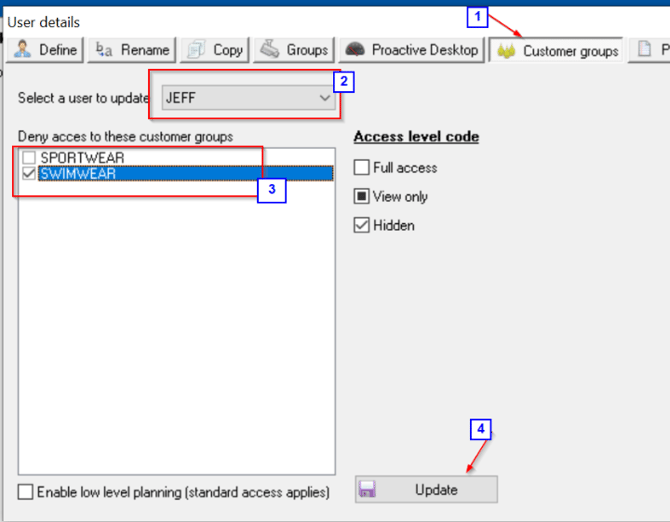
Note: If a customer has no Customer Group then full access will be given to all users
Outcome:
This is all customers in system can be actioned by admin user 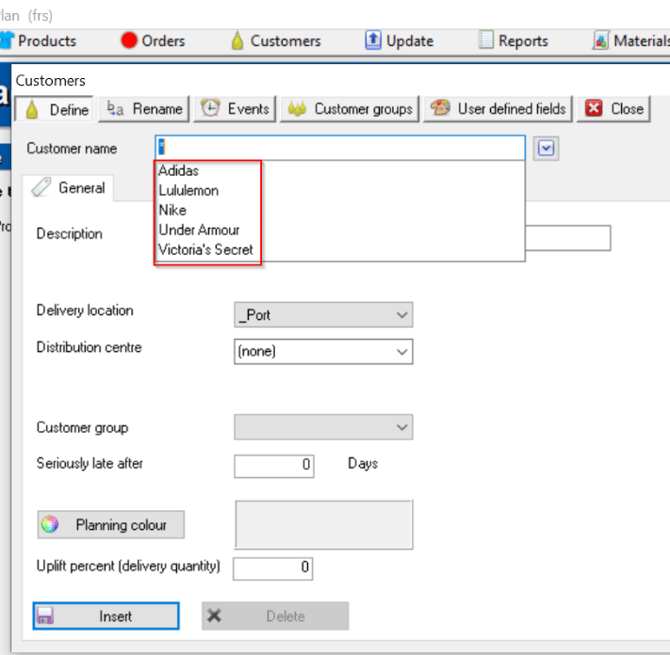
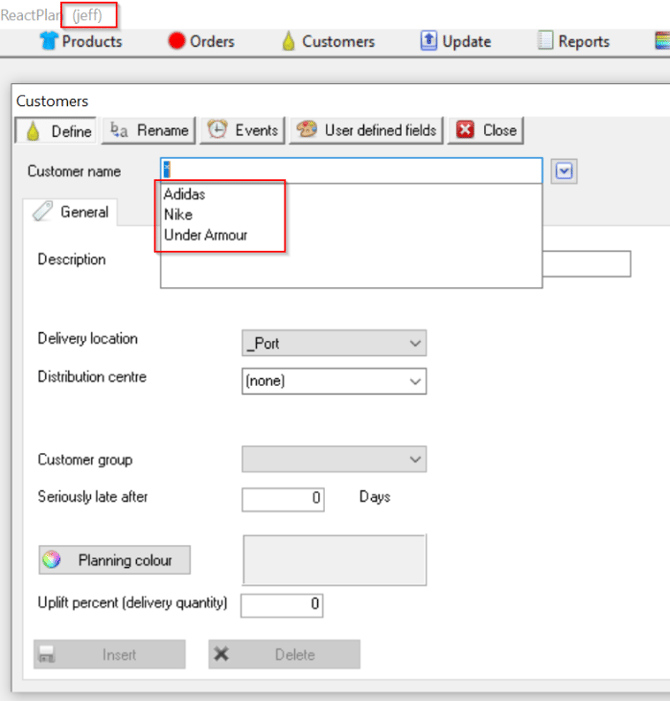
When user Jeff is setup, this user can be configured to only show Customers that he is responsible for
Further reading:
Links to related articles