Coats Digital Knowledge Article
Product: FastReactPlan
Purge Products
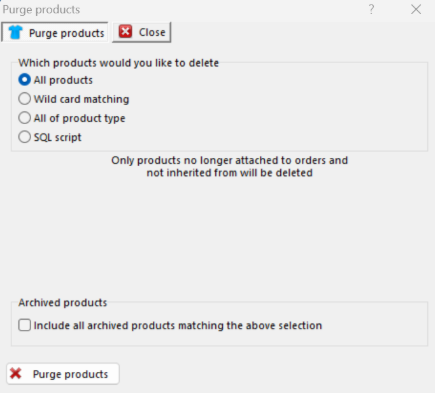
Unused products (no orders attached to those products) can be purged from the system:
Instructions:
- Go to Products menu – Purge
- Select All Products as shown above
- Click on Purge Products
- You have the option to include even Archived products
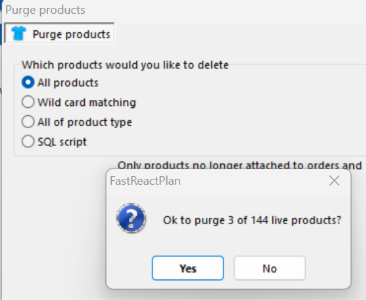
- Once you click on purge products you will get a message Ok to purge 3 of 144 live products as shown below
- Select Yes to purge the unused products