
Article Public Number: KA-01386
Coats Digital Knowledge ArticleProduct: FastReactPlan
Purpose & Scope:
Normally we are doing the setup in FRP for plan group/row and etc., we will put some number to make them show in sequence. However, we don't want those sequence number to display on planning board and reports, and things we expect it to show is just the pure name of group/row/event and etc.
Solution:
Go to Setup - Configure - General - Defaults, enable the option "Hide sequence characters"
Instructions:
Step 1 : Enable the option below and click Update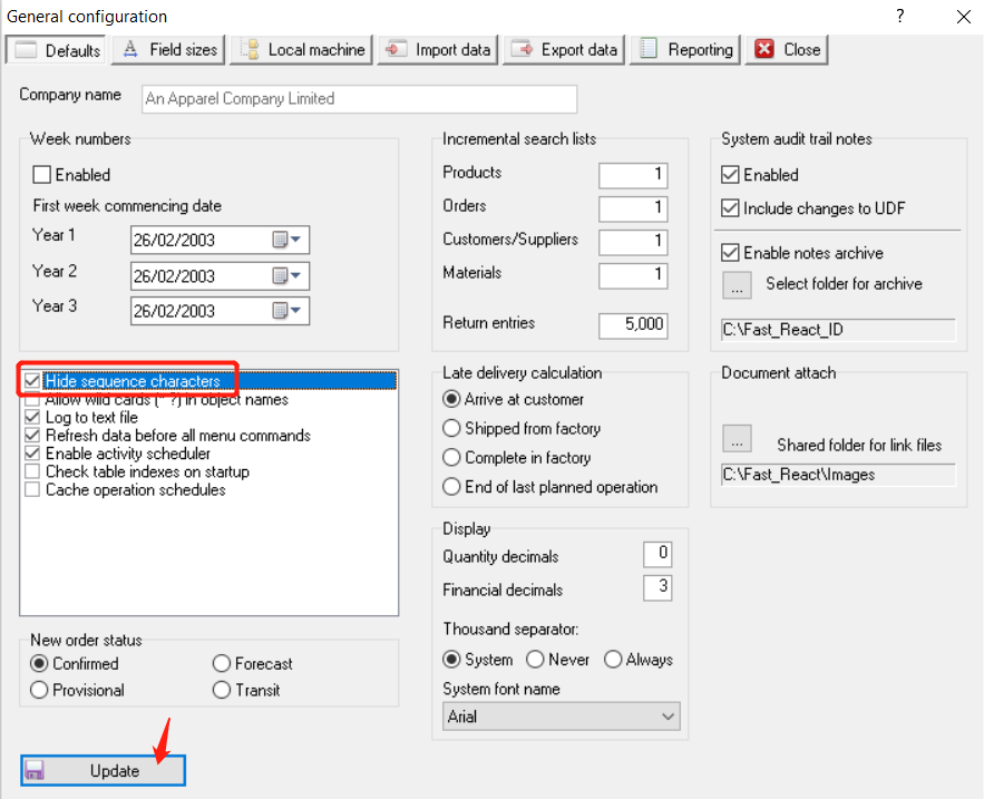
Step 2: Then when check on Low level planning board for the row name which showing no sequence number though there is in the plan row setup.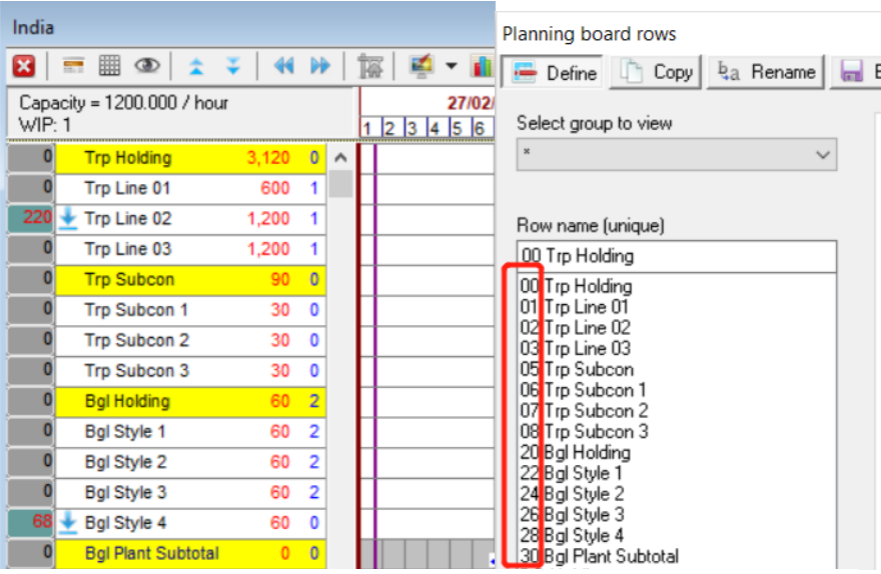
Step 3: Same to the report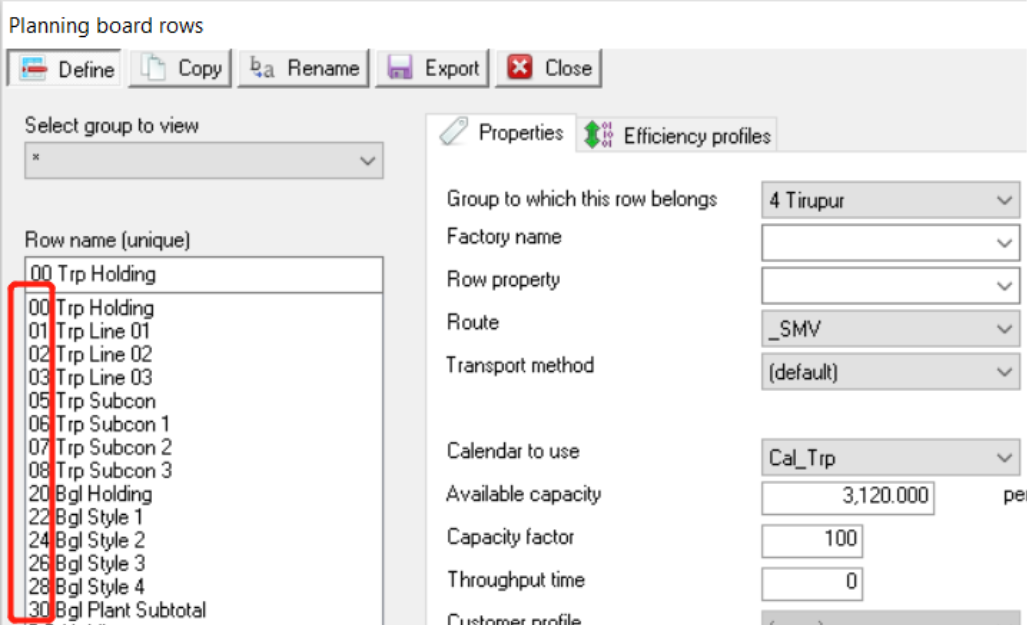
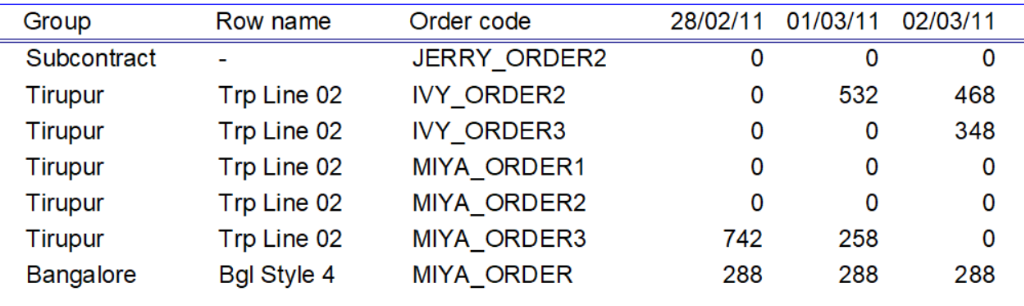
Step 4: But if you have disable the option as below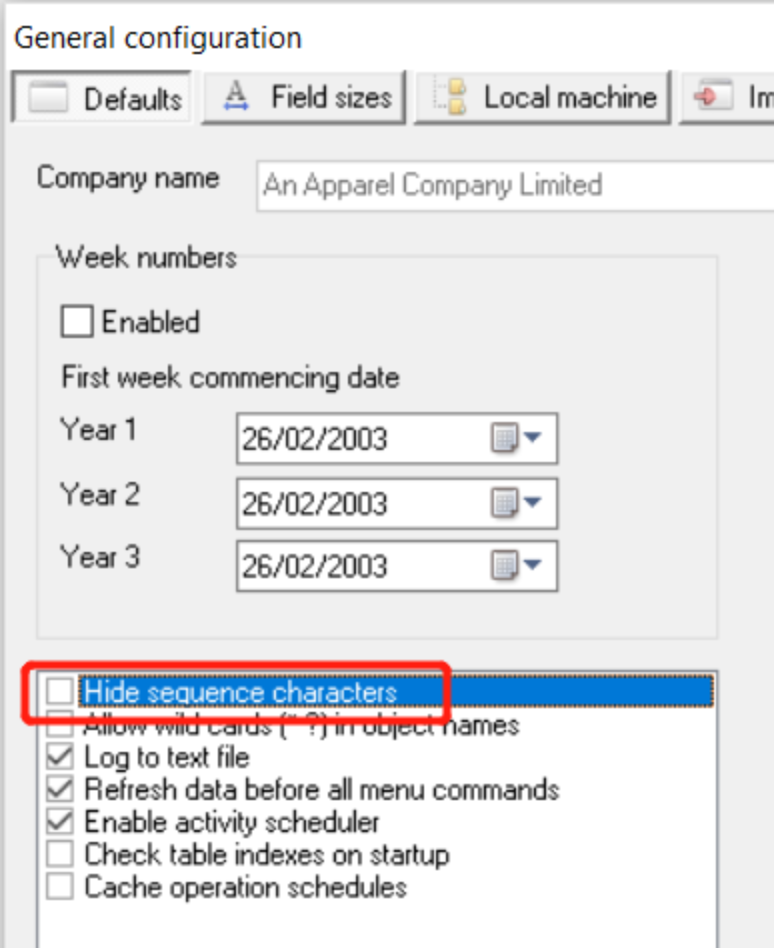
Step 5: The sequence number will display before the row name as below on planning board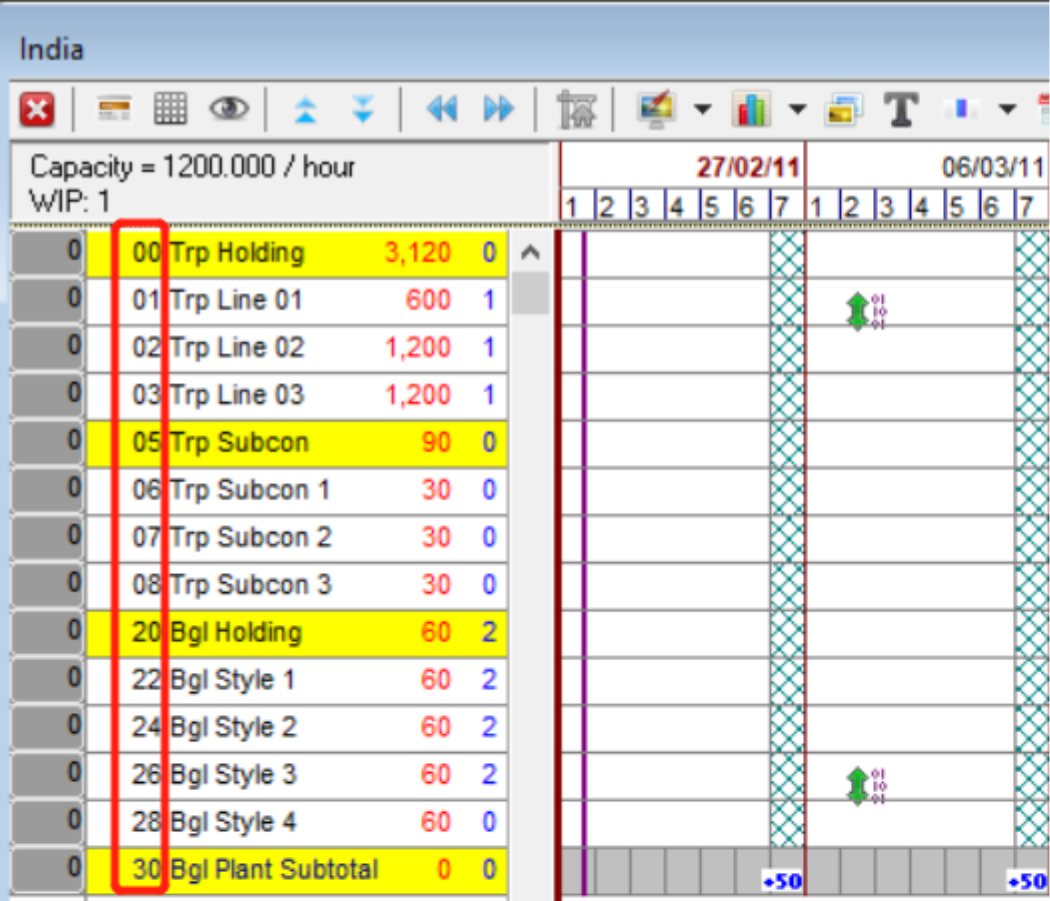
Step 6: Same to the report below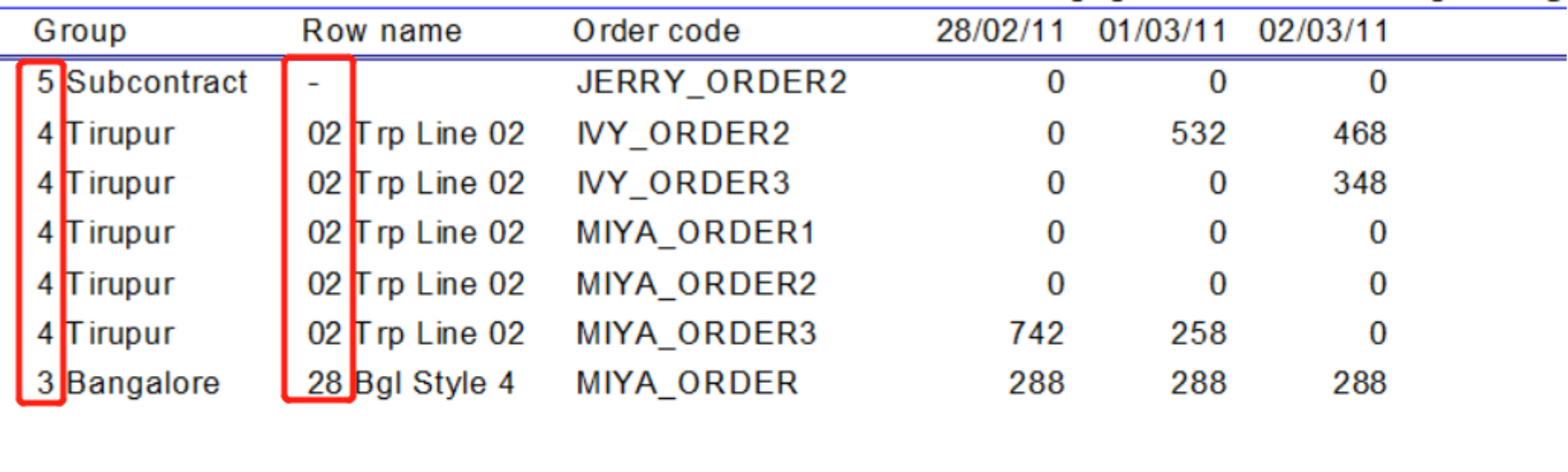
Outcome:
With the "Hide sequence characters" option enable, pure name of plan group/row will be easily and familiar for users to comparing data between FRP and their internal systems.
Further reading:
Links to related articles