
Article Public Number: KA-01200
Coats Digital Knowledge Article
Product: FastReactPlan
Purpose & Scope:
Instructions on how to add different translation files in FR so that users could use their preferred language to operate FR system.
Solution:
Copy the language file to FR Program installation folder and make sure the folder path is the same as FR setting.
Instructions:
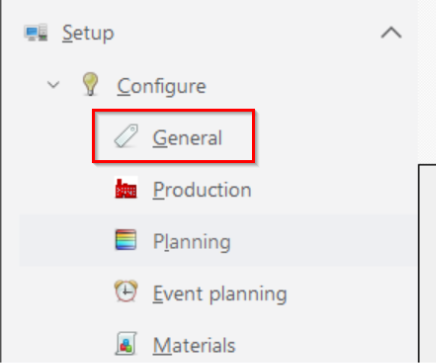
Step 1: Check the folder path of the translation file in FR by clicking Setup => Configure => General => Local Machine => [Folder in which translation file will be saved] ;
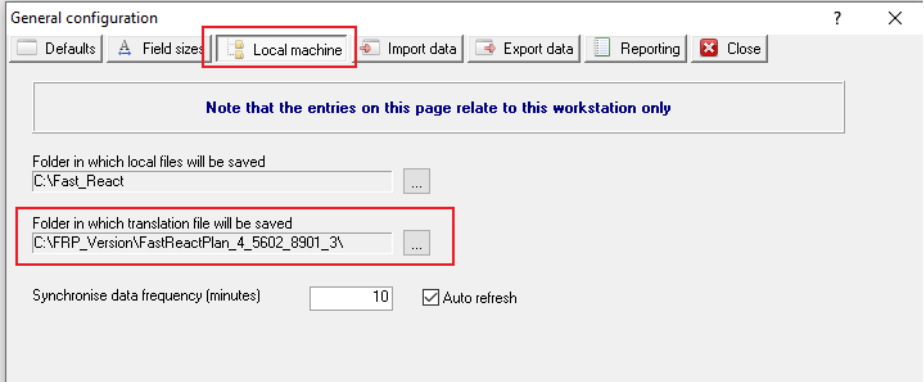
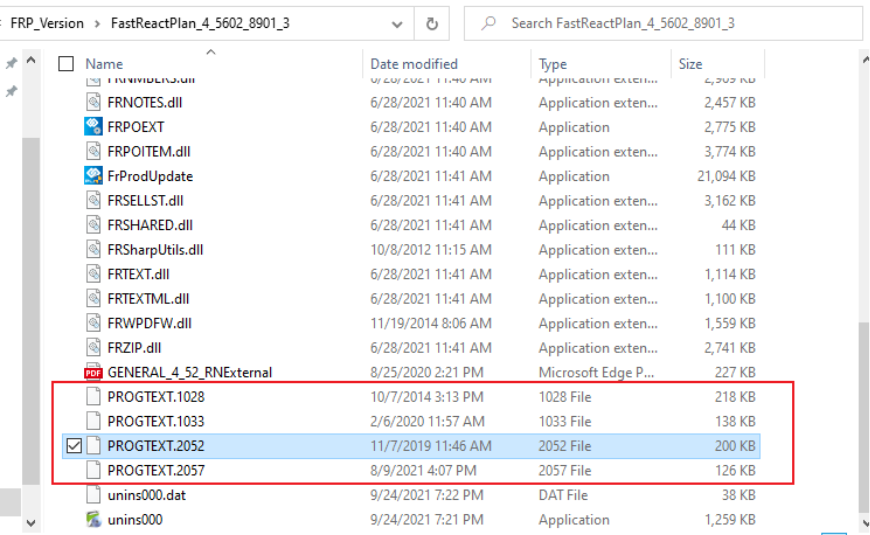
Step 2: Copy translation files to the corresponding folder path, eg: PROGTEXT2052 (Translation file for Chinese);
Step 3: Choose the translation file before login in FR by clicking Change => Language file to use => Choose the translation file => Click Update, eg: Chose Chinese [Simplified, China] [2052].
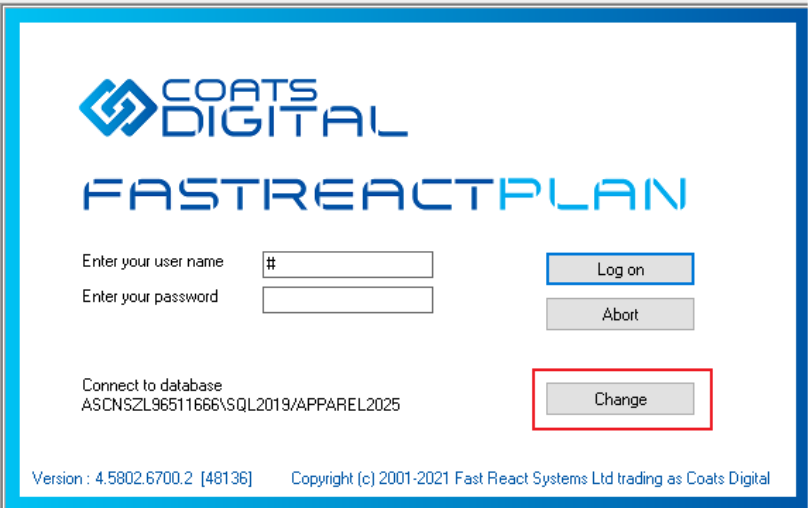
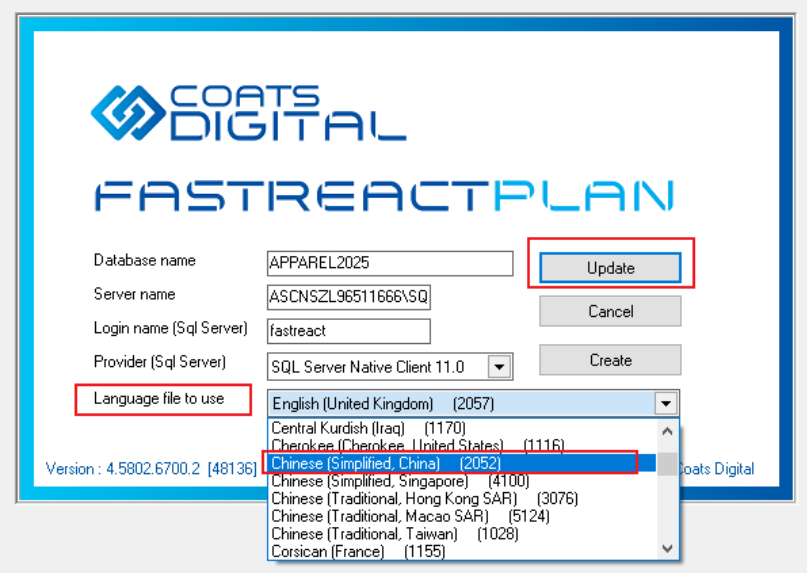
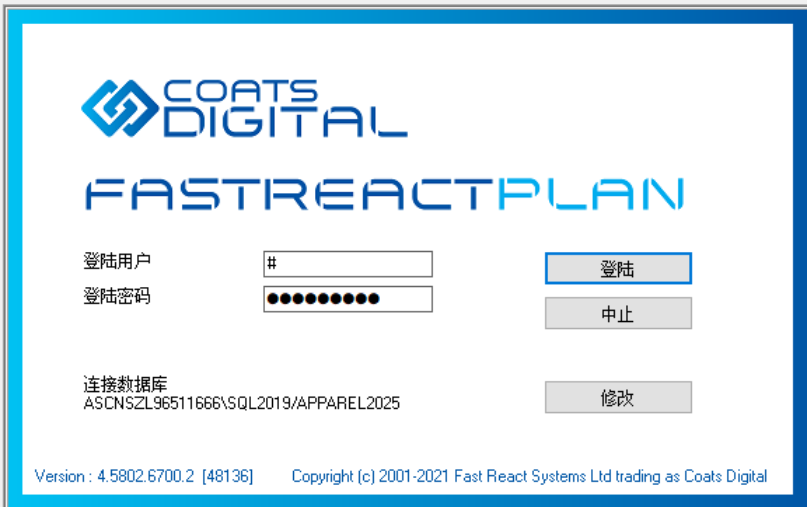
Step 4: After choosing the corresponding translation file, we could now login in FR with our preferred language, eg: Chinese.
Outcome:
After choosing the corresponding translation file, we could now log in FR with our preferred language.
Further reading:
Links to related articles