
Article Public Number: KA-01264
Coats Digital Knowledge ArticleProduct: FastReactPlan
Purpose & Scope:
Brief description of how to add email recipient for auto reports in FR
Solution:
Click chosen report > Click Advanced > Click Configure Auto-mail > Choose email recipient > Click Update to save
Instructions:
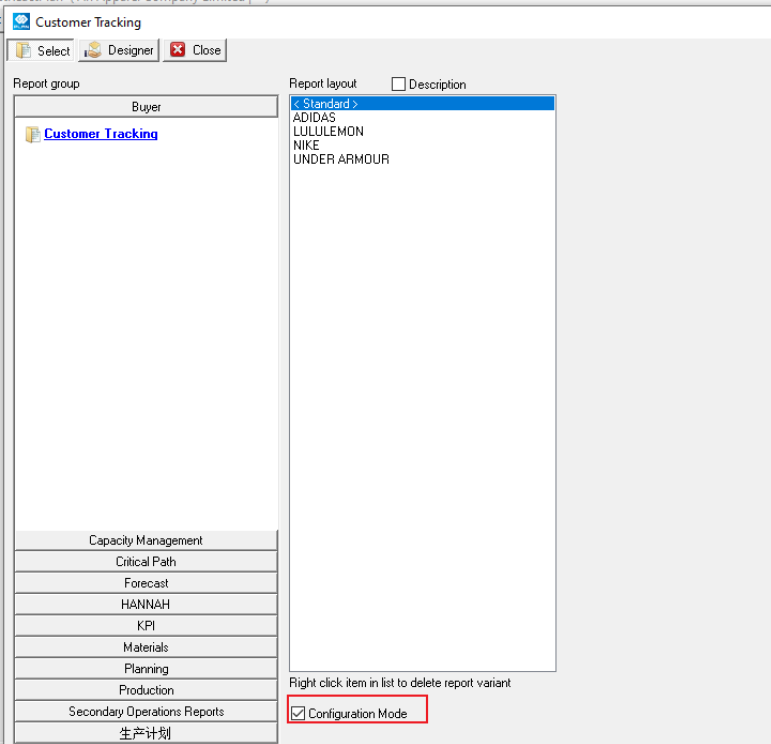
Step 1 : Click Report > New report > Choose Report (Remember to tick Configuration Mode) 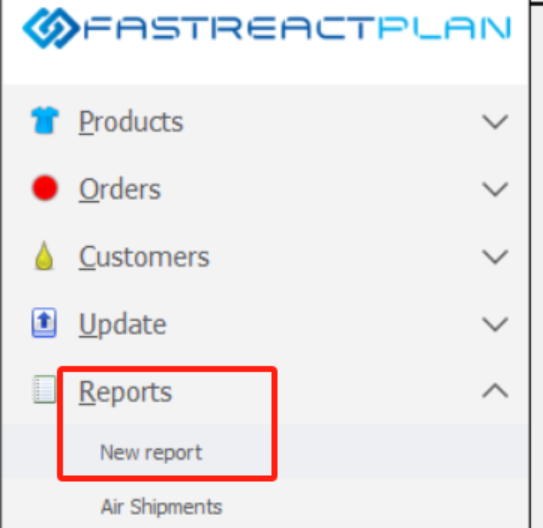
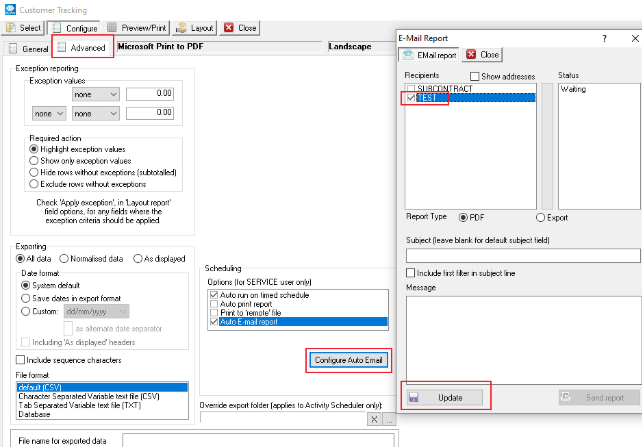
Step 2 :Click Advanced > Click Configure Auto Email > Choose Email recipient > Click Update to save.
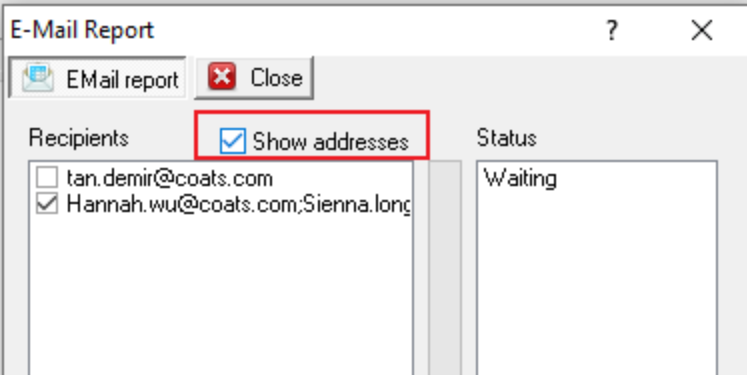
PS: Click Show addresses, you could find the detail mail address.
Step 3 : Re-start Service account so that this newly change could be updated to Service a/c.
Outcome:
New email recipient could be added to auto reports following above instructions.
Further reading:
Links to related articles