
Article Public Number: KA-01197
Coats Digital Knowledge ArticleProduct: FastReactPlan
Purpose & Scope:
When client increase quantity of order, the new quantity is on Load list and user must plan that quantity to Low level again
Solution
To avoid that user have to plan for increased quantities, we can enable option “Add increased order quantities to existing Low level strip” in setup
Instruction
Step 1: Go to Setup – Configure – Planning
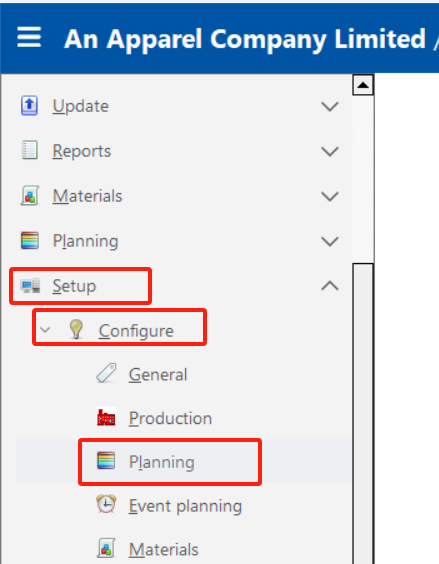
Step 2: Go to Setup - Configure - Planning, Tab “Configure” 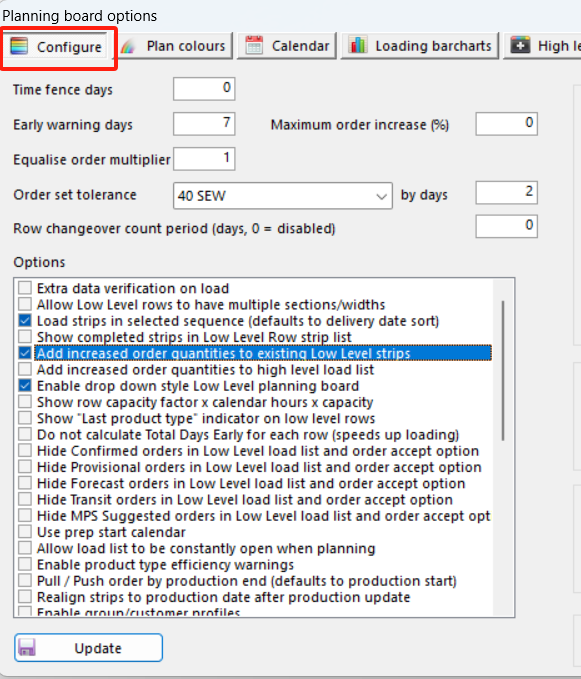
Step 3: Tick the option ““Add increased order quantities to existing Low level strip”, select “Update”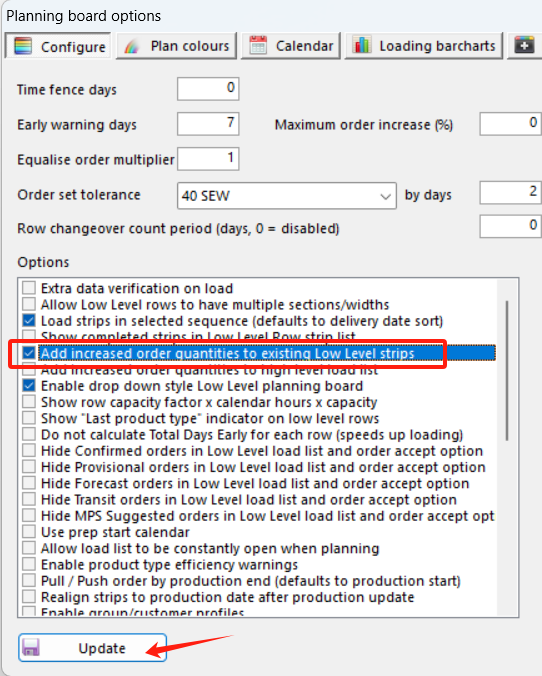
Outcome:
After above option is turned on, when user increase quantity of order, the new quantity will be added to existing strip on Low Level.