
Article Public Number: KA-01502
Coats Digital Knowledge Article
Product: FastReactPlan
Purpose & Scope:
For the production industrial, there are always some peak and low season or difficult product to handle in period of time.
Therefore, there would be chance that they will need to adjust the capacity by period. And this article take user through how to adjust row capacity by period.
Instructions:
Step 1: Right click against the row name which you would like to adjust , and select the option "Adjust row capacity" 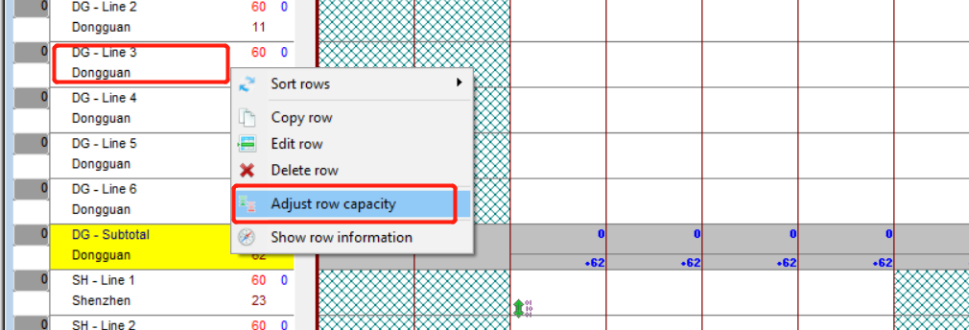
Step 2: Select the start date when capacity change starts from, and the end date when capacity change ends at.
Then revise the percent on the start date and the end date, usually it is 100 percent on the end date.
E.g. Normally the production line will have standard as 20 workers, but sometimes, there are some easy styles to be produced. We only need 16 workers for this production line,and after that, we need back to normal.
Take below for example, we can make the start from as 04/02/2025 and Percent as 80, and ends at 11/02/2025 with percent as 100 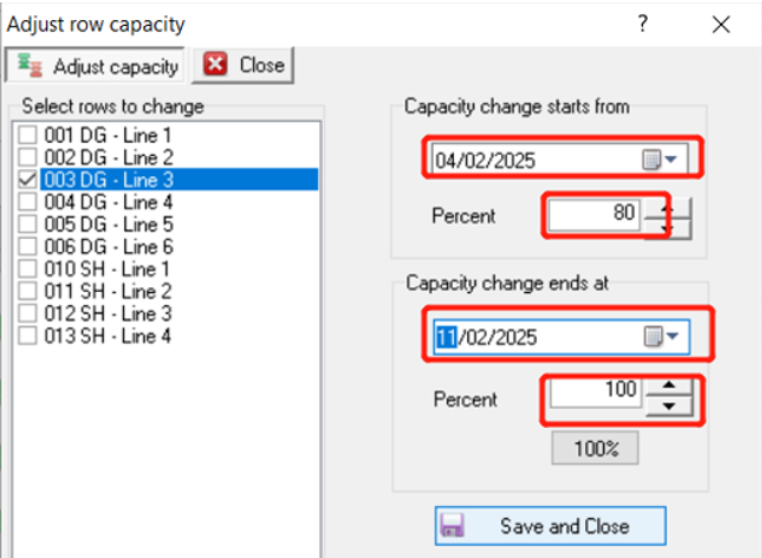
Step 3: At last, click the “Save and Close” button, it will be applied to row 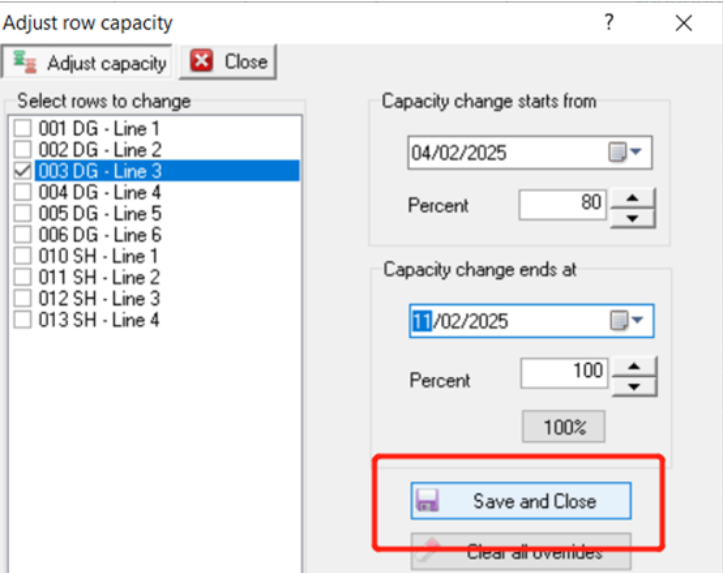
Step 4: You can see the capacity decline to 80% from the start date, and ascend to 100% from the end date again meanwhile you can see the arrow icon at the left bottom corner on the start date and end date 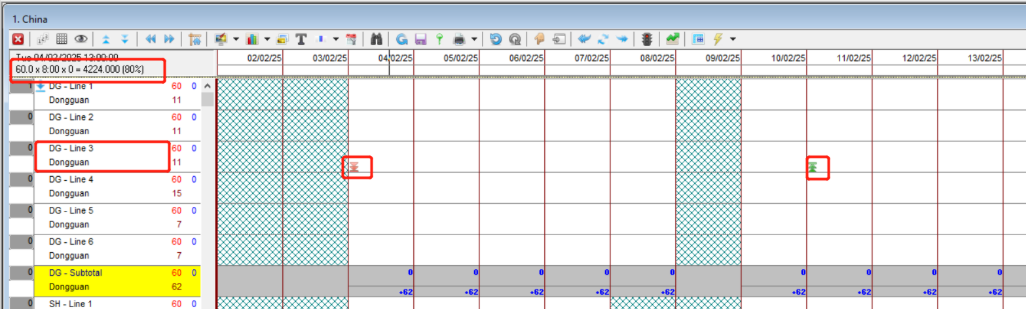
Further, for multiple select, you can tick one by one. But if you want to select/unselect all in one time, you can click the buttons below highlight in RED to achieve it.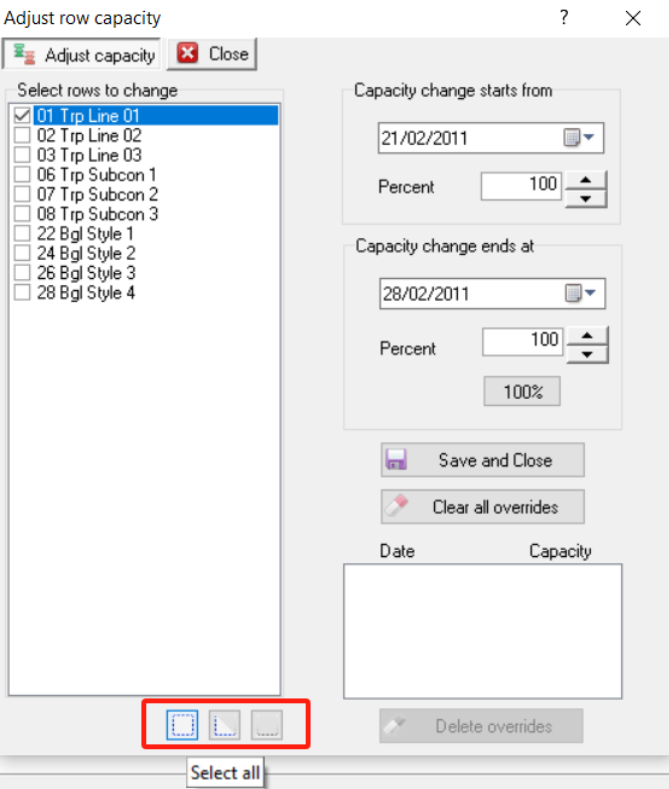
Outcome:
Adjust the row capacity successfully via above method
Further reading:
None