
Article Public Number: KA-01253
Coats Digital Knowledge Article
Product: FastReactPlan
Purpose & Scope:
Sometimes user will encounter the issue that license file(Fr_Lic.dat) can not be read or dongle not working, we will offer user an emergency code for temporary login
Solution:
Run the below script below to clear the path of license.
delete from _TEXT_DATA where TEXT_TYPE = 2 and TEXT_ID = 0
Instructions:
Step 1: We should run the below script in SQL firstly to delete the license file path firstly:
delete from _TEXT_DATA where TEXT_TYPE = 2 and TEXT_ID = 0
Step 2: And then we log into FRP as normal, and license error dialog would pop up, we just need to enter the emergency code(request from FRP staffs) in update code box 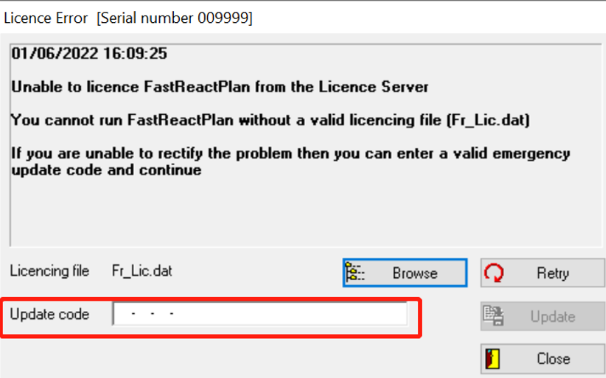
Outcome: We can log into FRP with an emergency code