
Article Public Number: KA-01521
Coats Digital Knowledge Article
Product: FastReactPlan
Purpose & Scope:
To make the plan easier and FRP can allow user to pre-set the learning curve to be applied automatically when product type change.
And here the Matrix allow planner to have those parametre setup when product type change happen among the planning rows.
Solution:
To have it enable, you should ensure the "Automatic startup options" is "On" in FRS license. And then "Automatic build up insertion" is enable in FRS system.
Instructions:
Step 1: Enable the option "Automatic startup options" is "On" in FRS license
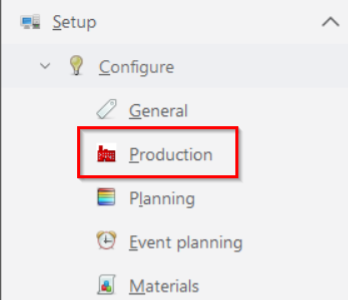
Step 2: Go to Setup- Configure - Production
Step 3: Tick the options "Automatic build up insertion" and "Automactic", then click "Update"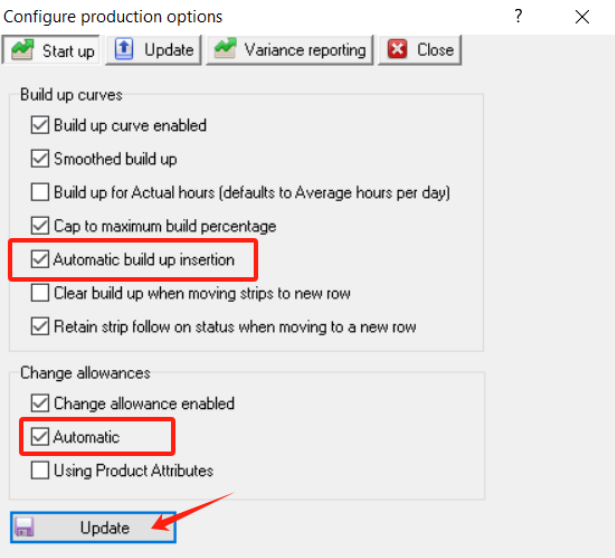
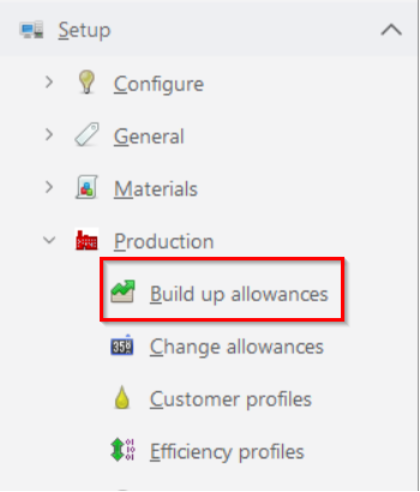
Step 4: Go to Setup - Production - Build up allowances
Step 5: Select from the dropdown list as "Change from", below take "JACKETS" as example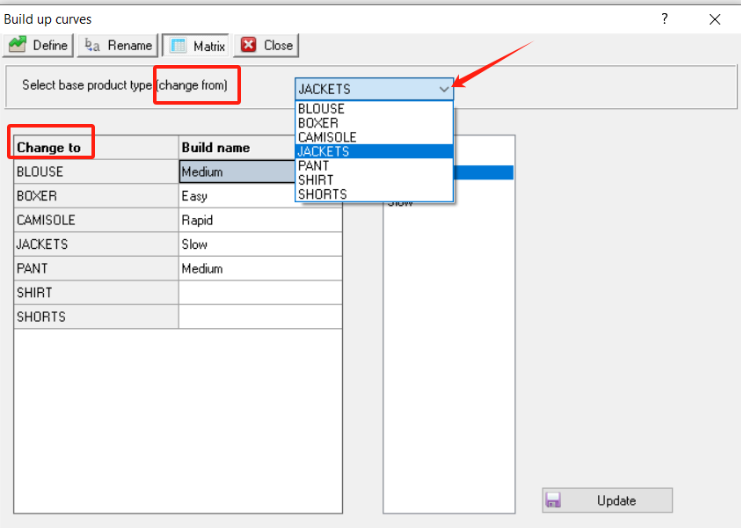
Step 6: From the right hand side, drag the learning curve you want to apply, and drop it into below Blue highlight "Build name" column. Click "Update" to save it.
e.g. Change from "JACKETS" to "PANT", learning curve applied for it is "Easy"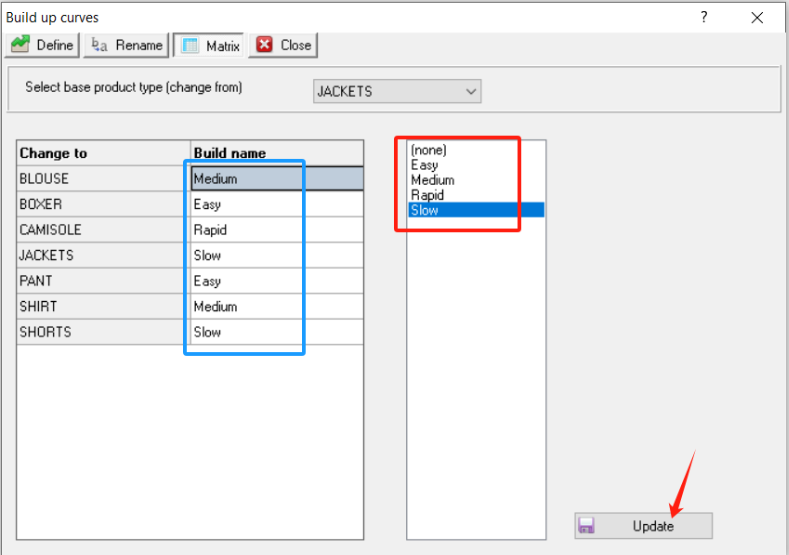
Step 7: Go to planning, e.g. previous strip that plan on line DG Team 04 is "JACKETS", and the following strip that planned next to it is "PANT", then we can see the text on the strip become Red meant there is learning curve applied, and the learning curve was "Easy" according to above step setup.
Note: This setup will only take affect to those NEW orders which created in FRP system after this automatic function enable.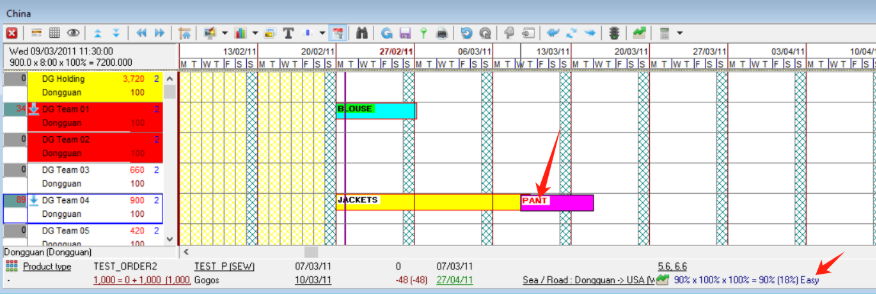
Outcome:
Following the parametre that preset in the system, when the new strips planned on the production line, learning curve will be applied automatically as expected.
Further reading:
Links to related articles