
Article Public Number: KA-01317
Coats Digital Knowledge Article
Product: FastReactPlan
Purpose & Scope:
Planner want to change capacity factor/ number of worker for specific strip so that strip can be produced faster than normal to catch delivery date or planner want to reduce worker and re-allocate for another plan row.
Solution:
Using strip right-click function -> Properties to change number of worker for specific strip.
Instructions:
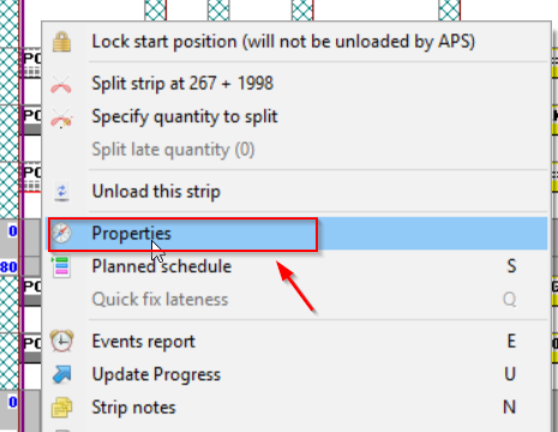
- Step 1: Right-click on the strip that user want to change capacity factor, choose Properties
- Step 2: On dialog Strip/ Order properties, change Capacity by click on the arrow, then click Update
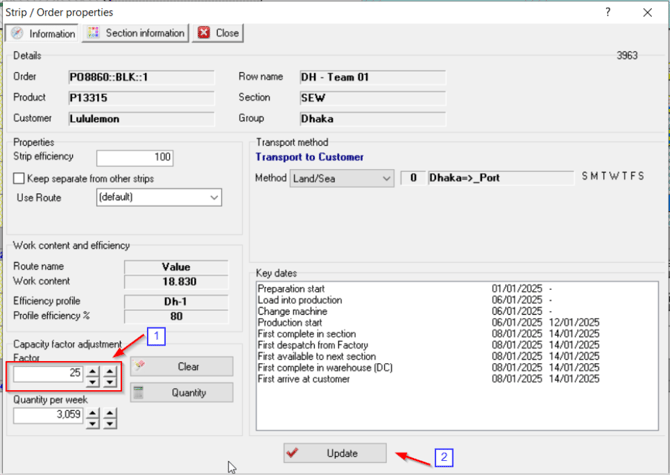
Outcome: - Before increase capacity factor:

- Change capacity factor from 25 to 28, the strip length is shorter
