Article Public Number: KA-01318
Coats Digital Knowledge Article
Product: FastReactPlan
Purpose & Scope:
When the daily planed output do not match with actual output after some days produced. Planner can adjust the efficiency to be lower/higher so that daily planned can be equivalent with actual.
Solution:
Strip right-click function -> Properties to change Strip efficiency for specific strip
Instructions:
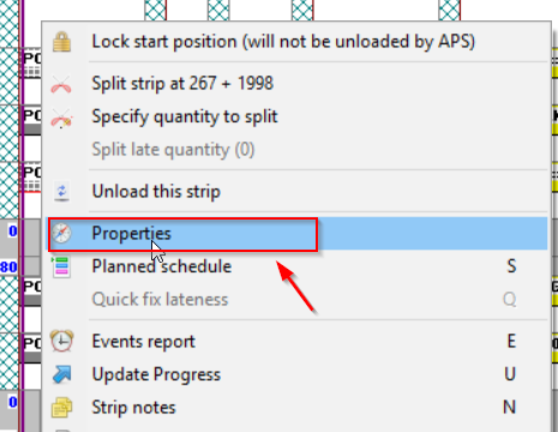
- Step 1: Right-click on the strip that user want to update its efficiency, select "Properties"
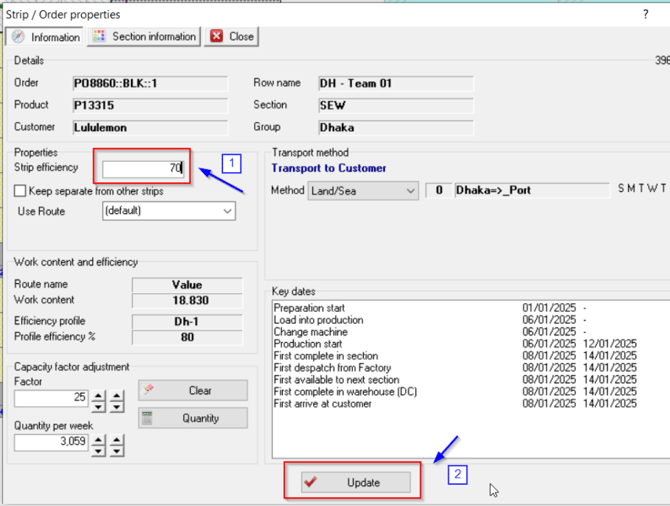
- Step 2: To the Strip efficiency, insert the efficiency, and then click Update
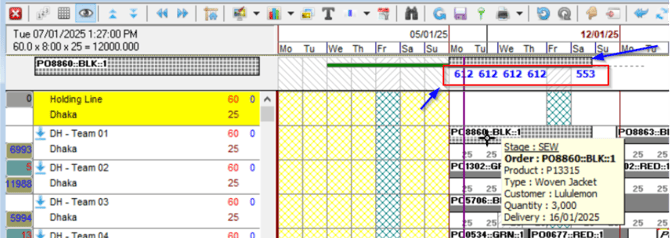
Outcome: - Before change Strip efficiency, daily plan as below and completed date is on 12-Jan-2025
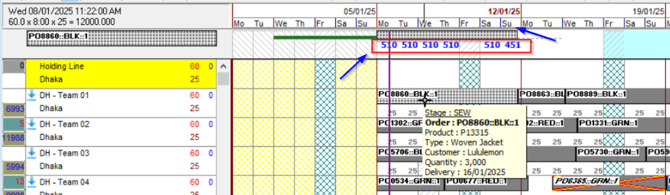
- If planner change Strip efficiency from 100 to 70, daily plan as below and completed date is on 15-Jan-2025
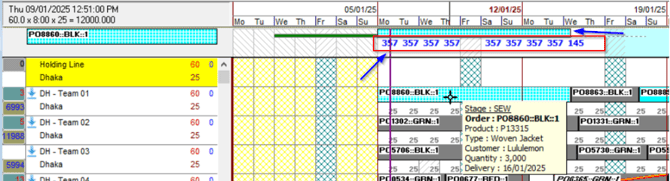
- If planner change Strip efficiency from 100 to 120, daily plan as below and completed date is on 11-Jan-2025