
Article Public Number: KA-01169
Coats Digital Knowledge ArticleProduct: FastReactPlan
Purpose & Scope:
Brief description of the instructions on changing working hours for multiple plan rows in Low Level Planning Board.
Solution:
Press Ctrl in keyboard and use left-click to select multiple plan rows, then right-click in LL planning board, choose [Change working hours]
Instructions:
Step 1 : Press Ctrl and left-click to select multiple plan rows;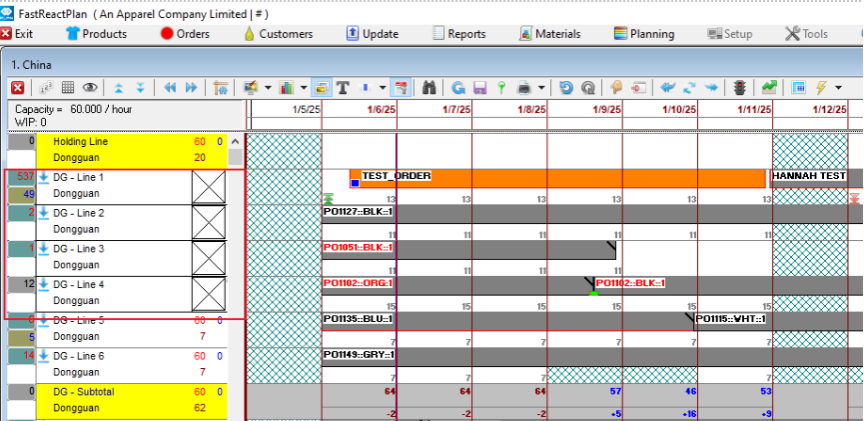
Step 2 :Right-click the mouse in the blank space in LL Planning board => Choose [Change working hours];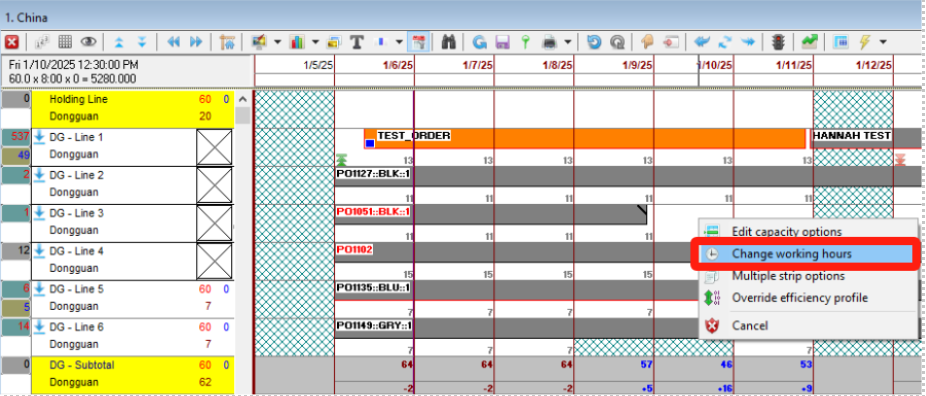
Step 3 : Multiple plan rows are selected and working hours for these plan rows could be changed correspondently.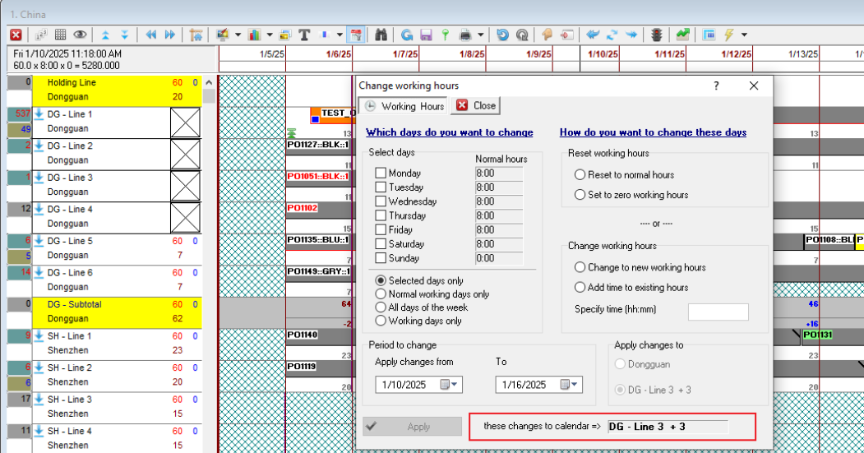
Outcome:
Working hours for the selected plan rows could be changed accordingly using [Change working hours] function in LL planning boards.
Further reading:
Links to related articles