
Article Public Number: KA-01246
Coats Digital Knowledge ArticleProduct: FastReactPlan
Purpose & Scope:
The Planner has planned that order on LL Planning Board in the past. But after searching, he/she cannot find it out.
Solution:
Check on the Order dialog to see if the order exists in FRP and if the Order has been completed or not.
Check the Plan Operation to see if it is marked completed or not.
Instructions:
Step 1: Go to Order -> Add/Amend -> check order "PO1001::PUC::1" is marked as "complete". If the option "Order is completed" is ticked, then the strip on the planning board will be gone, meaning the user will not be able to find it on the planning board because it has been completed.
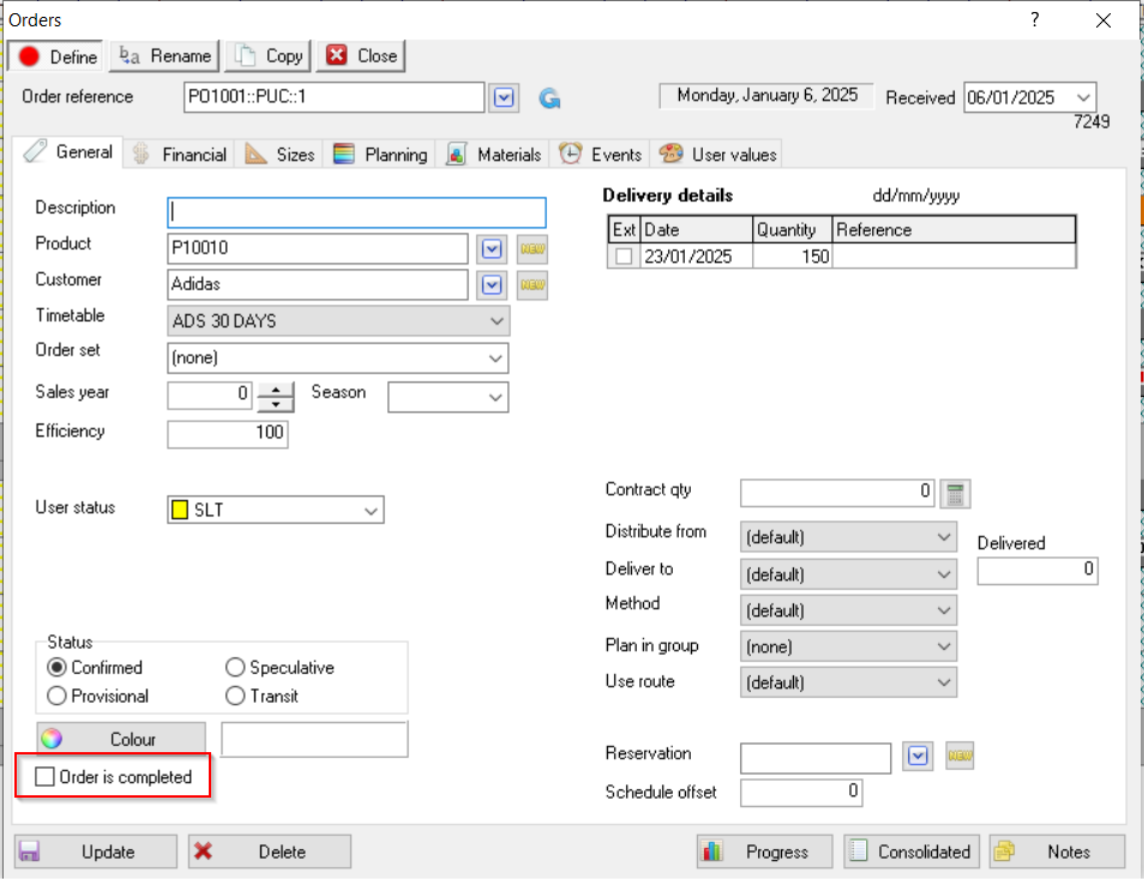
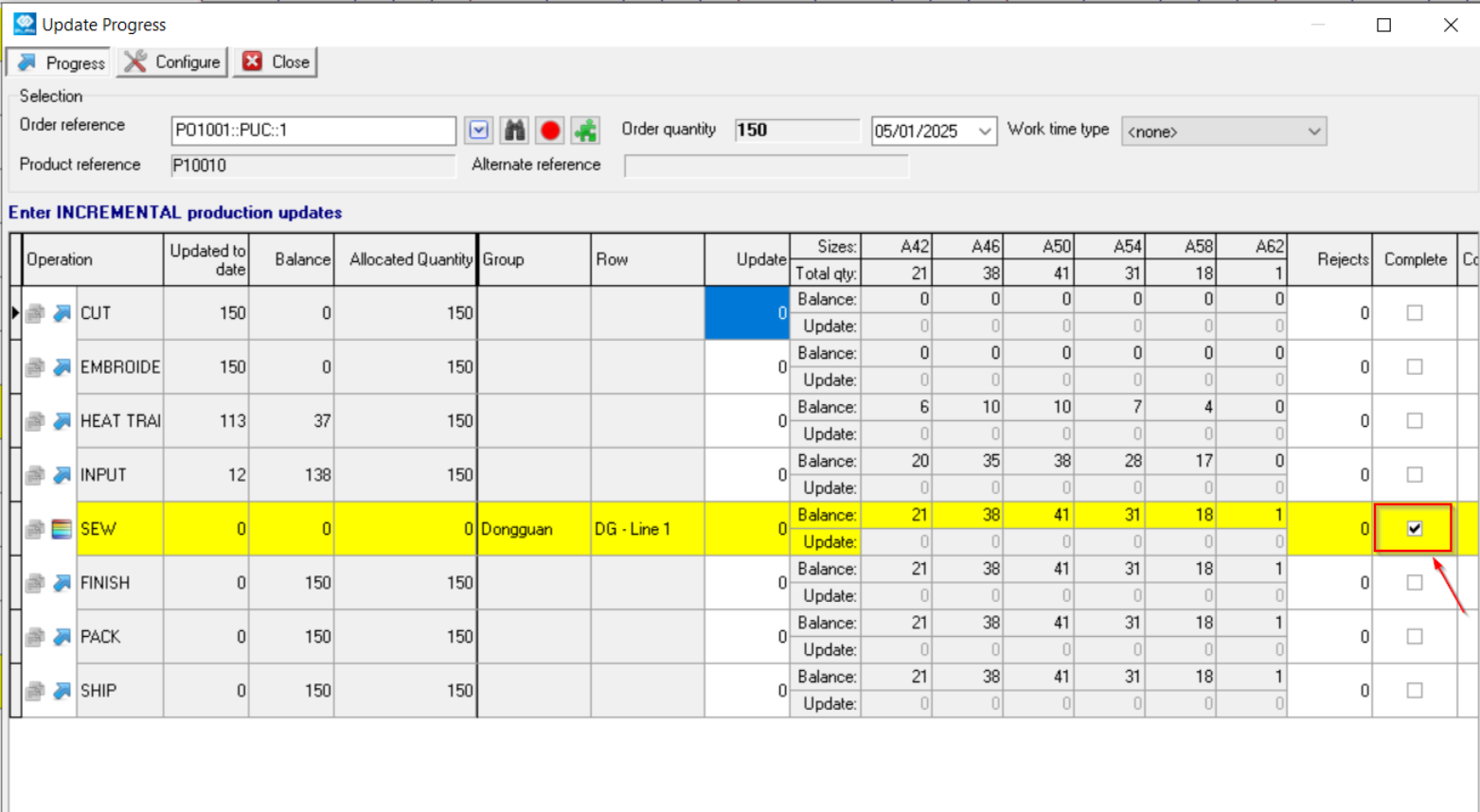
Step 2: If the above option "Order is completed" is not ticked, go to Update -> Update Progress
Search for the order "PO1001::PUC::1", if plan Operation "Sew" is marked as complete this will mean the strip on the planning board will be gone.
Outcome:
If the user wants the strip returned to the planning board, the user needs to untick the "Complete" option in Update Progress for Sew operation or untick the option "Order is marked completed" in the Order dialog.
Further reading:
Links to related articles