
Article Public Number: KA-01332
Coats Digital Knowledge Article
Product: FastReactPlan
Purpose & Scope:
Customer wants to clear small strip on LLPB because they finished sewing or the order is cancel but they do not want to delete from system.
Solution:
Mark complete order.
Instructions:
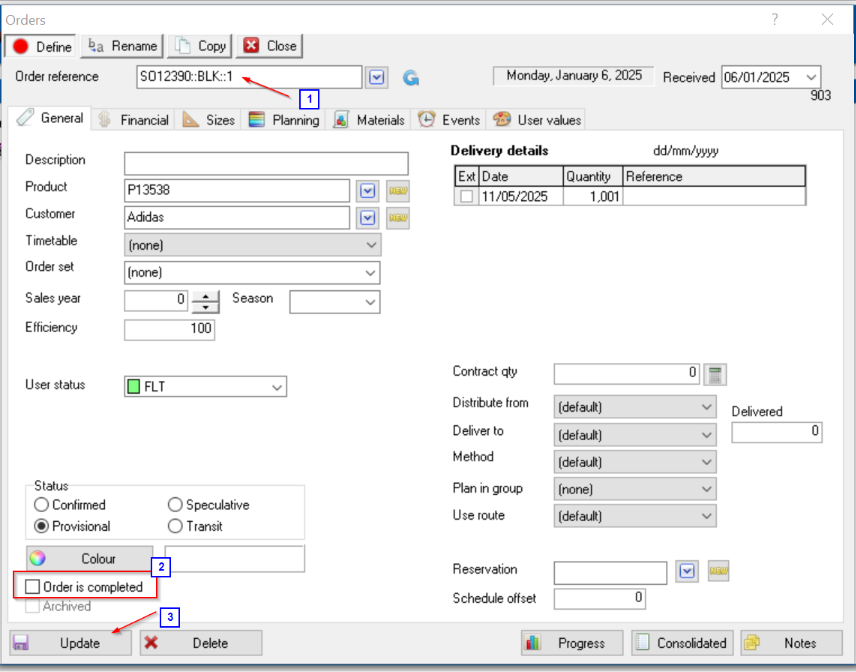
Step 1: Select order that user want to complete from menu Order -> Add/amend or right-click on strip in LLPB -> Order detail
Step 2: Tick on option "Order is complete"
Step 3: Click Update
OR
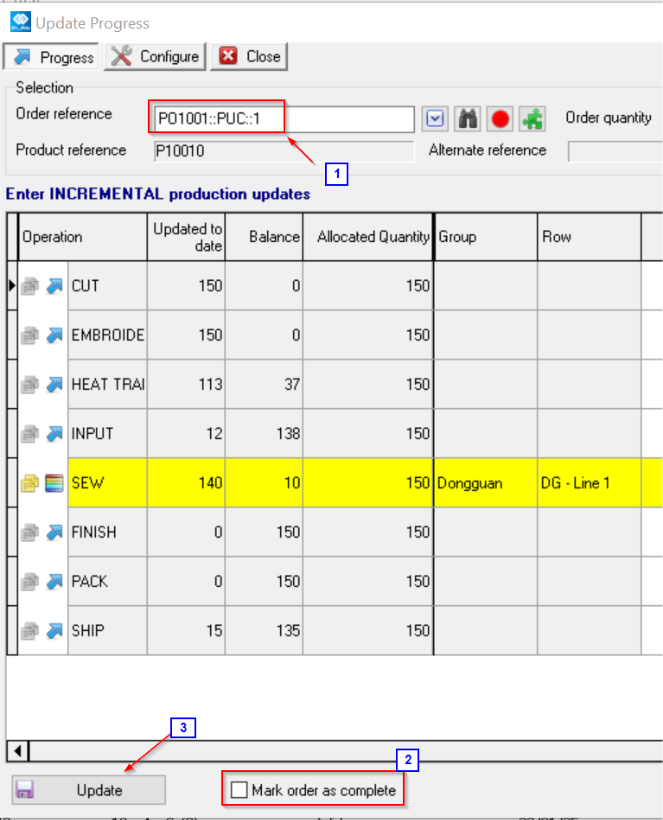
Step 1: Select order that user want to complete from menu Update -> Update progress or right-click on strip in LLPB ->Update progress
Step 2: Tick on option "Mark order as complete"
Step 3: click Update
Outcome:
After completing, pending strip on LLPB or load list will be gone.