
Article Public Number: KA-01353
Coats Digital Knowledge Article
Product: FastReactPlan
Purpose & Scope:
Defines the default number of days for a strip when first loaded onto the High Level planning board, this will be applied to forecast orders planning to know the loading and capacity mostly.
Solution:
FRP allow users to define the strip length with global setting, by plan section or by strip total SMVs.
Instructions:
Step 1: Navigrate to [Setup]==>[Configure]==>[Planning]
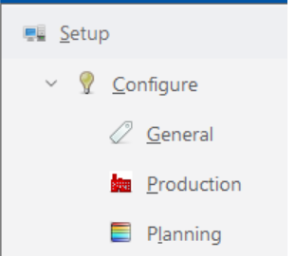
Step 2: To the [High level], we can see the "Default initial strip length(days)" below, input the number of days, click [Update]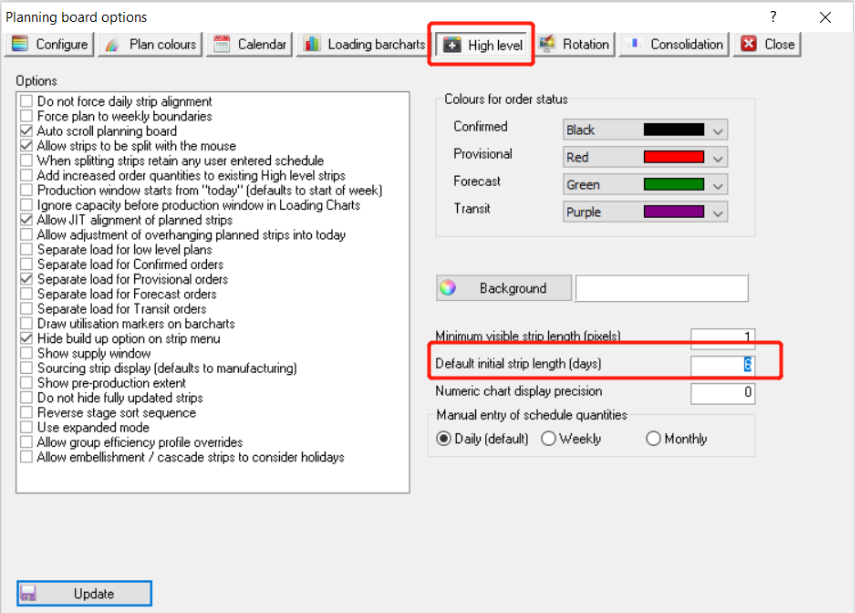
Step 3: Or the system was running with multiple plan sections, you can define the default strip length via following below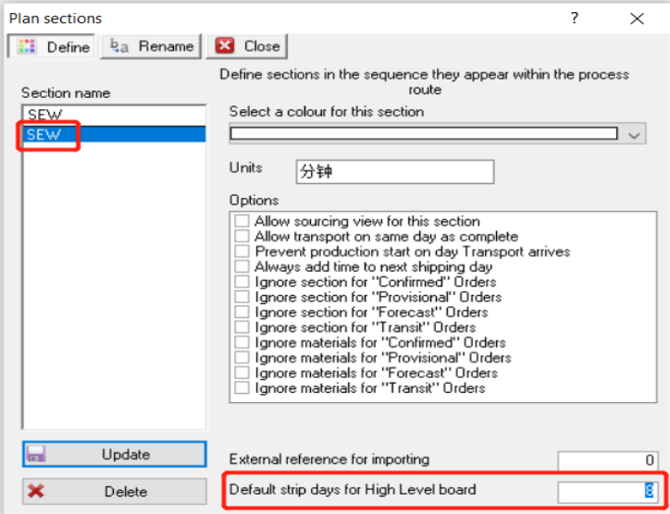
Step 4: FRP allow users to define the strip default length via strip total SMV as well. With this to work, we will need to enable below option via "FRS" account.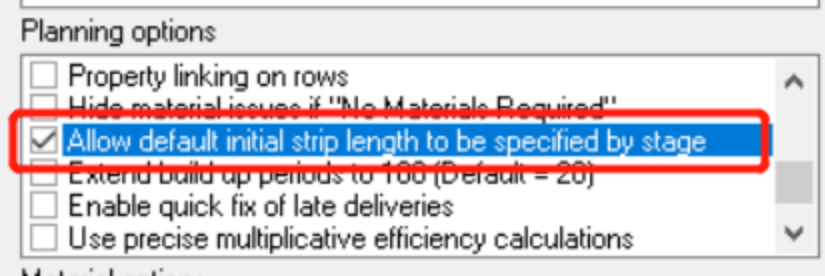
Step 5: A dialog available as below that allow you to define the strip length by strip SMV.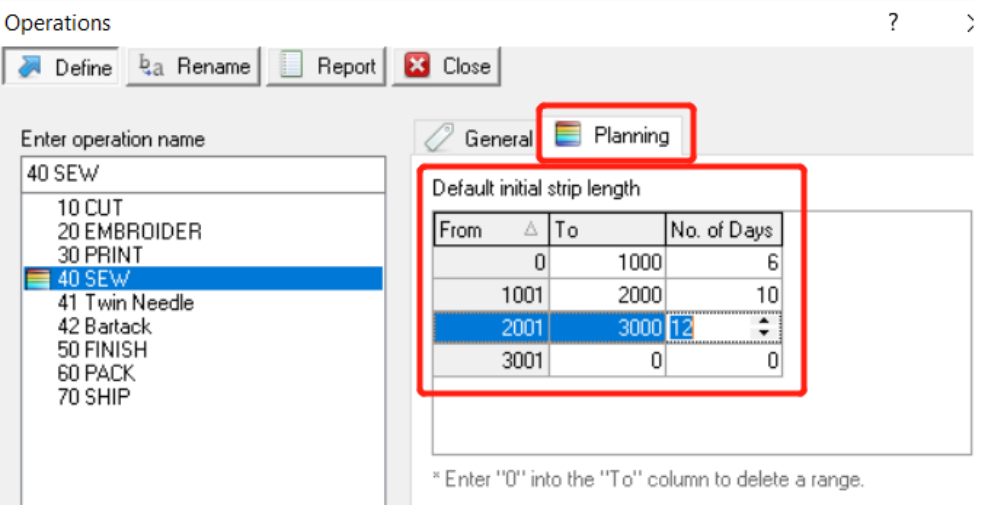
Notes: Priority level was that strip length setting in Operation> Plan Section Strip length > High Level strip length