
Article Public Number: KA-01209
Coats Digital Knowledge Article
Product: FastReactPlan
Purpose & Scope:
A brief guide explaining how to create and update Countries within FastReact
Solution:
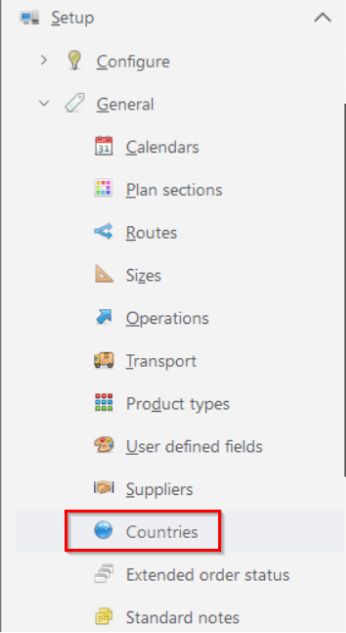
Within Setup > General > Countries, we could create and update countries.
Instructions:
Step 1: Go to Setup > General > Countries
Step 2:Entry countries info in column [Country] and click [Save];
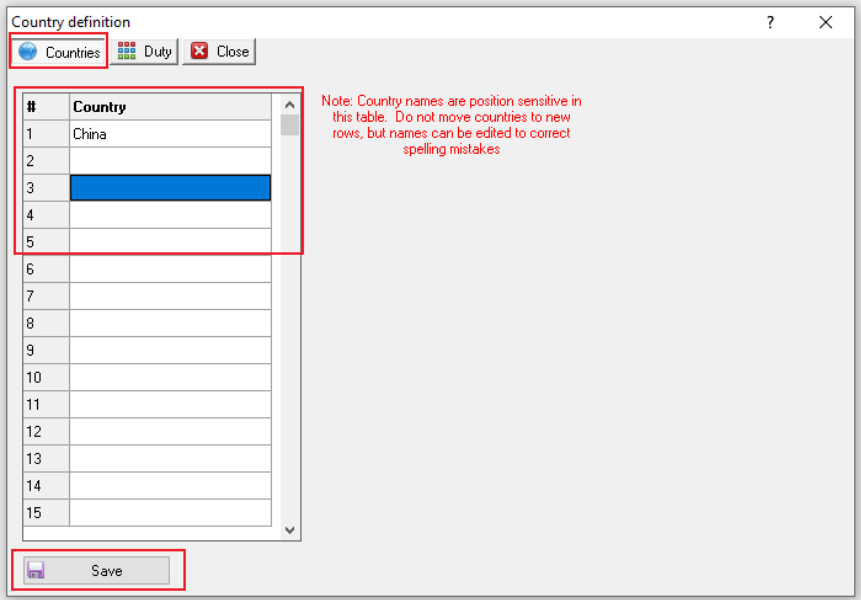
Noticed points:
[#] This is a unique, Fastreact generated, incremental number.
[Country] This is a list of user defined Countries.
Warning: Country names are position sensitive in this table. Do not move countries to new rows, but names can be edited to correct spelling mistakes.
Step 3: Click Tab [Duty] => Pick the previously created country from the drop down list.
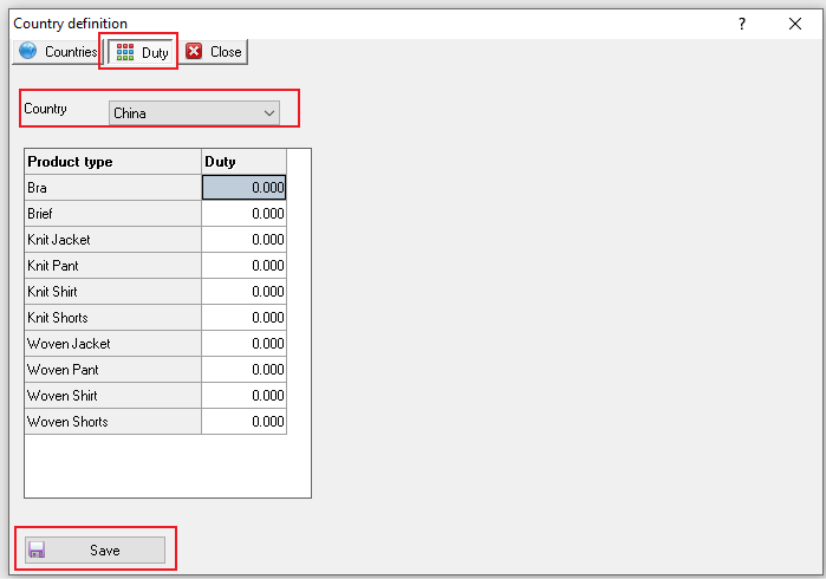
Noticed points:
Product Type / Duty matrix
Product type: This is a list of Product Types.
Duty: A user defined value can be entered against each Product Type for each Country.
PS: This then provides you with a facility to set different duty rates for specific items. For example, no VAT is paid in the UK for children clothes but a Duty rate is applicable for adults clothes.
Outcome:
Countries info could be created/updated after we save the changes in Setup=>General=Countries.
Further reading:
Links to related articles