
Article Public Number: KA-01210
Coats Digital Knowledge Article
Product: FastReactPlan
Purpose & Scope:
A brief guide explaining how to create and update currencies within FastReact.
Solution:
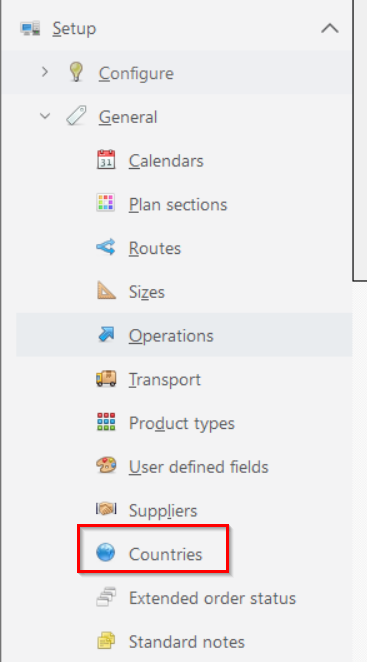
Go into FastReact and Setup > General > Currencies, to create/update currencies.
Instructions:
Step 1: Go into Setup > General > Currencies
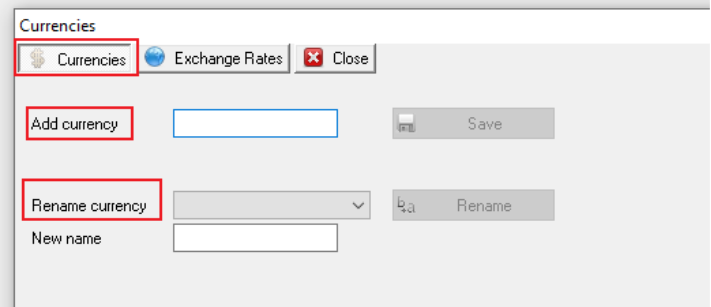
Step 2: Entry currency name in [Add currency] => click [Save] to create new currency;
Pick currency from drop-down list of [Rename currency] =>Entry [New name] to Rename the chosen currency.
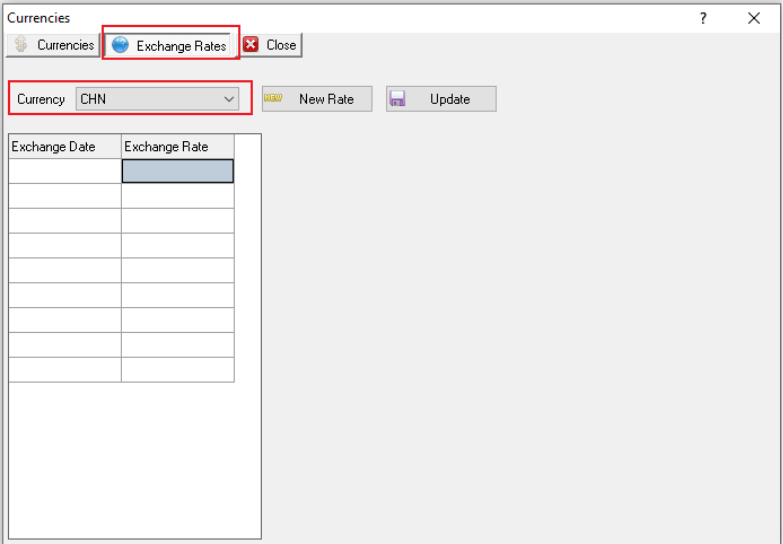
Step 3: You can use FR to track exchange rates of any given currency. Click on “Exchange Rate” and the following window appears:
In this window you select the correct currency from the drop down window and then click on “New Rate”.
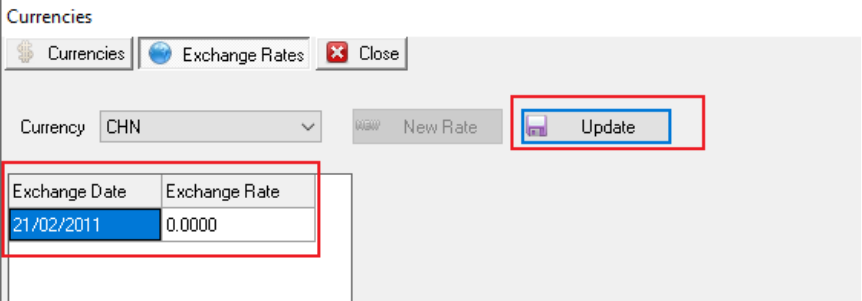
Step 4: The “Exchange Date” then becomes writable and when you have entered the correct date, enter the exchange rate.
Then click on [Update] and the details will be saved.
Outcome:
Required currencies would be created/updated by following above steps.
Further reading:
Links to related articles