
Article Public Number: KA-01207
Coats Digital Knowledge Article
Product: FastReactPlan
Purpose & Scope:
A guide explaining how to create Build-Up Allowances(/Learning Curve) in FR.
Solution:
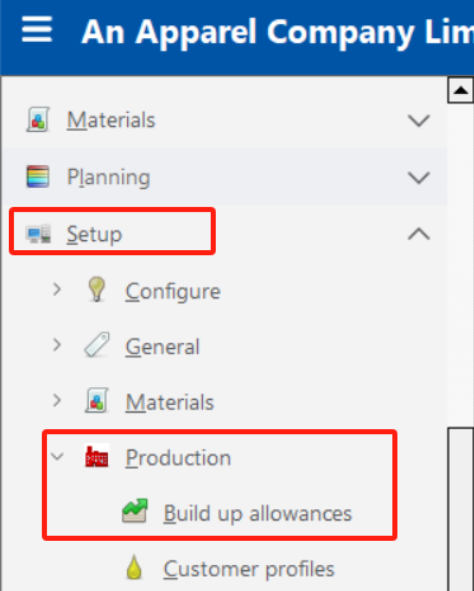
Go to Setup - Production - Build Up Allowances
to create required Learning Curve.
Instructions:
Step 1: Go to Setup - Production - Build Up Allowances
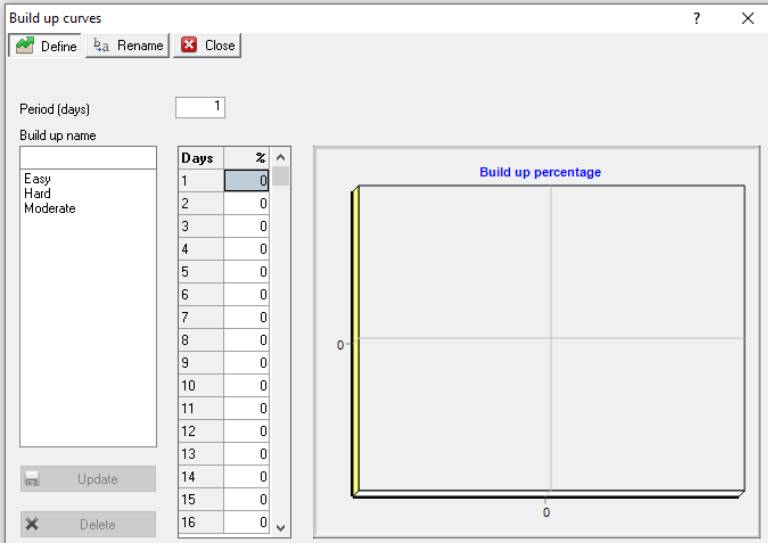
Step 2: Select Define Tab, following dialog will appear.
Step 3: Insert a build up curves "TEST"
Step 4: The days table show the number of days in each of the definable periods. The size of a definable period can be from 1 or more.
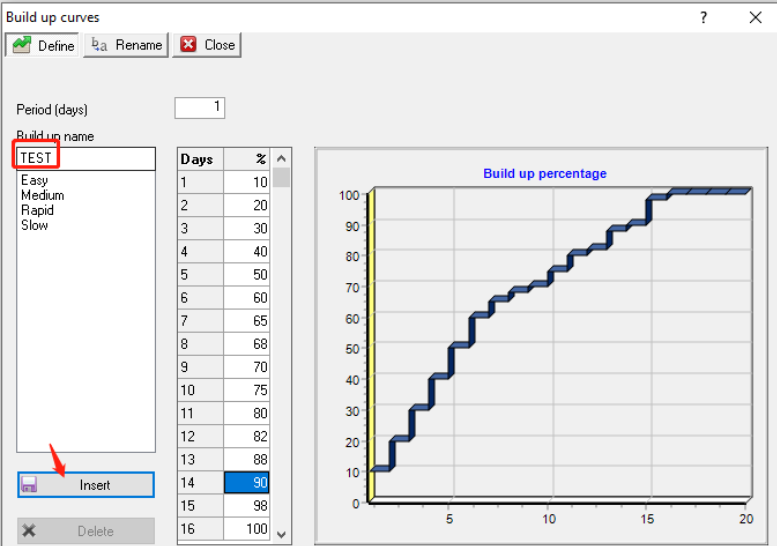
Step 5: Enter the expected efficiency for each period to create the shape of the Build Up Allowance. As a value is typed, the shape of the curve is shown in the graph at the right hand side, allowing mistakes to be easily spotted.
Outcome:
Required learning curve would be created following above steps.
Further reading:
Links to related articles