
Article Public Number: KA-01153
Coats Digital Knowledge Article
Product: FastReactPlan
Purpose & Scope:
In most real environments, different planning resources have different efficiencies, e.g. operators have different skill levels, some machines run faster than others. This efficiency can depend on the type of product being produced. Each individual planning resource can have a different efficiency for each different type of product. These differences are allowed for, in FastReact, by using Efficiency Profiles. Efficiency Profiles allow the planner to define an efficiency value for each of the Product Types that have been defined. Each of the planning resources can then be given one of the defined Profiles. Several resources may share the same Profile or there can be a new Profile for each resource.
Solution:
Use the toolbar tab [Setup] to finish creating efficiency profile
Instructions:
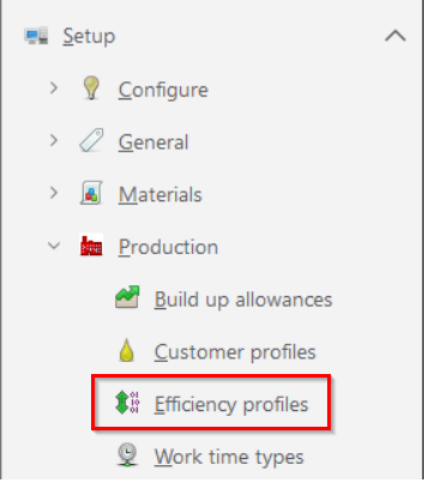
Step 1: Setup - Production - Efficiency Profiles
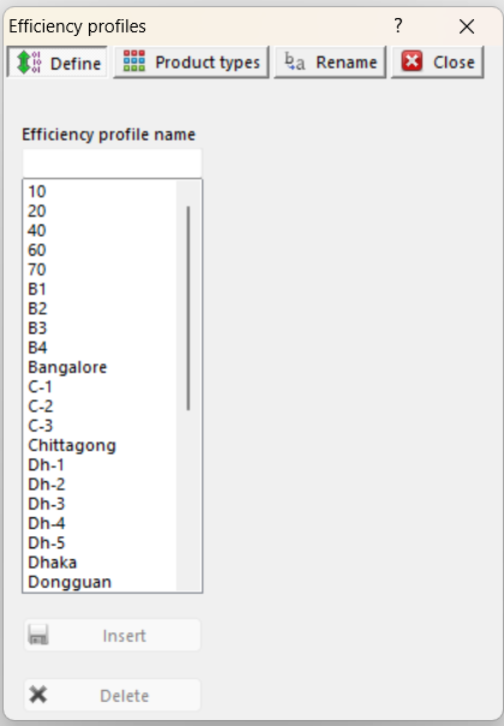
Step 2: Select Define Tab, following dialog box will appear
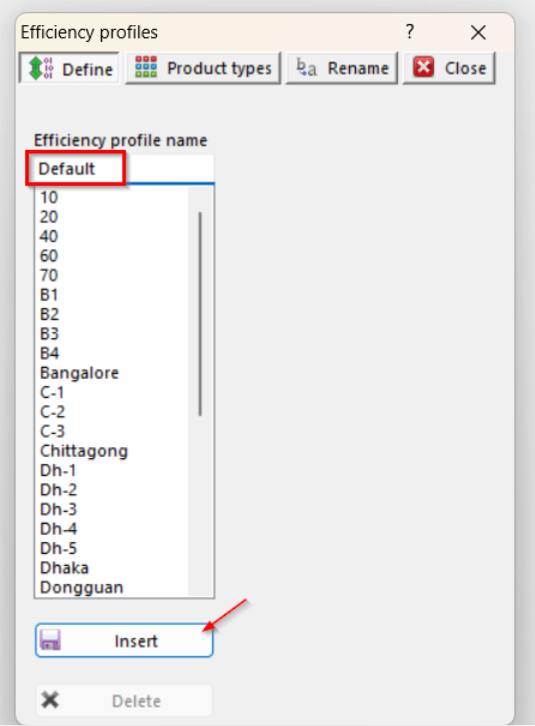
Step 3: Insert a profile called "Default"
Step 4: Select Product Type Tab, then select from the drop down list the profile which will be associated with the product types.
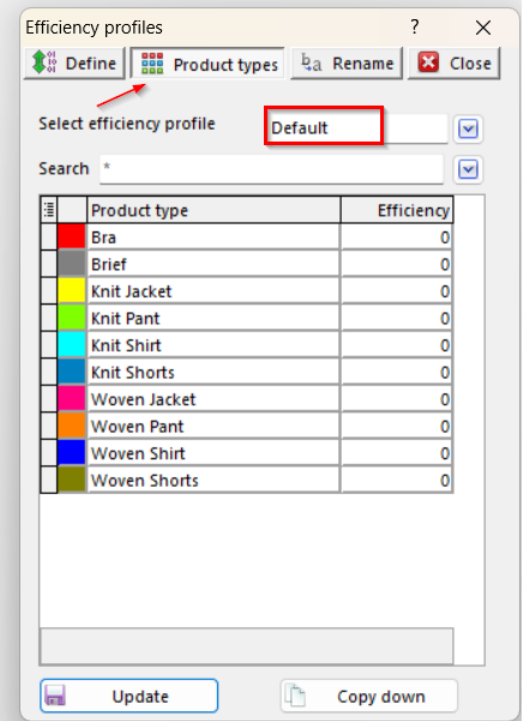
Step 5: Set the efficiency level to 80% for all products.
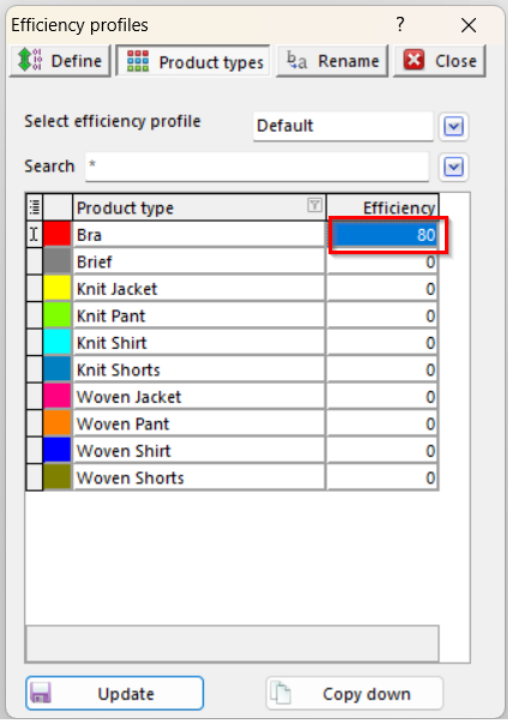
Use the "Copy Down" button to apply the same value to all remaining "Product Types".
Once completed, click "Update" to save the setup.
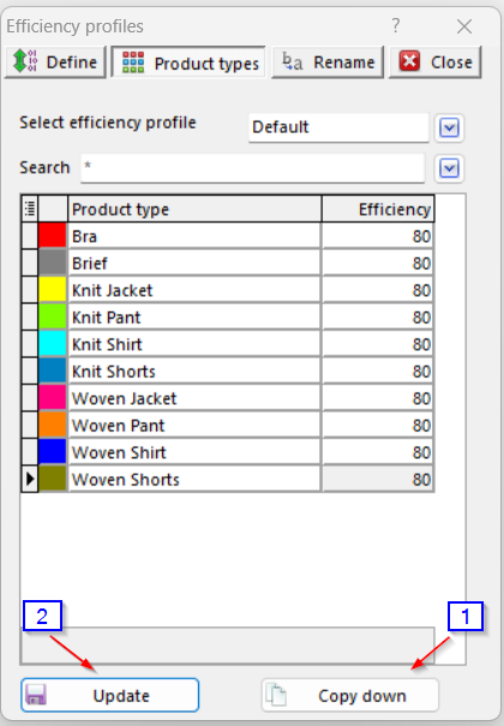
Note: it was agreed initially enter only one efficiency profile called ‘Default’ and set all product type efficiencies to 80%.
However it was agreed to review and discuss this later stage and then add more profiles and change product type
efficiency.
Outcome:
the user can create the efficiency profiles as required following above steps