
Article Public Number: KA-01361
Coats Digital Knowledge Article
Product: FastReactPlan
Purpose & Scope:
Regarding to the peak and low season, factories might need to deduct some rows in low season. However, they still want to keep them in the system instead of deleting them. And the disable row function here can help user to keep those rows in the system, but not to show on planning board.
Solution:
This function should be enabled from license.
Instructions:
Step 1: First of all,we should enable the this function in license and load it into the FRP, And meanwhile you will need to contact
Coats digital FRP staff to help enable this via FRS account as below.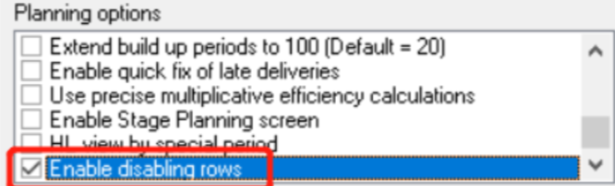
Notes: With the option enable above, you can log in with admin account (e.g. # ) to assign the access to the specified group that you prefer them to have the access to disable /enable plan row.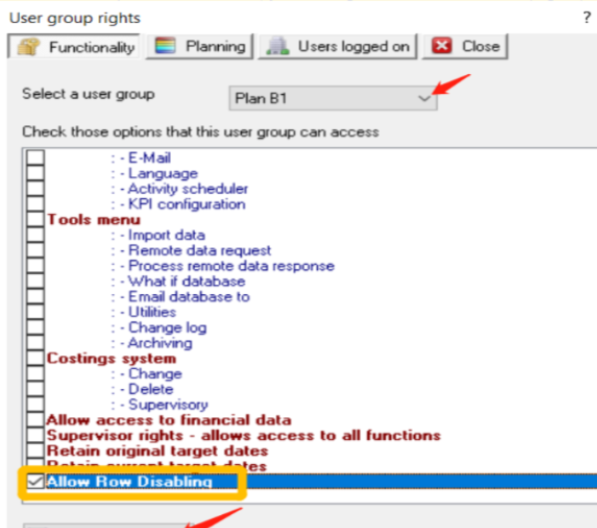
Step 2: Select the plan row that you want to disable, tick the “Disable row”(if you want enable it again, just remove the Tick and click update), then click "Update" 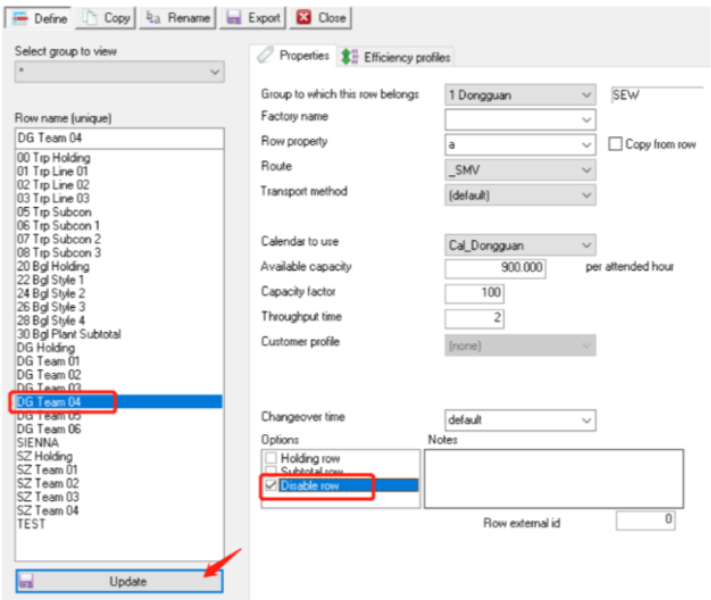
Step 3: You will then see it grey out as below, and the plan row also gone from planning board
A license of row will be free up 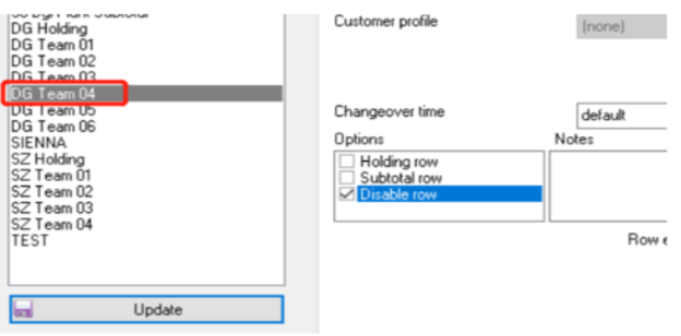
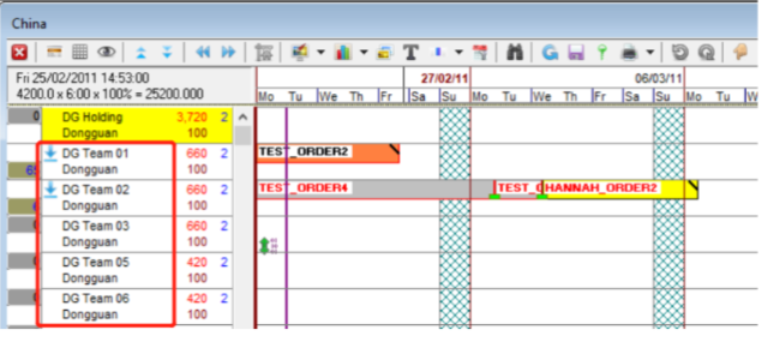
Notes: If you are trying to disable a plan row that still have strip planned there, system will not allow you to disable it until all strips were unloaded from the row. 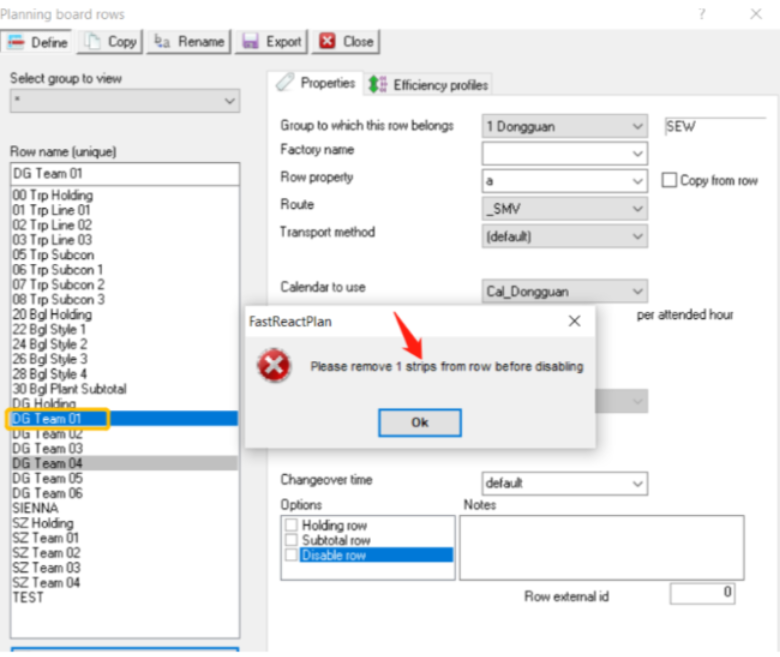
Step 4: “Disable row” field should be available on the Planning Row field groups as below, and once report created, you will see the disabled row value as 1 below in the report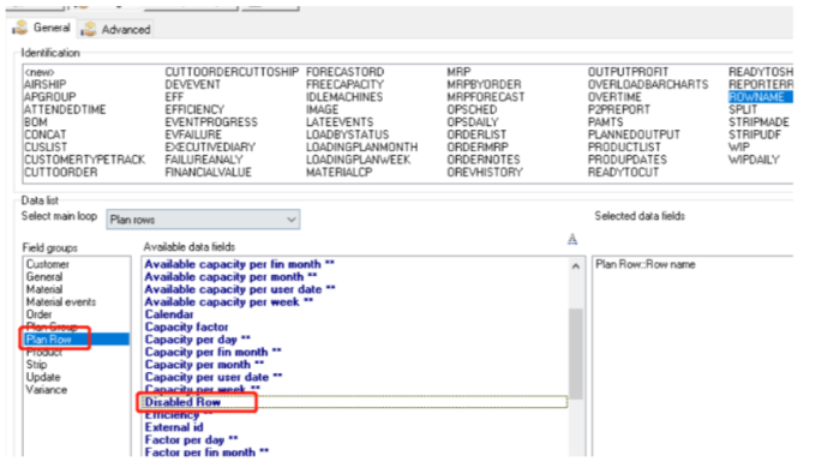
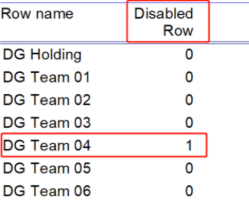
Outcome:
Only authorised users can have ability to activate and deactivate the plan rows.
Further reading:
None