
Article Public Number: KA-01145
Coats Digital Knowledge Article
Product: FastReactPlan
Purpose & Scope:
It can help user filter out the order by UDF in Allocate to plan
Solution:
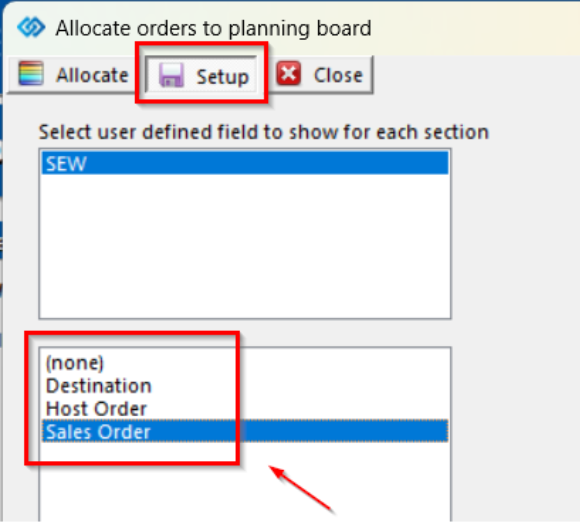
Select the UDF field in Setup within the Allocate to plan dialog
Instructions:
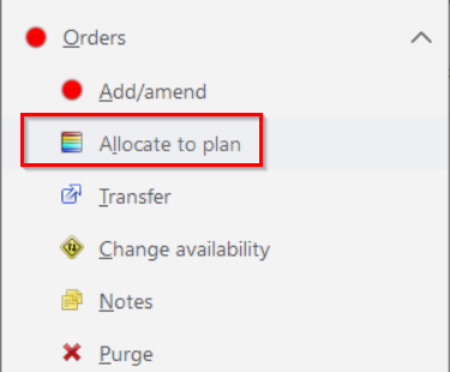
Step 1: Click [Orders] => Click [Allocate to plan]
Step 2: Click [Setup], and select the UDF field as required
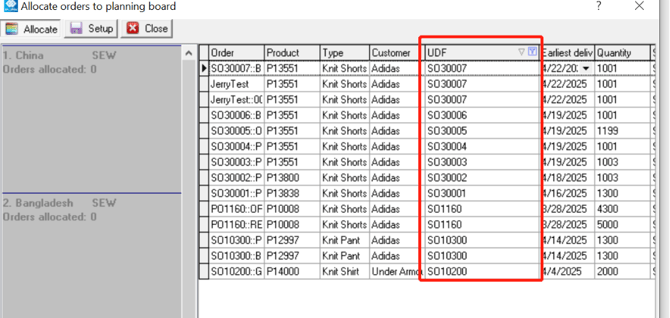
Step 3: In this way we can filter out the orders by the selected UDF
Outcome:
Sometimes there are plenty of orders pending in allocate and user want to filter out the orders as per their special sort defined by factory, hence they can quickly filter out orders as required