
Article Public Number: KA-01235
Coats Digital Knowledge Article
Product: FastReactPlan
Purpose & Scope:
Service account got the warning as below because some client machine choose local printer then Service account cannot recognize it.

Solution:
Re-setup printer for report again
Instructions:
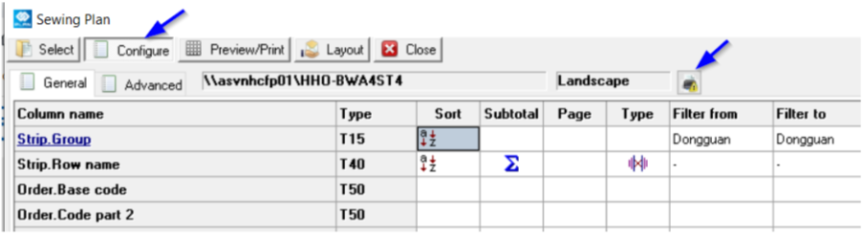
Step 1: Go to any report, in tab Configure, select Printer icon
Step 2: Select Name of Printer "Microsoft Print to PDF", then click OK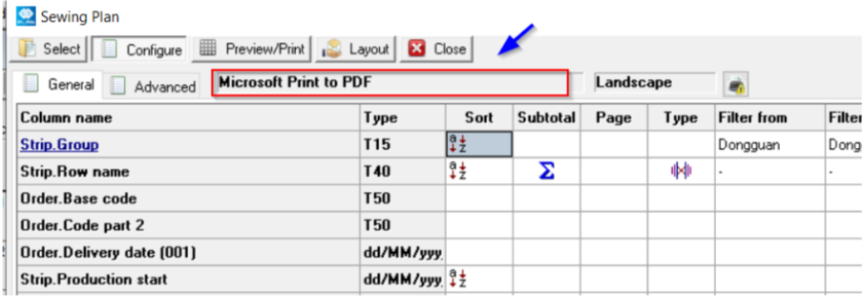
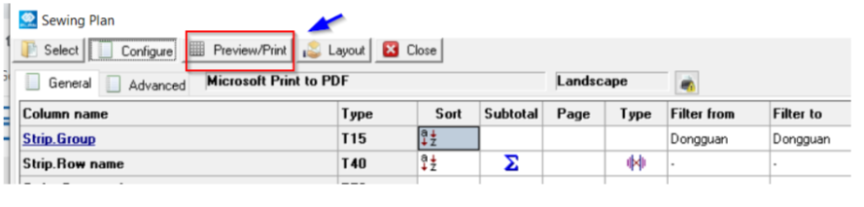
Step 3: Select Preview/Print to apply this change
Outcome:
After fixing, no error when Service run auto report task.
Further reading:
Links to related articles