
Product: FastReactPlan
Step 2: Go to setup==>Configure==>General==> Loacl machine
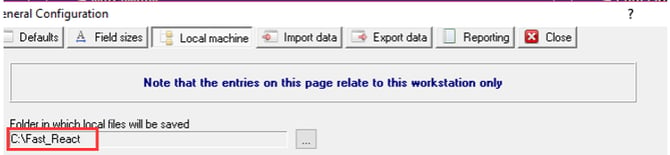
Check the path of Temp folder from local machine tab
Step 3 : Delete the temp files in Temp folder to free up the space
![]()

Purpose & Scope:
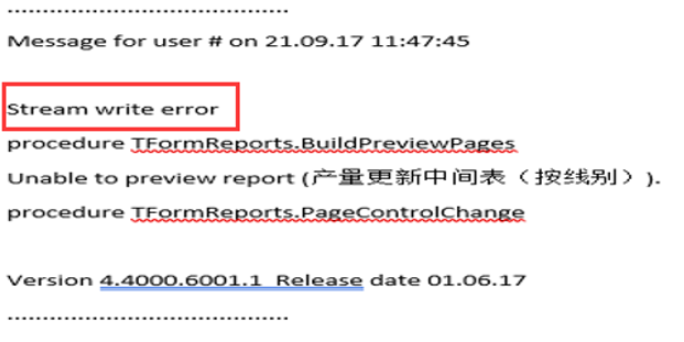
While we are previewing some report, maybe we would encounter the "stream write error", hence this article help us how to handle it
Solution:
Delete the temp file in temp folder to free up the space or enlarge the disk space.
Instructions:
Step 1 : "Stream write error" as below normally happen when you trying to preview a big report that carry lots of dataStep 2: Go to setup==>Configure==>General==> Loacl machine
Check the path of Temp folder from local machine tab
Step 3 : Delete the temp files in Temp folder to free up the space
Outcome:
Preview the report again and there should be enough space to go without "Stream write error" anymore. If problem persisted, can try to follow the report golden rules to check for the report setting.
Further reading:
Links to related articles