
Article Public Number: KA-01450
Coats Digital Knowledge Article
Product: FastReactPlan
Purpose & Scope:
User want to import addition files or the auto import task cannot run as schedule.
Solution:
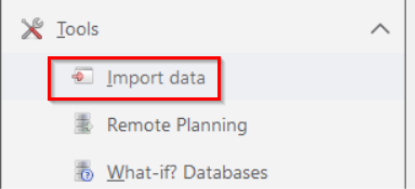
Go to Tools -> Import data and run import
Instructions:
Step 1: Go to Tool -> Import data
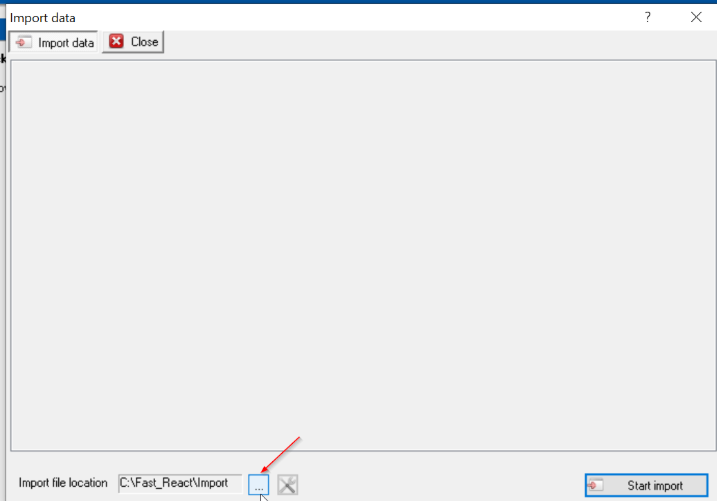
Step 2: If the import files are put into default import folder, just click "Start import"
But if user put import files in another location, click on icon "..." to select the new folder has import files
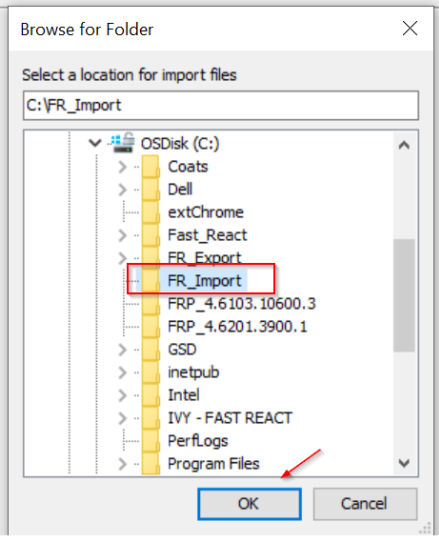
Step 3: Select new folder then click "Ok"
Make sure import files are put into this folder
Step 4: The new folder is updated -> click "Start import" to import files
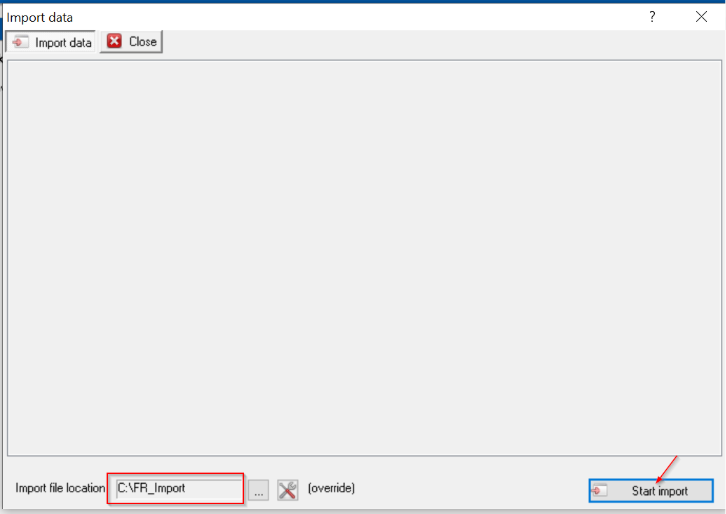
Step 5: After completed import -> click Close
Then go to Tool -> Import data and click on icon below

Then it will be back to default setup (to make sure the auto import task can be read in correct folder)

Outcome:
After running manual import, the data will be updated into system and highlight if any warning or error.