
Article Public Number: KA-01354
Coats Digital Knowledge Article
Product: FastReactPlan
Purpose & Scope:
Explain Order Status in FR
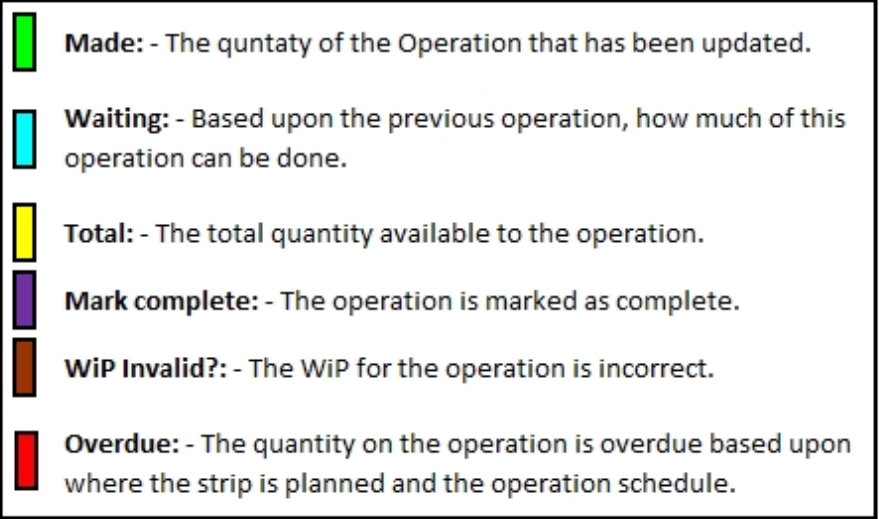
This dialog is a graphical depiction of the progress so far for all the operations, including the Planned operation. The dialog will show at a glance any problems that have occurred with this order as well as the status for each operation.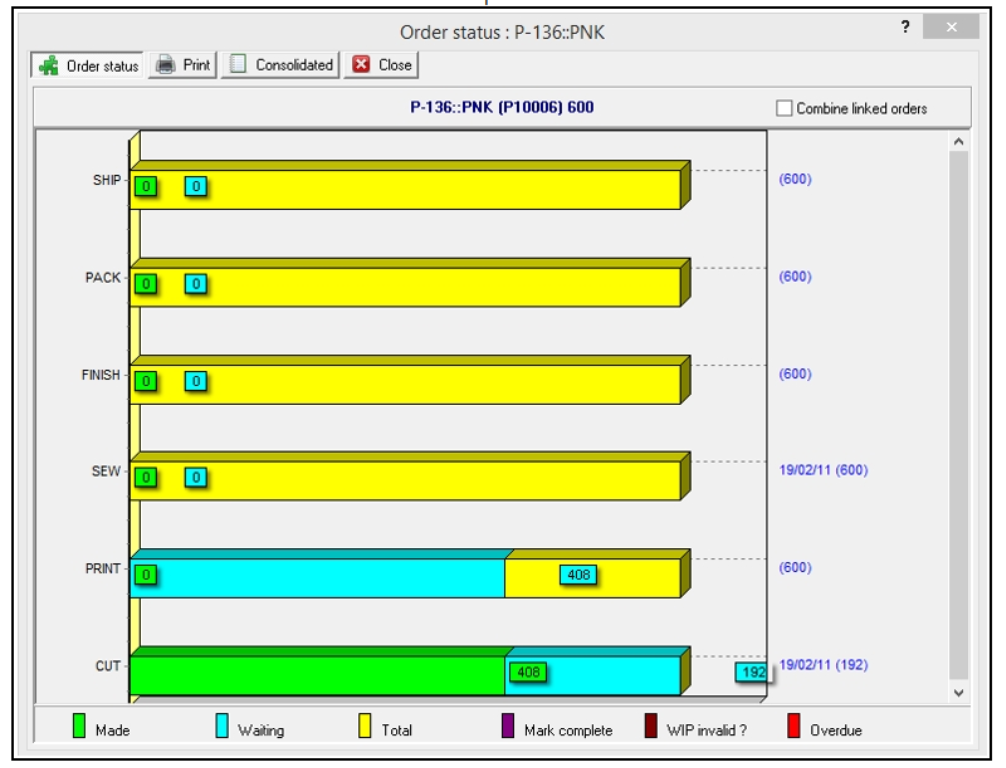
The dialog can be printed.
Consolidated
This grid shows the Consolidated progress for all the operation based upon a pre-configured UDF. The consolidate UDF is global and not by user. Only supervisor status can change the value. This is setup in the dialog on a Configure tab.
ProgressBy clicking on any of the operations that have been configured to keep historical update data, a second dialog is pulled up. This dialog is the Order Status details for the selected operation.
Order Status Details
This dialog is split in two parts is the system is being updated by size, otherwise it will just be a list of the production updates.
The left hand split will contain the update date and quantities for the operation, and the right hand split, if turned on, will contain the size and quantity ration. This side is turned on via the Sizes license option and enabled, at operation level, via Updates progress by size against the Operation
This dialog is individual for each configured operation.