
Article Public Number: KA-01534
Coats Digital Knowledge Article
Product: FastReactPlan
Purpose & Scope:
This article take you through How to reject order manually and replan the rejected order
Solution:
Reject order via right-click function and re-load the rejected order to the plan group according on High level
Instructions:
Step 1: Suppose that we are going to reject order "Jerry_Rejected_test" as follows.
Click loadlist - select order and right click - select the option "Reject collaboration order"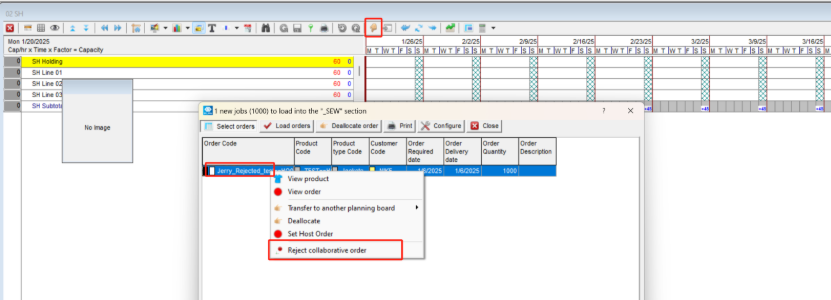
Noted that there will be another header named "Return list" showing to you and you can find the order shown in "Return list", which should be rejected to Host side 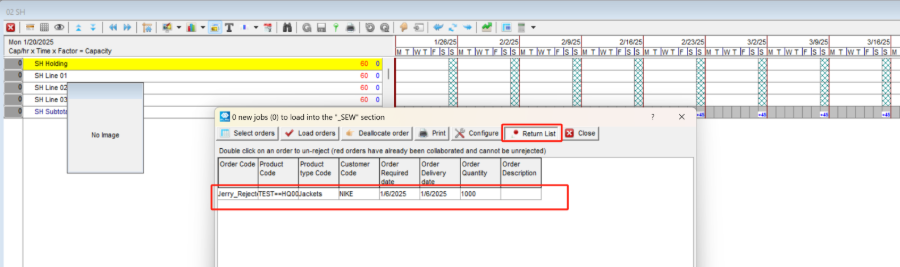
Step 2: After rejecting order from loadlist, then you have to send collabor ation package to HQ site as follows
Go to Tools - Send collaboration package 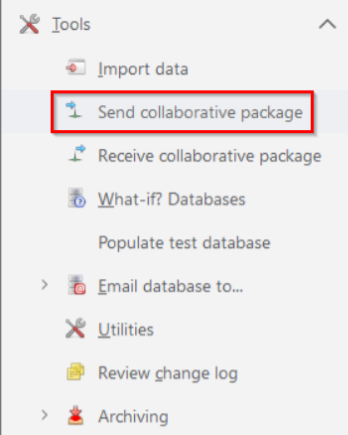
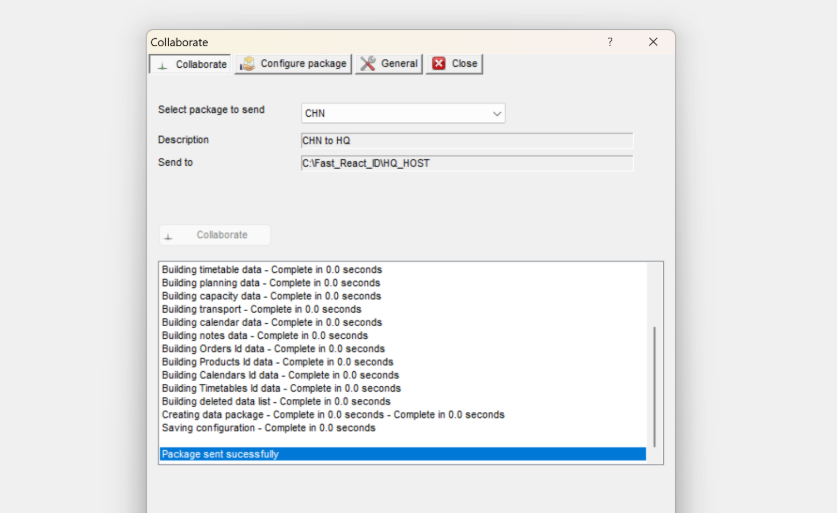
Step 3: Now you must go to HQ server, and try to receive the collaboration package from factory site
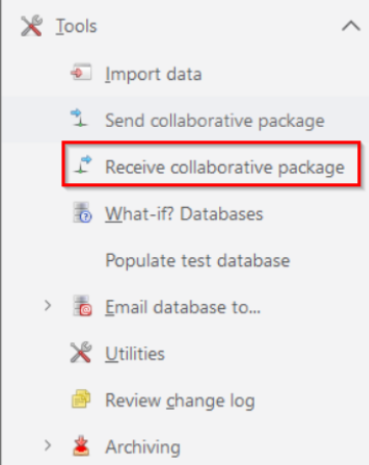
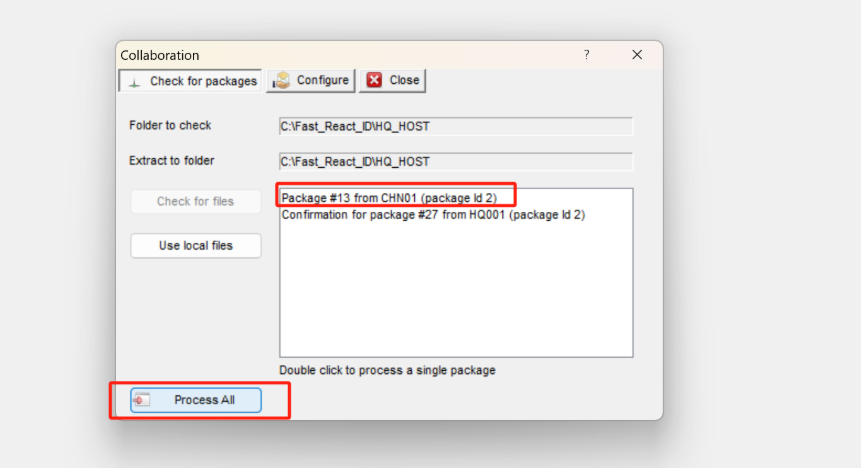
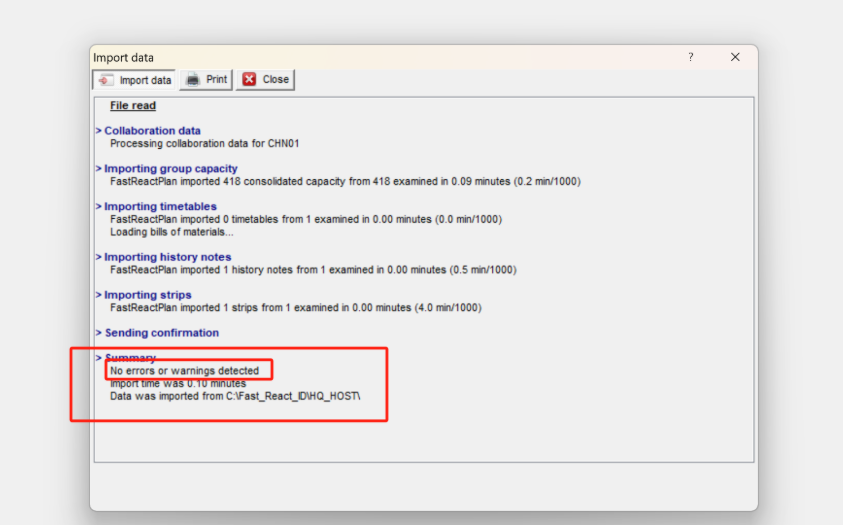
Step 4: After receiving collaboration package, go to the loadlist of HL board, you will find the rejected order was there with background in RED as below.
That is to say, this order has been successfully rejected from factory side 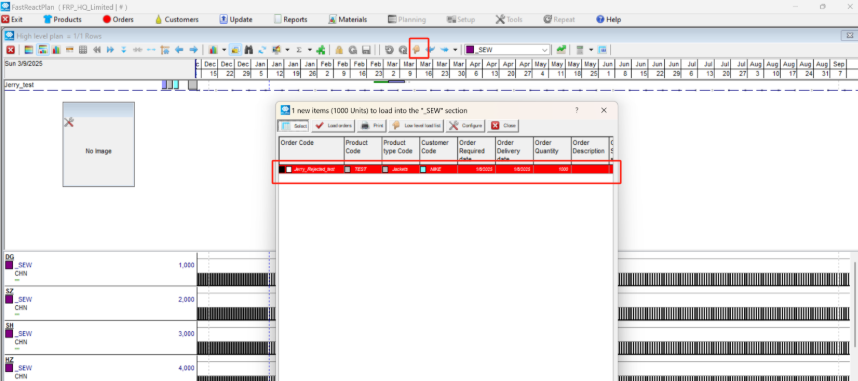
Step 5: Now if you would like to assign this order to another factory side, you only re-load this order to the relevant plan group on High level planning board
Select this order - click "load orders" button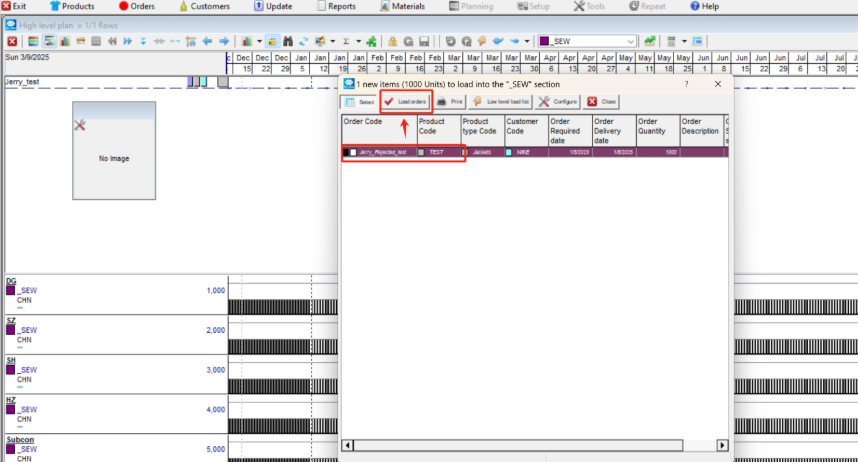
And assign this order to new plan group, which belong to the factory that you wanted
Click save button to save planning board 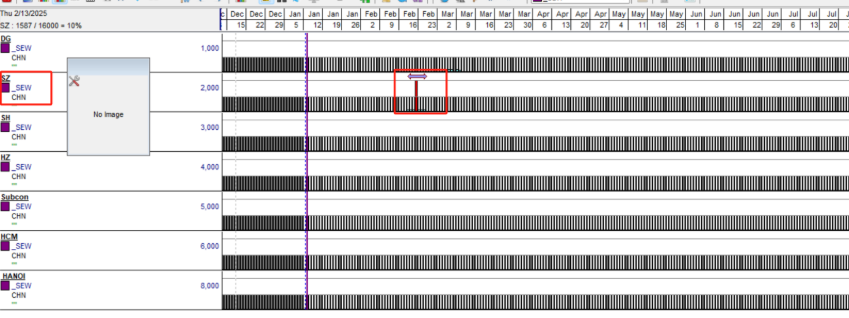
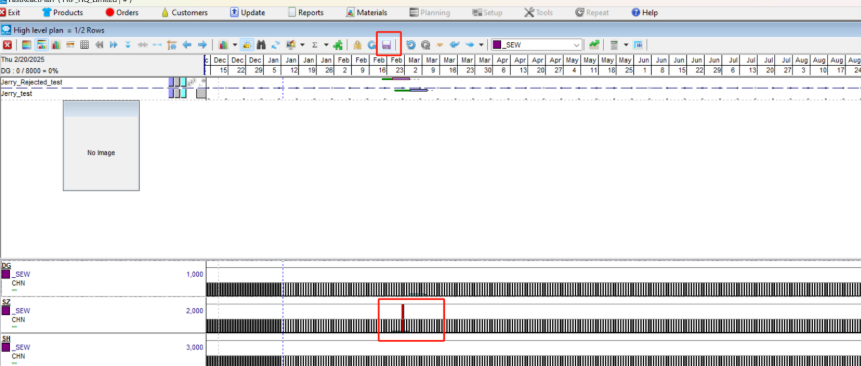
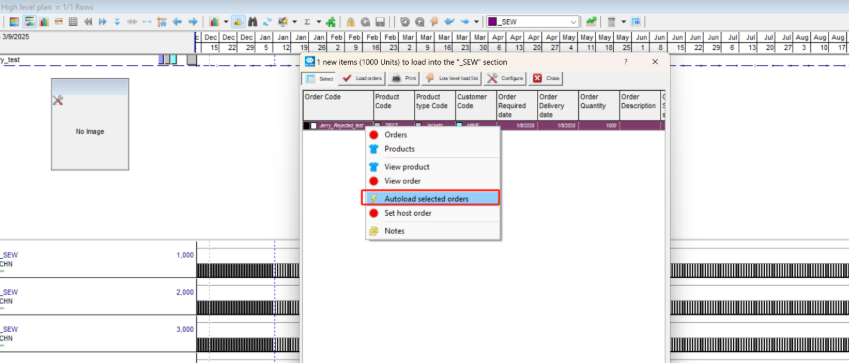
Please noted that if your system has updated the order "plan in group" and you confirm this plan in group is correct for this order. You just right click to select the "Autoload" to have it reload
Step 6: Finally you need to send collaboration package to remote side which you have planned the order to as above, the rejected order will then be assigned to new factory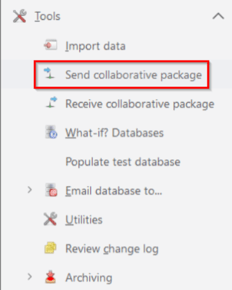
Outcome:
Reject order has been replanned accordingly.