
Article Public Number: KA-01413
Coats Digital Knowledge ArticleProduct: FastReactPlan
Purpose & Scope:
This article take you through how to Modify the capacity per Month for plan group on HL
Solution:
User can modify the capacity per month for plan group on HL as per below steps
Instructions:
Step 1: Suppose that we would like to modify the capacity for plan group Dongguan on March
right click -- select the change capacity 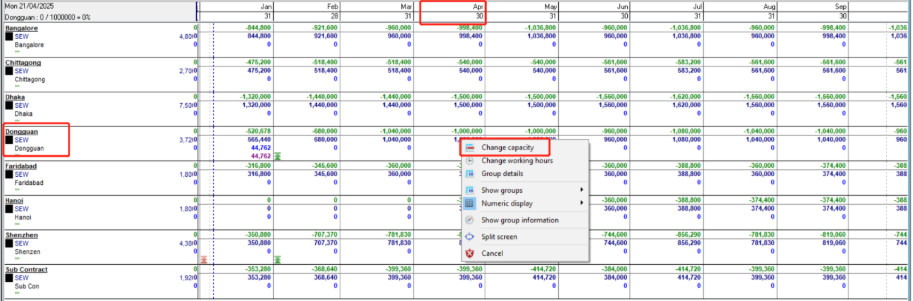
Step 2: Firstly select the date when the new capacity hour will start to effect -- modify the capacity per hour-- click update 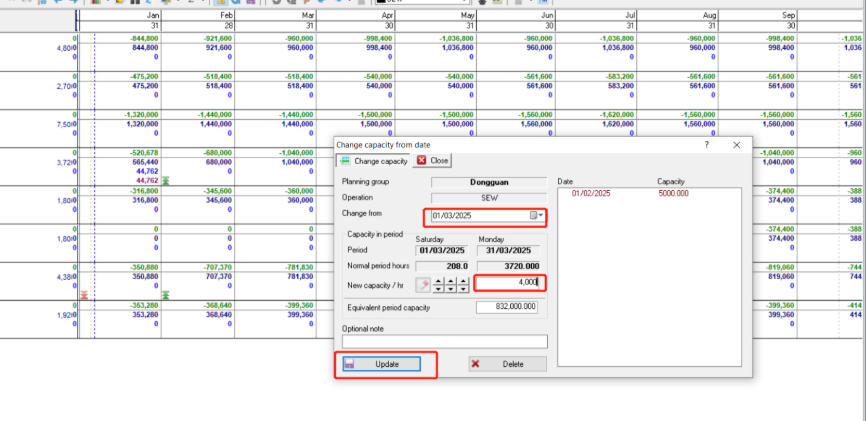
Step 3: We can see the mofification recod from right hand side in the list, and we also can see the capacity on May become 832000
(4000*208 hours=832000) 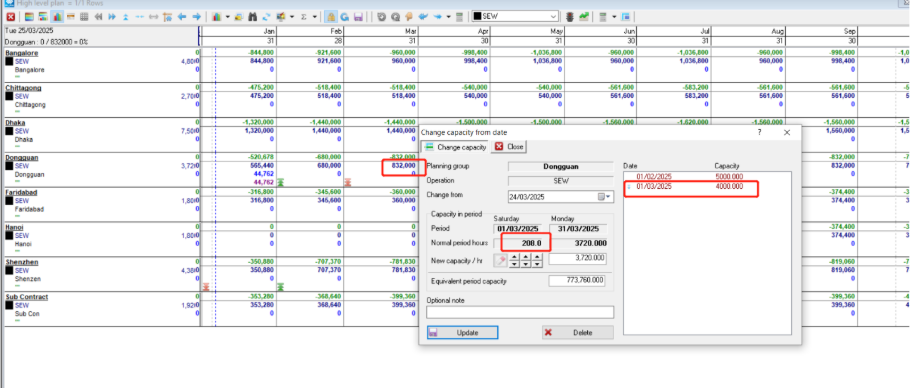
Outcome:
We can follow above steps to modify the capactity by month
Further reading:
Links to related articles