
Article Public Number: KA-01342
Coats Digital Knowledge Article
Product: FastReactPlan
Purpose & Scope:
Brief description of how to populate test database in FR
Solution:
Create new database in SQL=> Click Tools >Populate test database => Entry Database name/Server name/Login Name => Populate
Instructions:
Step 1 : Right-click [Databases] in SQL server => Click [New Database]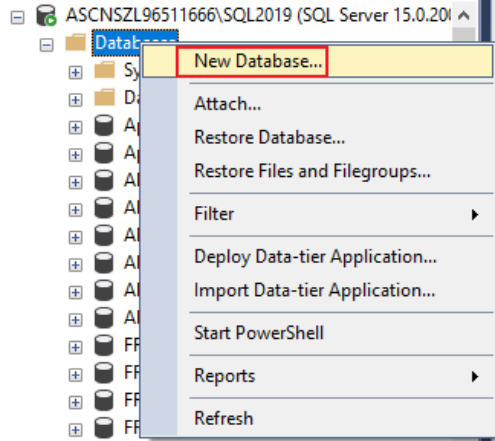
Step 2 : Enter Database name & Owner set to be fastreact.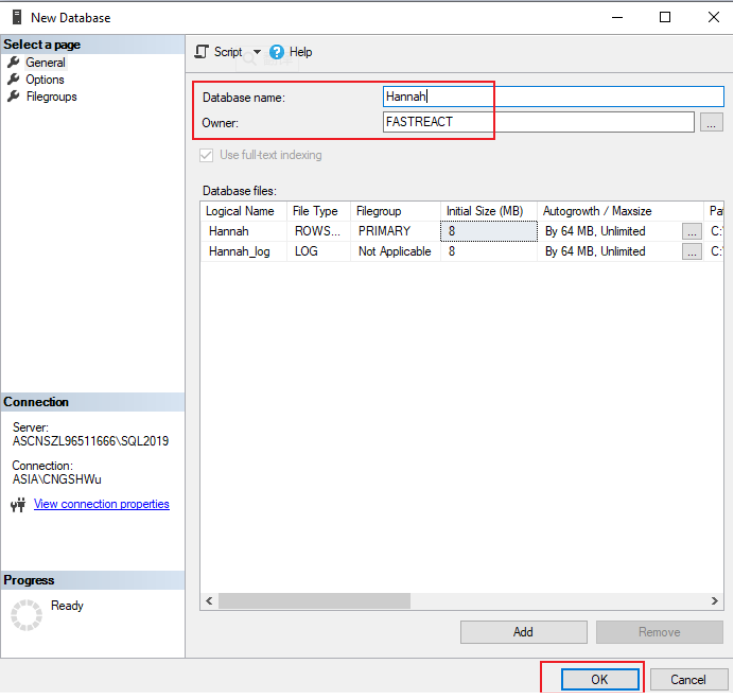
Step 3 : Click Tools > Populate test database.
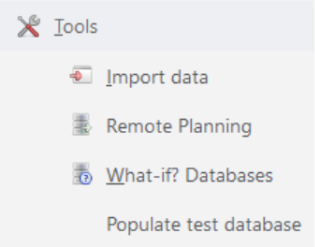
Step 4: Enter Database name & Server Name & Login Name => Click Populate =>Test database would be created.
Notice: Valid date of the populated test database would be one month.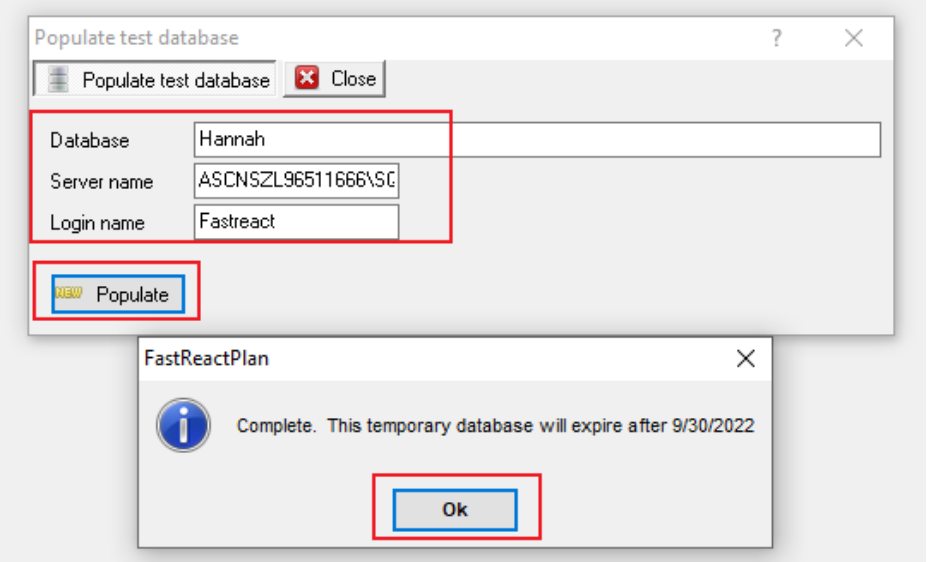
Step 5: When log in Test database, the system header would remind you this is a test environment.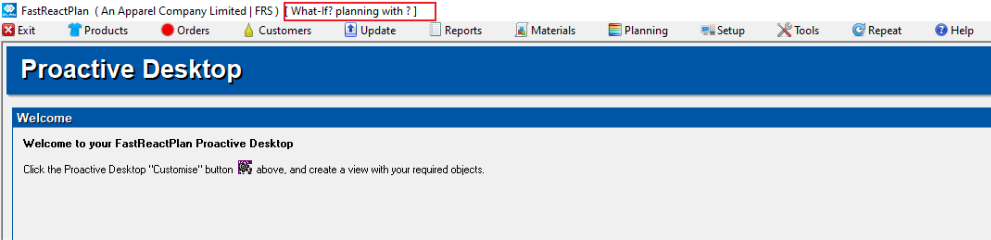
Outcome:
Test database which would be valid in one month could be populated by following above instructions.
Further reading:
Links to related articles