
Article Public Number: KA-01483
Coats Digital Knowledge Article
Product: FastReactPlan
Purpose & Scope:
Brief description of how to reject orders between HQ & Remote sites in collaboration systems.
Solution:
Remote site reject orders in Load List of LL planning board > Remote site send collaboration packages to HQ site > HQ receive collaboration packages & Sent Handshake (Confirmation) > Remote site receive Handshake.
Instructions:
Step 1: Remote site reject orders in Load List of LL planning board.
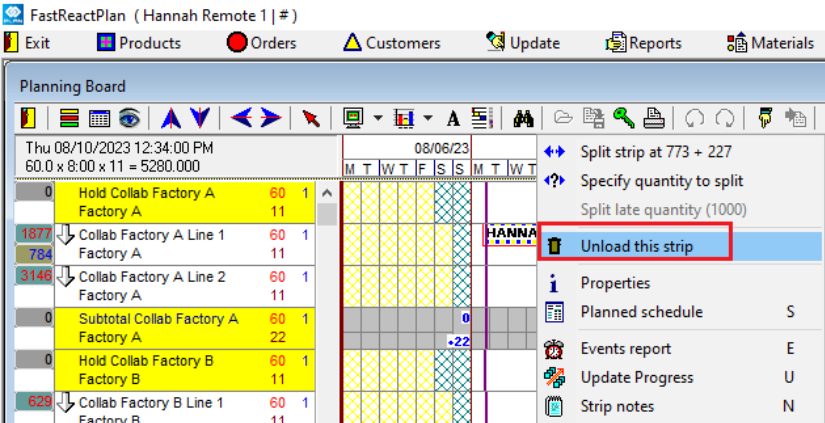
If orders still planned in LL planning board, planner need to unload the strip first.
Important:
1# Orders' all operations output need to be cleared before planner unload them to Load List.
2# Host order & substitution order need to both be rejected back to HQ site.
1). Planners need to clear output update for all operations for the rejected orders if any.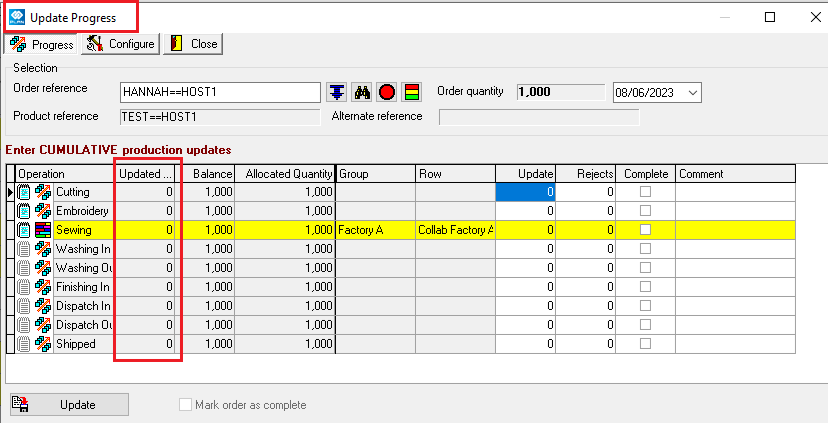
2). Planners could right-click the strip and click [Upload this strop] upload the strip to [Load List].
3). Planners reject orders from Load List via Right-click > Click [Reject collaborative order] to reject orders and rejected orders would show in tab [Return List].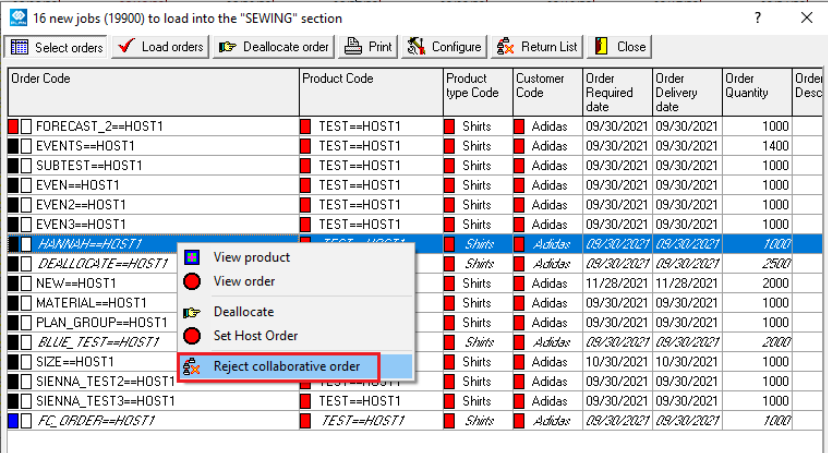
If rejected orders are set as other orders' Host order substitution or vice versa, both orders need to be rejected back to HQ site.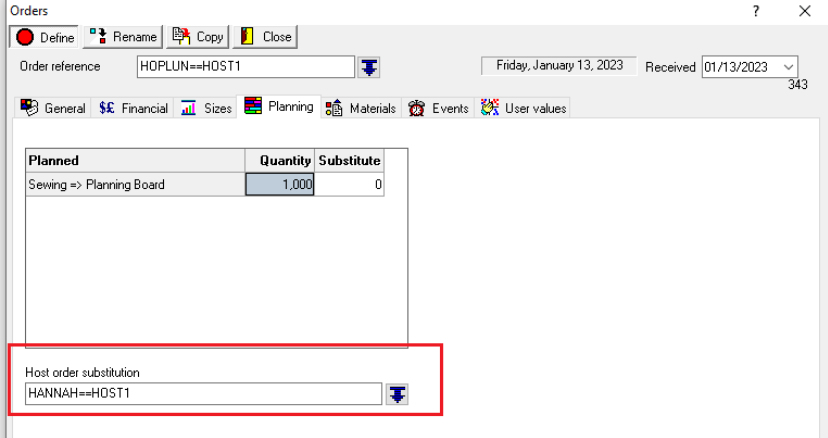
Rejected orders would show in [Return List] as below.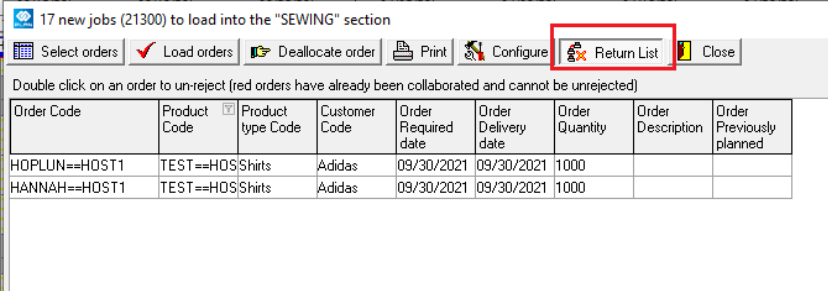
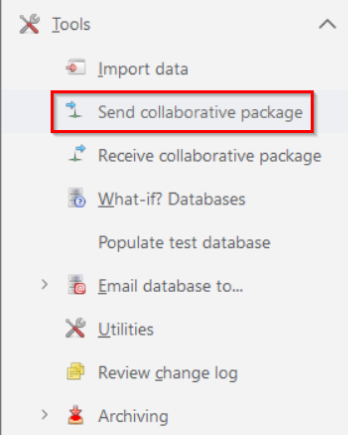
Step 2 : Remote site send collaboration packages via [Tools] > [Send collaborative package] > [Collaborate].
Important: All users should exist(close) LL planning board when send/receive collaboration packages.
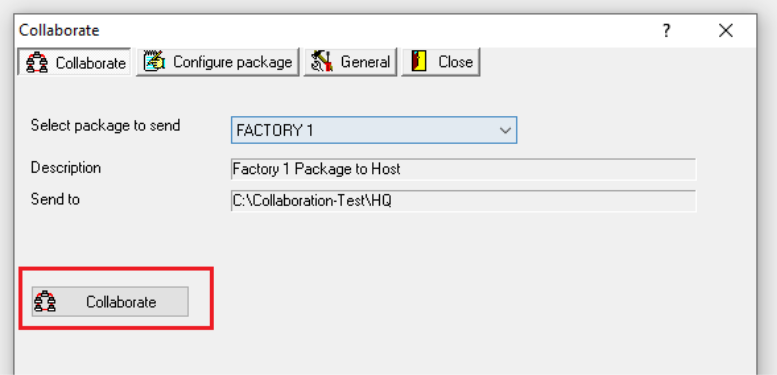
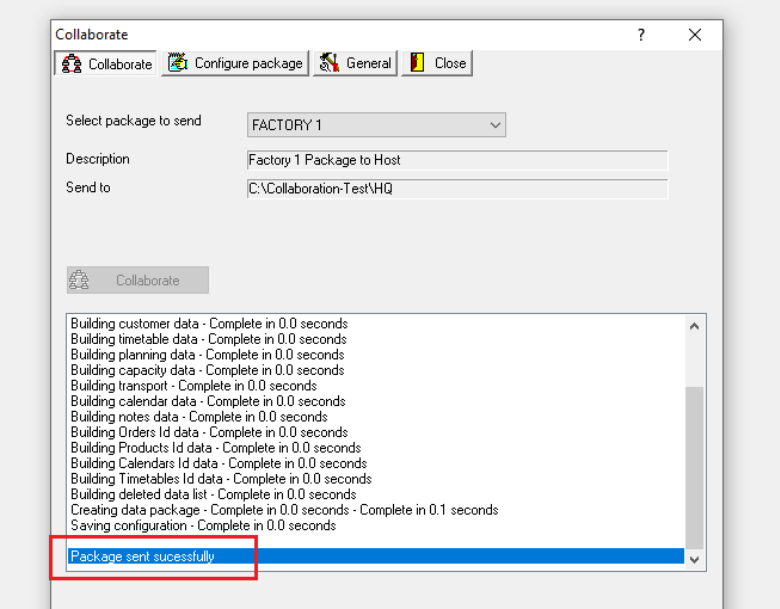
Message [Package sent successfully] mean the package has successfully sent to HQ site.
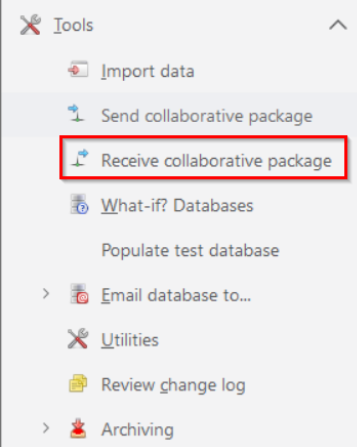
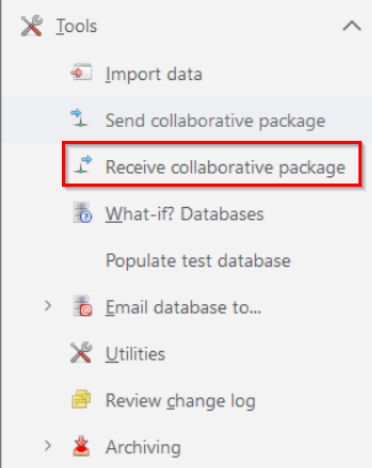
Step 3:HQ site receive collaboration packages via [Tools] > [Receive collaborative package].
Important: All users should exist(close) LL planning board when send/receive collaboration packages.
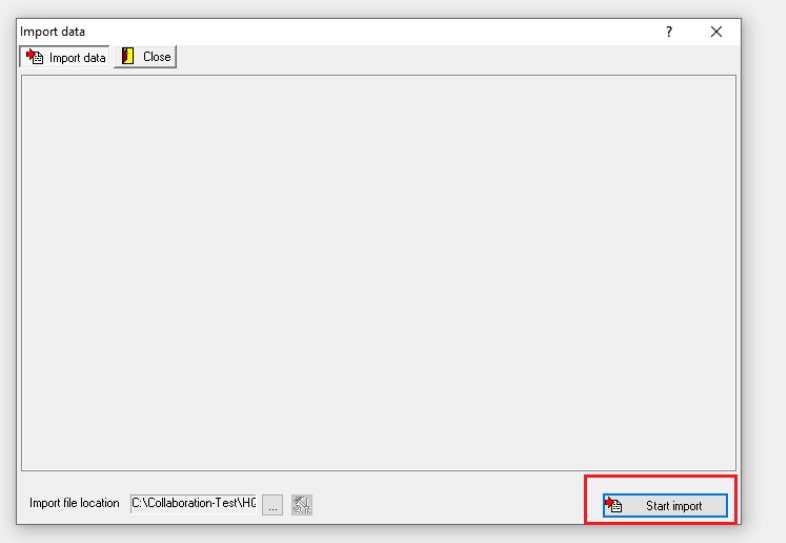
Step 4: Click [Check for files] > Click [Process All] > Click [Start Import].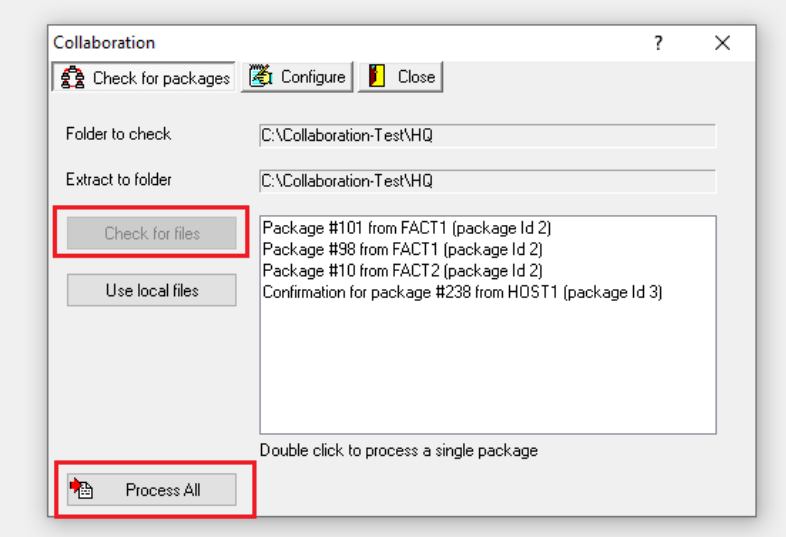
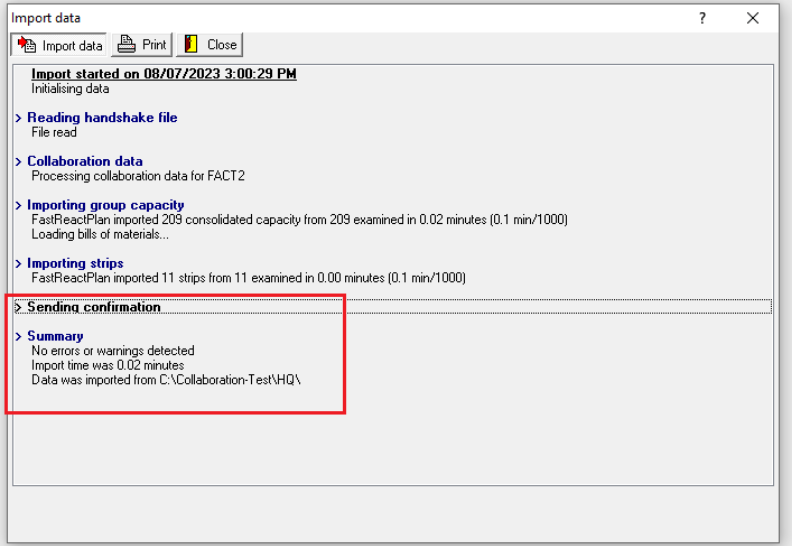
Handshake (Confirmation) would be sent after successful import. User could close this window after importing.
Step 5: Remote site receive Handshake from HQ site via [Tools] > [Receive collaborate package].
Important: All users should exist(close) LL planning board when send/receive collaboration packages.
Click [Check for files] > Click [Process All] to receive Handshake (Confirmation).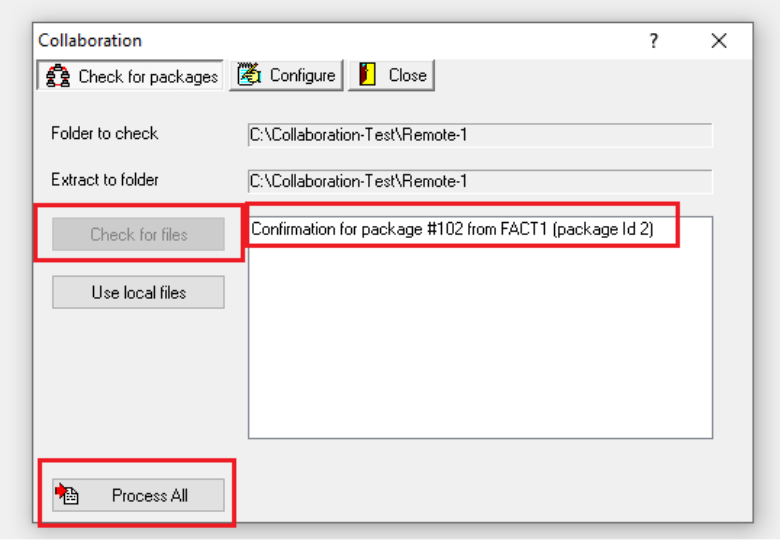
Remote site would find tab [Return List] would disappear from Load List of LL planning board after rejected orders successfully return to HQ site.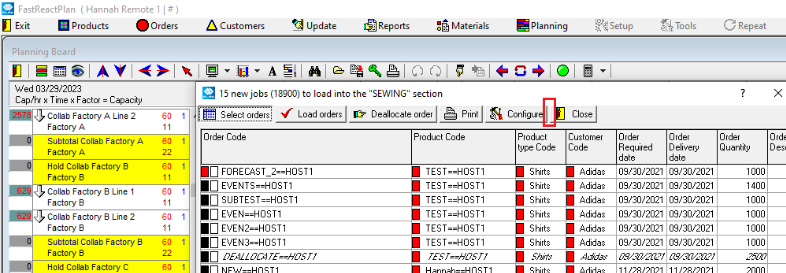
HQ site would find rejected orders in Red color in Load List of HL planning board.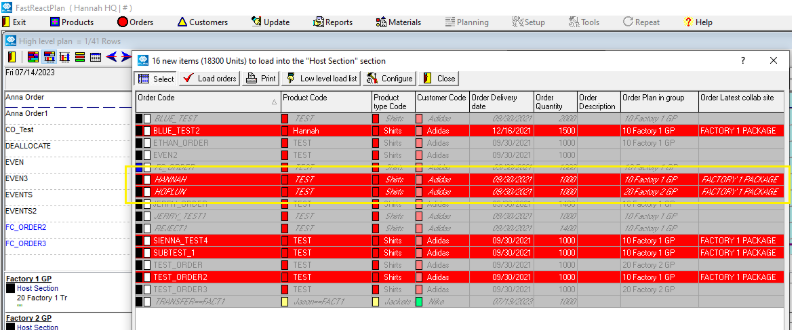
Outcome:
Planners could reject orders from remote site to HQ site following above instructions.
Further reading:
Links to related articles