
Article Public Number: KA-01149
Coats Digital Knowledge Article
Product: FastReactPlan
Purpose & Scope:
To maintain user a/c security, users can update the password by themselves or using admin account.
Solution:
There are two ways for user to reset password, one is user can use the shortcut key Ctrl+Alt+P, the other is request the Admin account to help update via access the Setup - Users
Instructions:
Step 1: If you still remember your password and can login FRP.
Within the system, press Ctrl+Alt+P on your keyboard, below dialog will popup and allow you to update your password
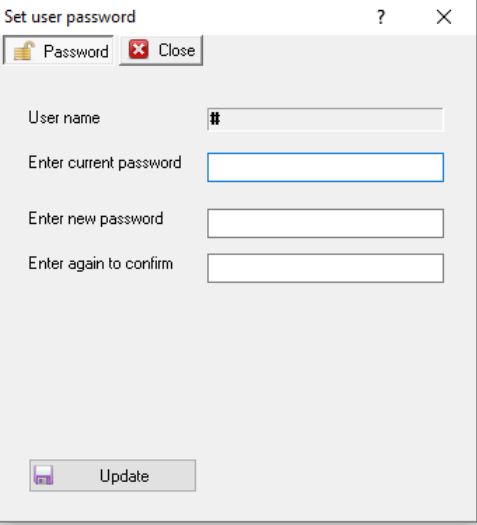
Step 2: Update your password and press "Update" to save it
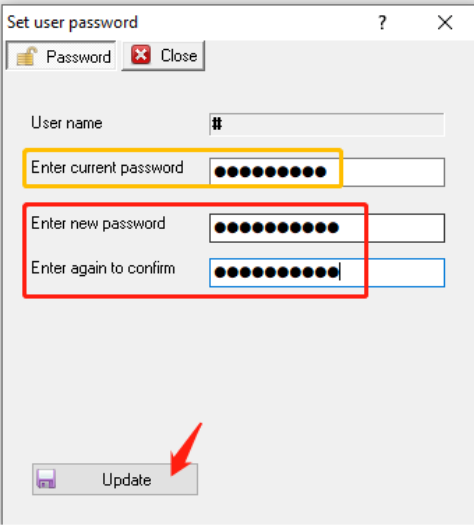
If you forgot your password, please inform the Admin user who is running FRP with admin access in the system that can access the Setup tab
Go to Setup - Security - Users
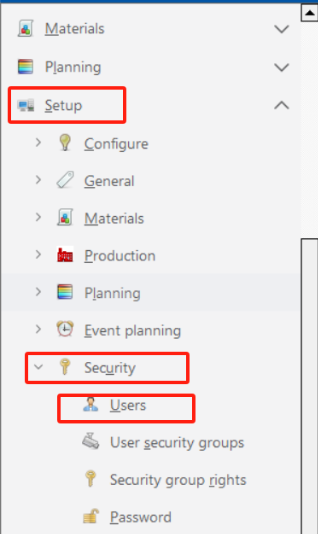
Find out the user that you want to update the password for, key in the new password, press "Update"
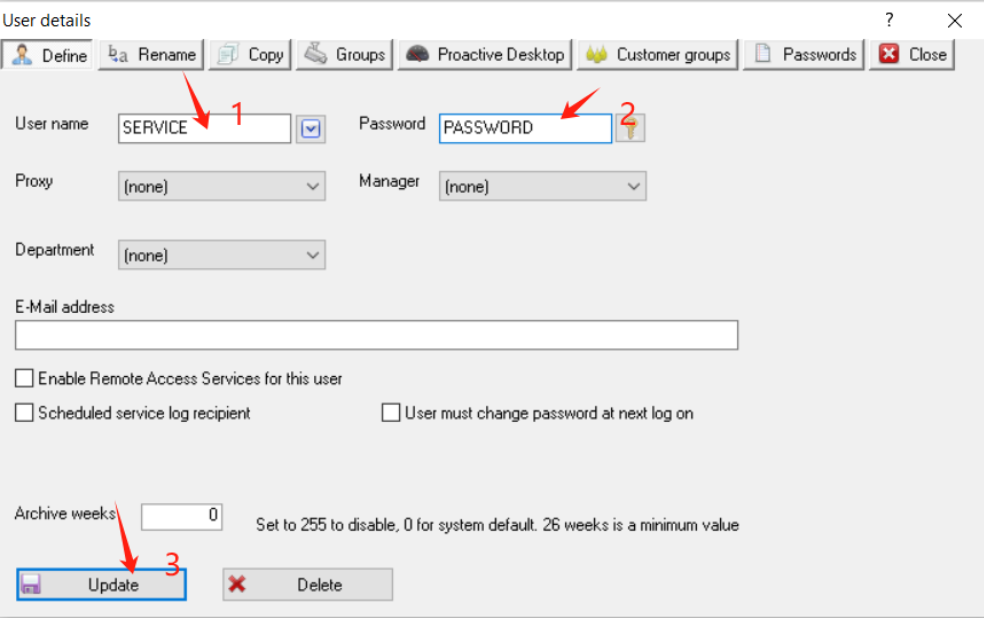
Outcome:
Following above users can have the password updated accordingly.
Further reading:
Links to related articles