
Article Public Number: KA-01186
Coats Digital Knowledge ArticleProduct: FastReactPlan
Purpose & Scope:
Sometimes the event has been not completed yet, but user had updated the event done date by mistake, hence user has to clear the event done date in FRP in one time for all.
Solution:
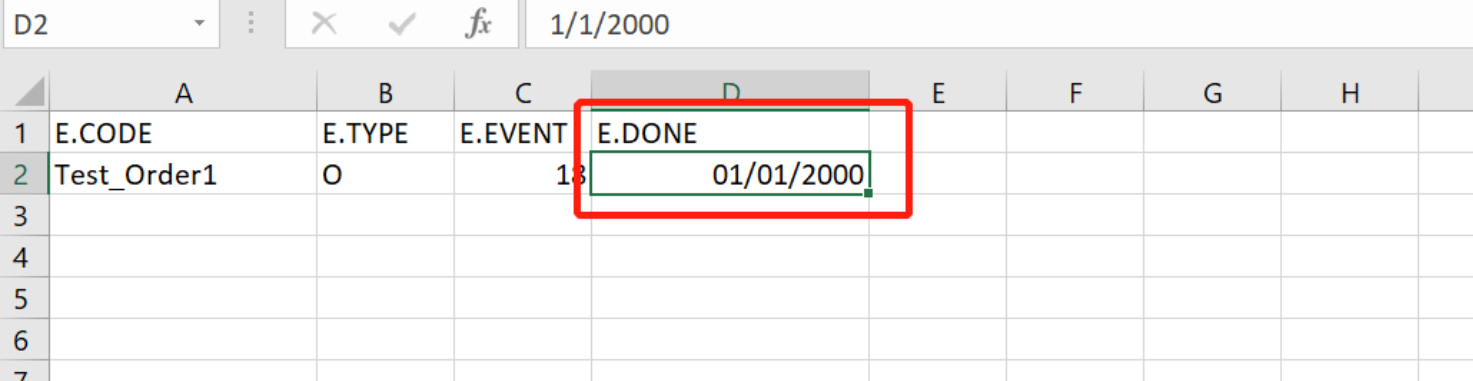
We can assign the 01/01/2000(date format depends on how the system was set) as the event done date in E.done field to reverse the event completion via import
Instructions:
Step 1 : we need to check current status of the event which need to be reversed the event completion
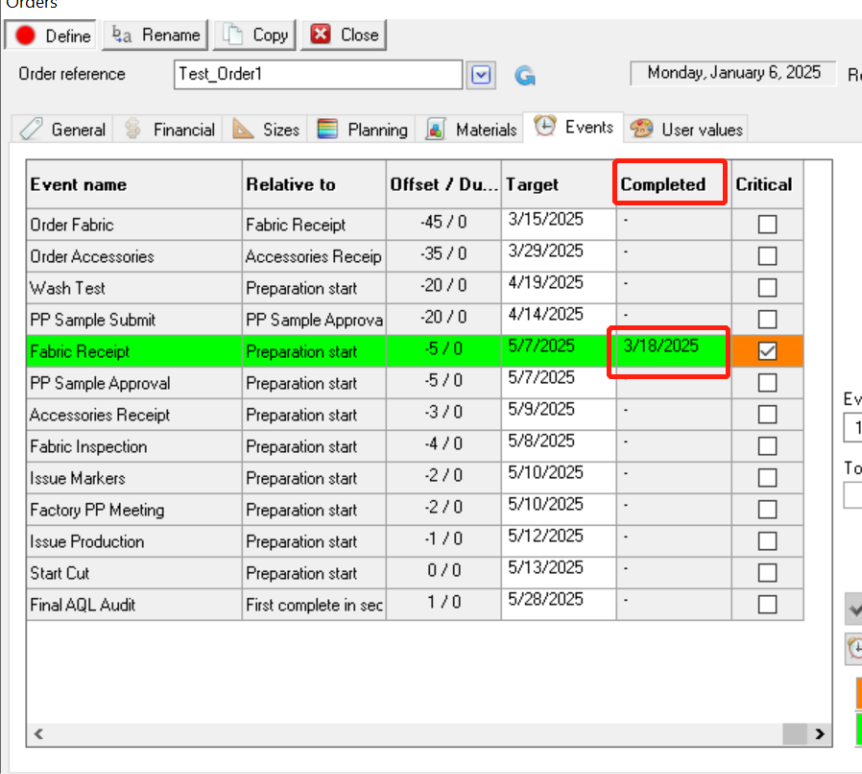
Step 2 . Prepare the event update file and assign 01/01/2000 as event done date in E.done field
Note: the date format refer to the import setting in FRP
Step 3 .Import above events.csv/txt file
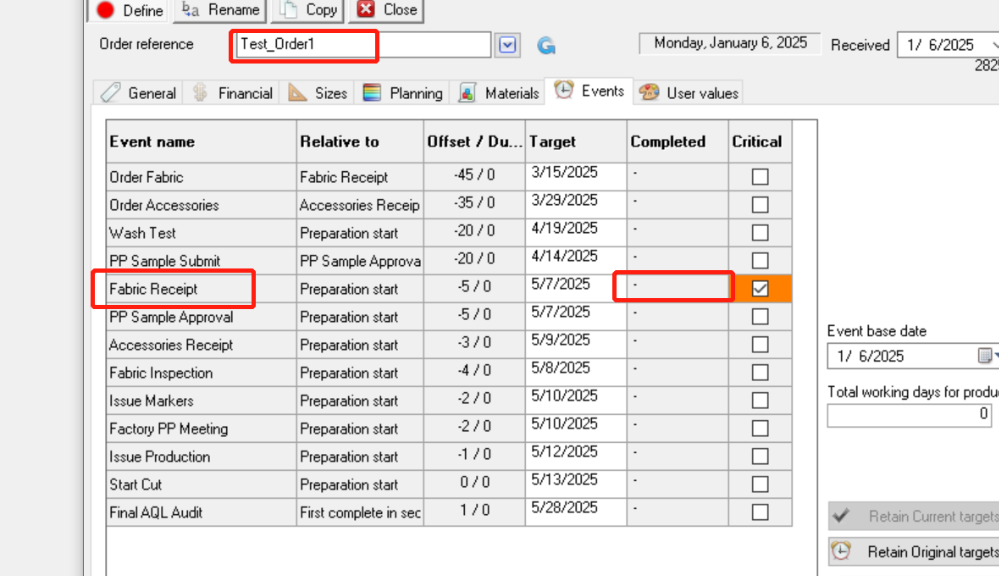
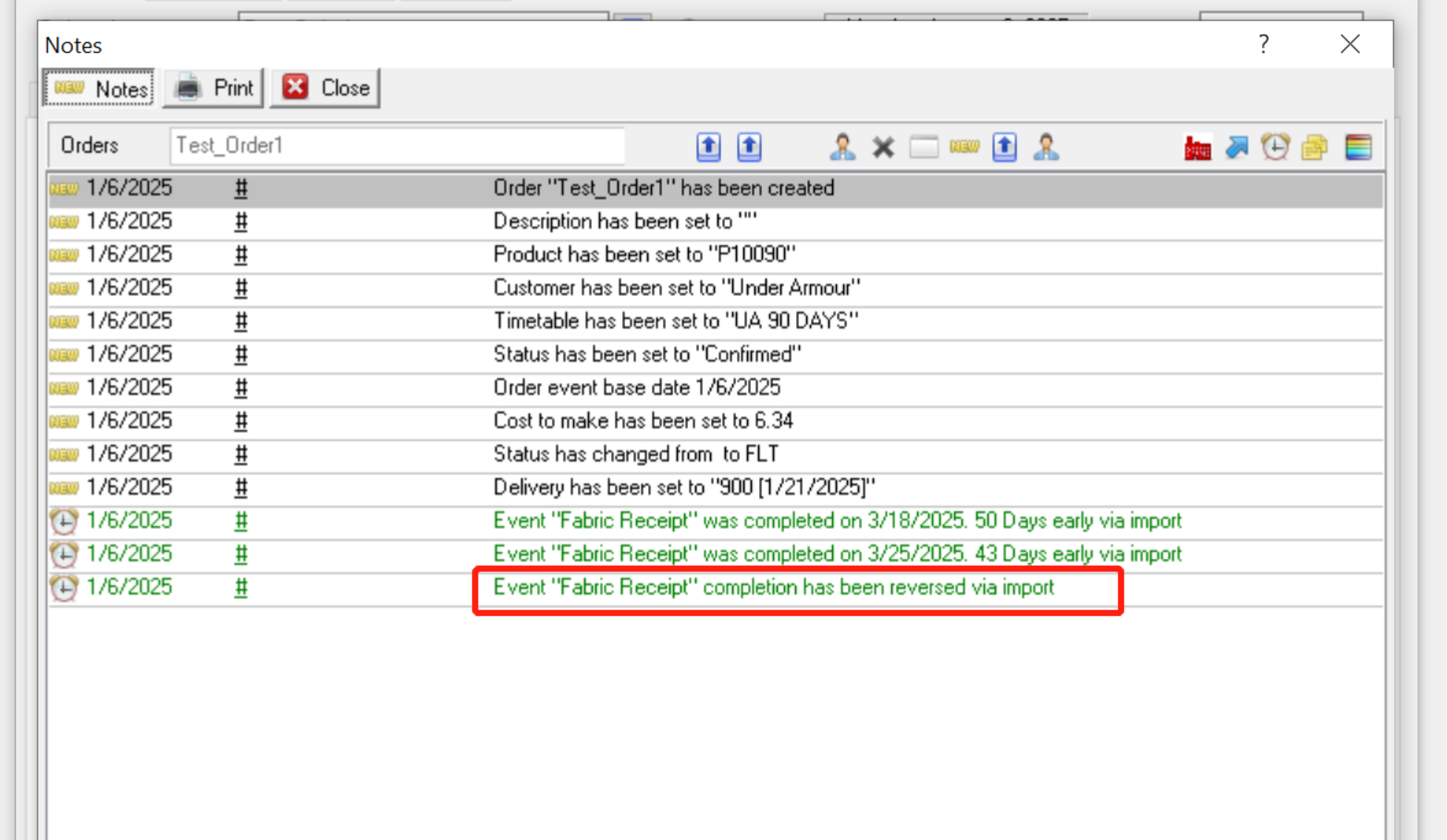
Outcome:
We can see the event completion has been reversed as how it showed in order notes
Further reading:
Links to related articles