
Article Public Number: KA-01155
Coats Digital Knowledge Article
Product: FastReactPlan
Purpose & Scope:
Occasionally, in the due course of providing support or correcting issues, it is necessary to alter the data in the FastReact database by executing SQL scripts.
Solution:
Run scripts provided by the Support Desk in Tools--Utilities--Databases--Execute SQL statement
Instructions:
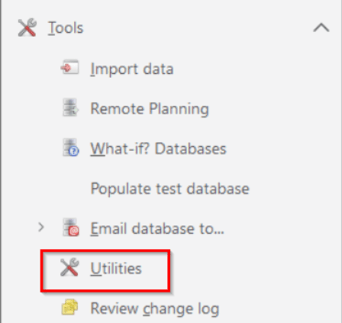
Step 1: Click Tools’ > ‘Utilities’ and click on the ‘Database’ button
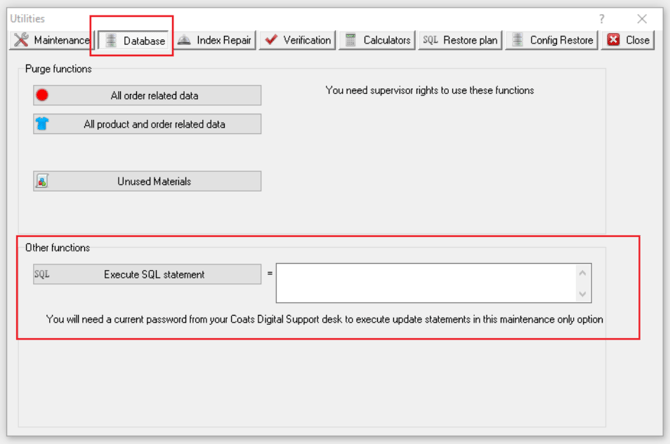
Step 2: The white box under the ‘Other functions’ is where the SQL statement is entered. The SQL script will be sent to you from Support.
Once this script is received, paste it not the largest white window as above and click on the ‘Execute SQL statement’ button.
A warning message will appear:
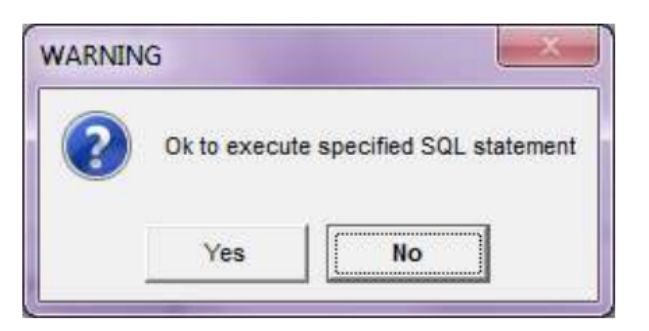
Select “Yes” and a reconfirmation window will appear:
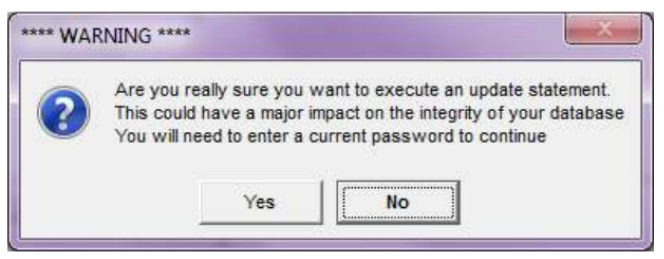
Select “Yes” and a new window will appear asking you to enter a current password:
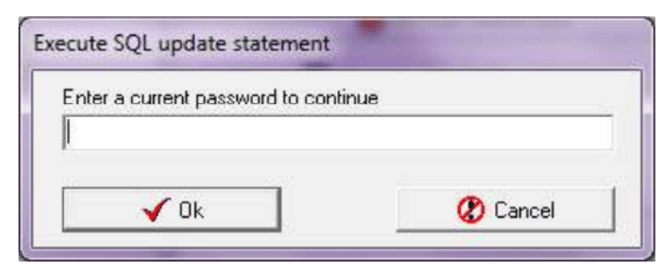
This password will be supplied by Support and any passwords supplied are only valid for 2 days. Once you have entered a correct password and clicked OK, a screen will then appear confirming how many changes have been made to the database.
If any other message appears, you must contact the Support Desk immediately.
Note:
1. Ensure all users are out of FastReact.
2. Make a backup of the database.
Outcome:
After executing the SQL script, the corresponding change would be effective on the database.
Further reading:
Links to related articles