
Article Public Number: KA-01225
Coats Digital Knowledge Article
Product: FastReactPlan
Purpose & Scope:
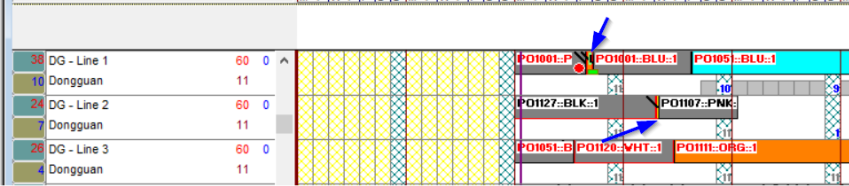
Some strips is very small and not easy to select that strips to view or use right-click function.
Solution:
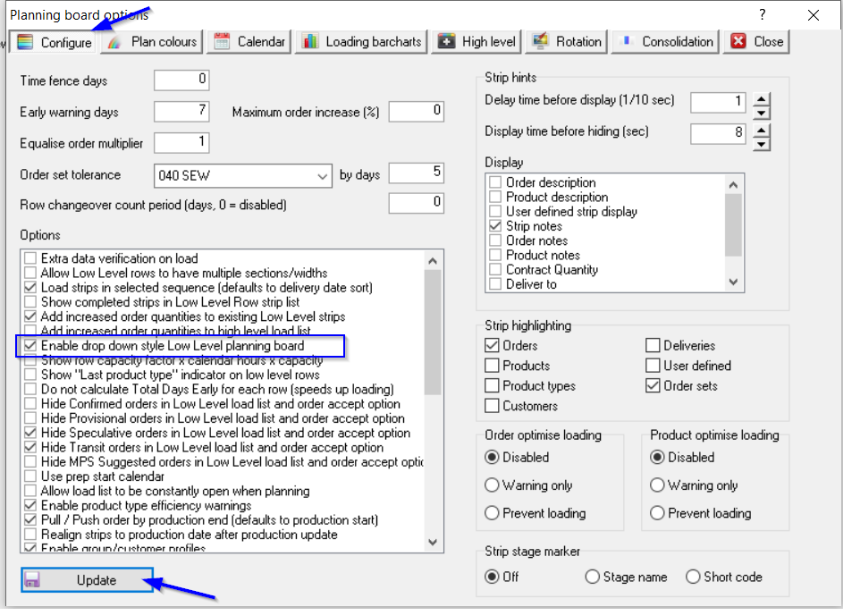
Enable option "Enable drop down style Low Level planning board"
Instructions:
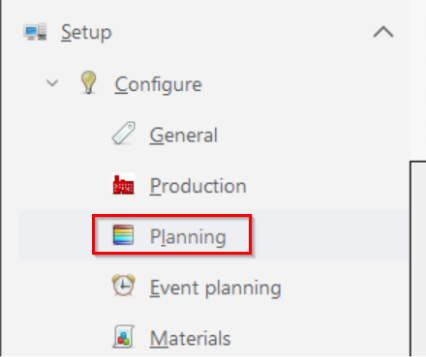
Step 1: Go to Setup > Configure > Planning
Step 2: In tab Configure, tick on option "Enable drop down style Low Level planning board", select Update
Outcome:
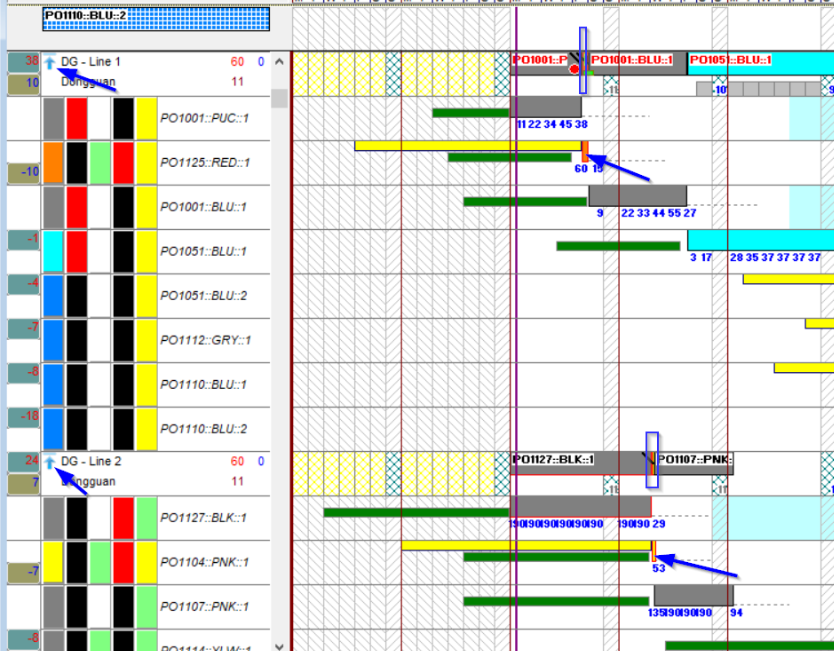
After enabling this option, there are arrow down icon on row name , then user can click on that icon to drop down the order and then user can easy to select or use right-click function.

Further reading:
Links to related articles