
Article Public Number: KA-01184
Coats Digital Knowledge Article
Product: FastReactPlan
Purpose & Scope:
Brief description on how to solve report error [Circular cell reference in formula.
Solution:
Delete info of previous two column ahead of the error column and correct the formula of the error column.
Instructions:
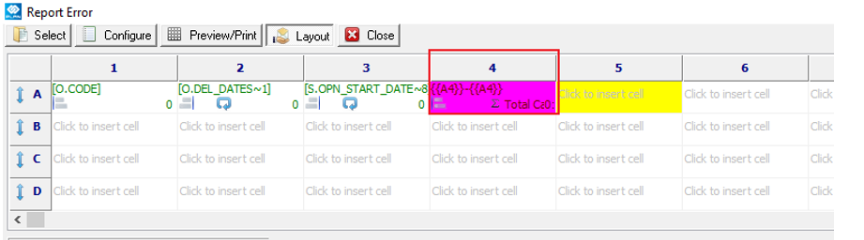
Step 1: Found error column in color berry red, and don't click it or the system would be forced to shut down.
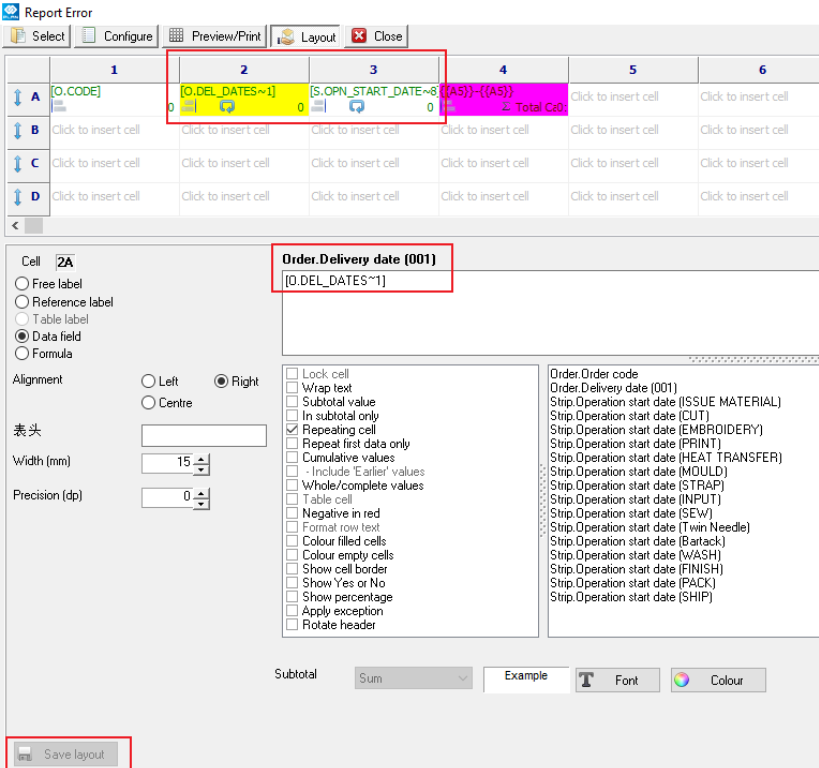
Step 2:Delete info of previous two columns ahead of the error column and click [Save layout]
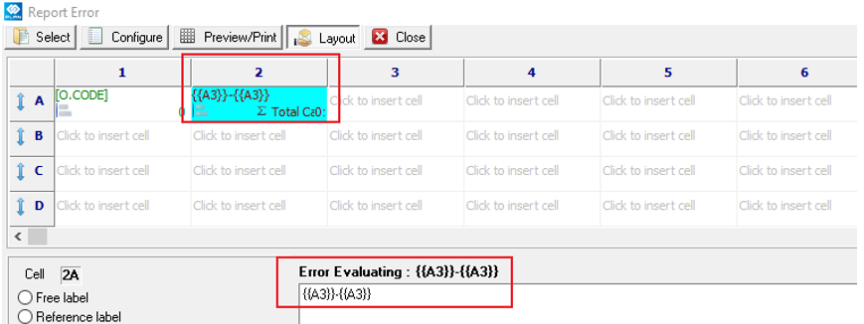
Step 3:Correct the formula of the error column and the report would resume normally.
Outcome:
After deleting info of previous two column ahead of the error column and correct the formula of the error column, the report would resume normal.
Further reading:
Links to related articles